Between SOC 2 audits, HIPAA requirements, and the growing list of state-level data privacy laws, the compliance bar for how companies manage their endpoints keeps rising. IT teams are expected to prove they control what’s on every device, who has access to what, and what happens when someone leaves. And the consequences of getting it wrong are no longer hypothetical.
Android accounts for over 70% of the global mobile market. In practice, that means most companies have Android smartphones and tablets spread across sales reps, field technicians, and remote teams, all accessing corporate data every day. Managing that fleet with spreadsheets is no longer an option. You need an MDM, and one that actually handles Android well.
In this article, we break down the 6 best MDM software for Android devices in 2026 — features, real differences, and limitations — so you can pick the one that fits your organization.
Comparison table: the best MDM software for Android
| Software | Best for | Android Enterprise | Kiosk mode | BYOD | HRIS | Data residency | Approximate pricing |
|---|---|---|---|---|---|---|---|
| Factorial IT | Mixed fleets with IT-HR lifecycle | ✅ Managed Google Play | ✅ Yes | ✅ Yes | ✅ Native | EU | ~$6–8/device/mo |
| Hexnode | Pre-built templates and Android kiosks | ✅ Work Profile + Fully Managed + Dedicated | ✅ Advanced | ✅ Yes | ⚠️ Limited | EU region available | From $1/device/mo |
| Scalefusion | Kiosks, POS, and field teams | ✅ Fully Managed + Dedicated Device | ✅ Advanced | ✅ Yes | ❌ No | Primarily US | From $2/device/mo |
| Microsoft Intune | Microsoft 365 ecosystem | ✅ Work Profile + Fully Managed | ✅ Yes | ✅ Yes (App Protection) | ⚠️ Via Entra ID | US & EU regions | Included in M365 E3/E5 |
| Miradore | Very tight budget | ✅ Android Enterprise | ✅ Basic | ✅ Yes | ❌ No | EU region available | Free / From $2.75/device/mo |
| NinjaOne | IT teams with existing RMM | ✅ Work Profile + Fully Managed + Dedicated | ✅ Yes | ✅ Yes | ❌ No | US & EU regions | Contact sales |
1. Factorial IT
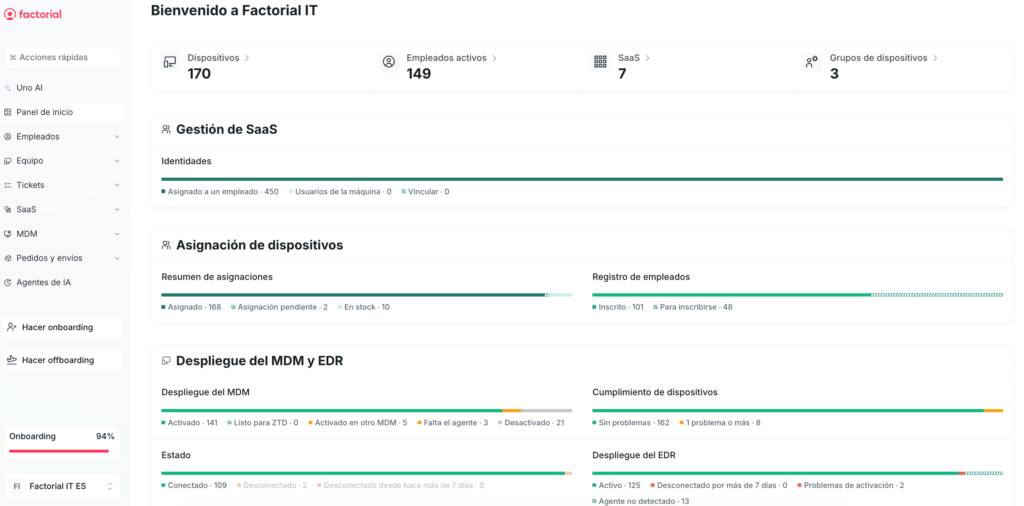
Best for: growing companies managing mixed Android, macOS, Windows, and Linux fleets that need the device lifecycle to move at the pace of HR, not the IT team.
Factorial IT isn’t just an MDM. It’s the layer that connects device management, SaaS access, and endpoint provisioning to what’s happening in your HRIS. A new hire triggers the setup of their Android device. A department change updates their permissions. An exit revokes access and wipes the device. All without IT having to step in manually at every turn or juggle three different consoles. Data and support based in Europe.
Key features
- Android app distribution via Managed Google Play: publish and assign business apps to Android devices directly from the console, segmented by team or role.
- Automatic provisioning on first boot: devices arrive ready to use thanks to integration with Apple Business Manager (macOS/iOS), Windows Autopilot, and Android Enterprise. Profiles, apps, and credentials are applied without anyone from IT touching the device.
- Centralized security policies: passwords, restrictions, certificates, Wi-Fi and VPN configuration managed from a single panel, aligned with major compliance frameworks.
- Forced encryption with centralized key recovery: FileVault on macOS and BitLocker on Windows are enforced by default, and recovery keys are stored in the platform so IT can step in without losing data.
- Full fleet visibility in real time: which apps are installed, what version they’re on, what hardware each device has, and whether it’s compliant with security policies. No waiting for scheduled reports.
- Automatic vulnerability detection (CVE): the platform cross-references software across your fleet with public CVE databases and flags exposed endpoints.
- Remote actions on any device: lock, wipe, locate, restart, and run scripts from the console on macOS, Windows, and Linux.
- Onboarding and offboarding without tickets: when HR logs a hire, a transfer, or a departure, the device, SaaS licenses, and corporate access adjust automatically.
- SaaS license management from the same platform: visibility into who’s using what tool and how many licenses are actually active, without leaving the device management panel.
- Infrastructure and data hosted in Europe, with support during European business hours.
What sets it apart
Most MDMs treat the device and the employee as separate entities. Factorial IT merges them: the endpoint is part of the employee profile, just like their contract or email address. When HR moves someone to a different department, the device inherits the new policies, apps, and access without IT opening a ticket or touching a console. For teams that were previously coordinating onboarding and offboarding across four different tools, this isn’t an incremental improvement — it’s a fundamentally different way of working. And since the platform operates entirely from the EU for both data and support, organizations subject to GDPR, SOC 2, or ISO 27001 get a head start on compliance out of the box.
Limitations
- No ChromeOS support. If you have Chromebooks in your fleet, you’ll need a separate tool to cover them.
- The ecosystem of connectors for SIEM, ticketing, and other third-party tools is growing but still doesn’t match the breadth of Intune or Hexnode. If your IT stack is highly specific, it’s worth checking available integrations before committing.
- Factorial IT delivers its full value when paired with Factorial’s HRIS. It works standalone, but you lose the very thing that sets it apart: lifecycle automation driven by HR data.
2. Hexnode
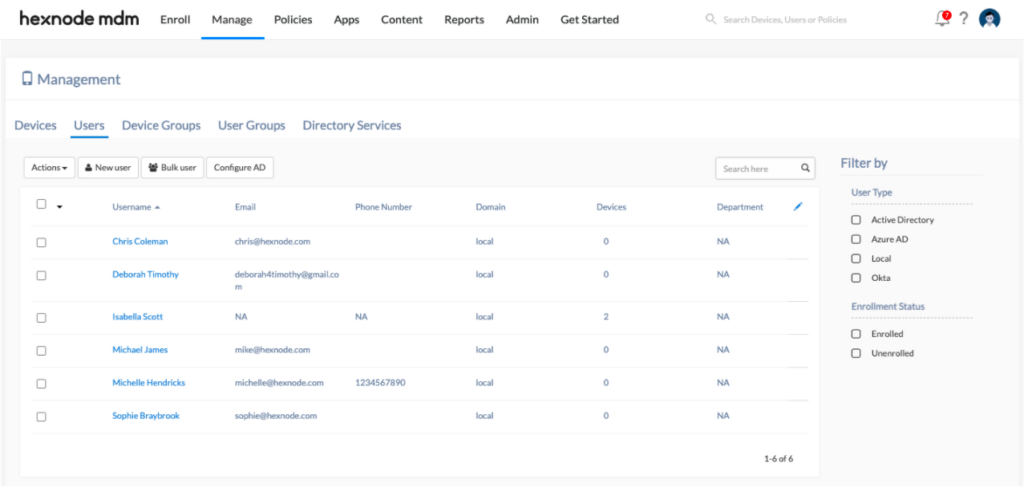
Best for: IT teams managing Android fleets that need kiosks, dedicated devices, and fast deployments using pre-built policy templates.
Hexnode supports Windows, macOS, iOS, Android, tvOS, Fire OS, and ChromeOS, but it’s Android device management where it truly shines. It’s no coincidence that in technical forums and communities, Hexnode consistently comes up as the go-to reference when someone’s trying to solve a specific Android Enterprise use case. Its library of pre-built policy templates lets a resource-constrained IT team roll out a “BYOD Android” or “Android kiosk” configuration in minutes, not hours.
Key features
- Full Android Enterprise support: all three management modes covered (Work Profile, Fully Managed, and Dedicated Device), allowing you to manage everything from an employee’s personal phone to a kiosk mounted in a store — all from the same console.
- Zero-touch enrollment for Android: integration with Android Zero-Touch and Samsung Knox so the device comes out of the box, powers on, and configures itself with no IT intervention required.
- Ready-to-use policy templates: instead of building every policy from scratch, Hexnode offers pre-built configurations for the most common scenarios (kiosk, BYOD, shared device, COPE). Select, tweak the essentials, and deploy.
- Advanced Kiosk Lockdown: single-app or multi-app lockdown with a filtered browser and control over physical hardware (camera, USB, buttons). Hexnode’s kiosk mode is one of the most robust on the market for Android.
- APK deployment and Managed Google Play: distribution of business apps via Managed Google Play plus sideloading of APK/XAPK files for internal apps that don’t go through the store.
- Geofencing and location-based policies: the device automatically switches configuration based on where it is. Useful for field teams or devices that move between locations with different policies.
- Built-in remote assistance: Remote View and Remote Control from the console to troubleshoot issues on the user’s device without installing anything extra.
- ChromeOS support: one of the few MDMs on this list that can manage Chromebooks, making it a viable option for mixed fleets that include Google devices.
What sets it apart
The depth of Android management is above average. Where other MDMs offer Android Enterprise as just another checkbox on the compatibility list, Hexnode treats it as a first-class citizen. Configuration options for Android are granular, well-documented, and — what actually matters day-to-day — they work without surprises. If your fleet is predominantly Android and you need fine-grained control over dedicated devices, Hexnode is one of the strongest options out there.
Limitations
- To access certificate management, per-app VPN, or granular app control, you’ll need to move to the Enterprise or Ultra plans. On the entry-level tiers, security stays basic.
- The connection with HR systems and ITSM tools is virtually nonexistent. There’s no bridge between what happens in the HRIS and what happens on the device — onboarding and offboarding remain manual.
- On the lower-tier plans, support response times tend to lag, especially outside US business hours. Hexnode also bills exclusively in USD, which adds administrative friction for non-US companies.
3. Scalefusion

Best for: companies managing dedicated Android devices — tablets at point of sale, warehouse terminals, delivery driver phones, or customer-facing kiosks.
Scalefusion was born in the Android-only world (it used to be called MobiLock Pro, and its sole purpose was locking down Android devices). Today it also supports iOS, Windows, macOS, and Linux, but its DNA remains the management of hardware that no one from IT will physically touch after deployment. Its standout capability: real-time remote control with session recording and file transfer, built for support teams that troubleshoot remotely and need to document every intervention.
Key features
- All Android Enterprise modes: Fully Managed, Work Profile, and Dedicated Device, plus Android Zero-Touch enrollment to configure entire fleets without touching a single terminal.
- Remote control with built-in recording: real-time connection to the device with a remote terminal, screen streaming, file transfer, and full session recording for audit purposes.
- Kiosk with full interface control: single-app and multi-app lockdown on Android with restrictions on navigation, physical buttons, and on-screen elements. The level of kiosk customization goes beyond what most competitors offer.
- DeepDive for Android diagnostics: a proprietary tool that lets you remotely inspect hardware, network, and performance status on any Android device from the console.
- Private app store (Enterprise Store): internal repository to distribute custom Android apps without relying on Google Play, with silent updates.
- GPS tracking and geofencing: field device location with automatic alerts when a terminal leaves its assigned zone or enters an unauthorized one.
- ProSurf (managed browser): a browser with URL whitelisting for public-access devices or kiosks that should only load specific pages.
- Android SDK for developers: lets developers embed MDM capabilities directly into custom Android business apps — useful for field or logistics applications.
- Shared device management: user switching on Android tablets with policies that adjust automatically based on who logs in.
What sets it apart
The remote support session recording is what separates Scalefusion from the rest in this niche. When a technician connects to a POS terminal in a store hundreds of miles away, resolves the issue, and the session is recorded automatically, there’s no need to justify what was done or how for an audit. That, combined with the Android SDK that lets you embed MDM features inside your own business apps, makes it the most specialized option for dedicated-use Android fleets.
Limitations
- No self-service portal for end users to resolve things on their own. Every action goes through IT, which can become a bottleneck with larger fleets.
- The admin console shows too many options at once. For a small team looking for something quick to configure, the sheer number of menus and settings can be overwhelming.
- Virtually no connection to HR systems. Hiring or offboarding an employee doesn’t trigger any automatic action on the device.
- Infrastructure hosted primarily in the United States. For European companies subject to GDPR or NIS2, or with strict data residency requirements, this may require additional due diligence.
4. Microsoft Intune
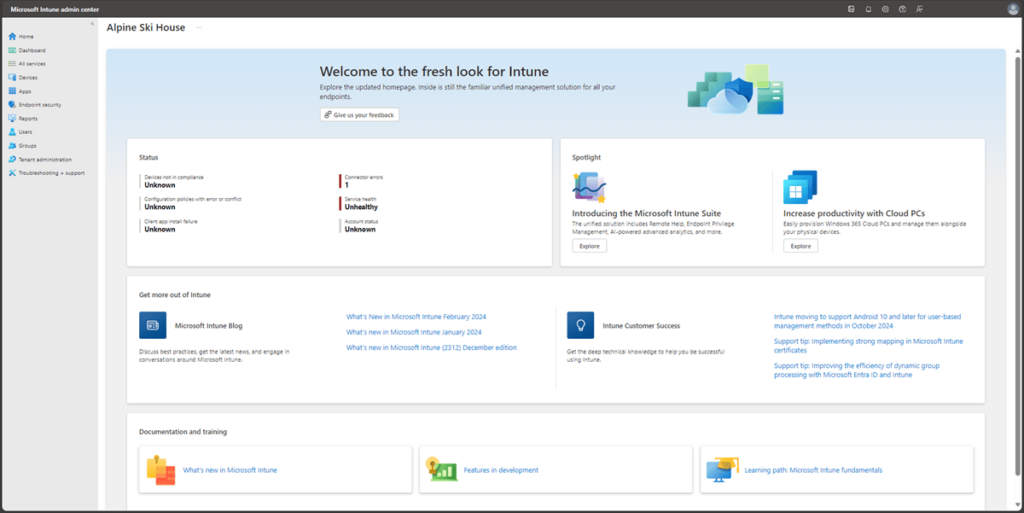
Best for: organizations that already have Microsoft 365 licenses and want to manage their Android devices without adding another vendor to the bill.
Intune is Microsoft’s MDM, and for anyone already on E3 or E5 licenses, it’s the path of least resistance — because it’s already there. Its strength on Android isn’t the depth of device-level control (Hexnode and Scalefusion do better on that front), but rather the data protection layer in BYOD environments. App Protection Policies let you secure corporate data inside Outlook, Teams, or SharePoint on a personal Android without needing to manage the entire device. For companies where employees use their own phones and won’t accept IT taking full control, it’s the option that generates the least pushback.
Key features
- Android Enterprise with Work Profile and Fully Managed: covers the main Android management scenarios, both for corporate devices and employees’ personal smartphones.
- App Protection Policies without enrollment: protection of corporate data inside Microsoft apps on personal Android devices. Controls copy-paste between work and personal apps, requires a PIN to open work apps, and allows wiping only corporate data without touching photos or WhatsApp.
- Conditional Access with Entra ID: rules that cross-reference the Android device state (encryption, OS version, SafetyNet integrity) with user identity to decide whether access to corporate resources is granted.
- App deployment via Managed Google Play: publishing and assigning Android applications directly from the Intune admin portal.
- Compliance rules for Android: policies that automatically verify whether a device meets security requirements before granting access. If it doesn’t comply, it’s blocked until the issue is resolved.
- Remote configuration of Android devices: Wi-Fi, VPN, email profiles, and usage restrictions managed centrally.
- Microsoft Defender for Endpoint as an add-on: threat protection on Android available as an additional module for those already operating within the Microsoft security ecosystem.
- Included in Microsoft 365 E3 and E5: the base MDM (Plan 1) comes with the license at no extra cost for companies that already have them.
What sets it apart
Data protection in BYOD without taking control of the entire device. In practice, an employee installs Outlook on their personal Android, IT applies an App Protection Policy, and from that point on, corporate data stays in a bubble: it can’t be copied to personal apps, can’t be shared outside the work environment, and can be wiped remotely if the employee leaves. All of this without IT seeing weekend photos or managing the device. Combined with Entra ID’s Conditional Access, it’s the solution that best balances security and employee privacy in environments where BYOD is non-negotiable.
Limitations
- The admin console is far from intuitive. Setting up Android Enterprise in Intune requires hands-on experience and patience. For IT teams without a dedicated person, the learning curve is steep.
- When it comes to dedicated Android devices (kiosks, field terminals), Intune falls behind Hexnode or Scalefusion in both configuration depth and ease of use.
- The base MDM is included, but the features that actually make a difference (Remote Help, advanced analytics, Defender for Endpoint) require add-ons that significantly increase the bill.
- No native HR-driven automation. Connecting the employee lifecycle to the Android device requires building integrations with Entra ID and third-party tools, adding complexity and setup time.
5. Miradore
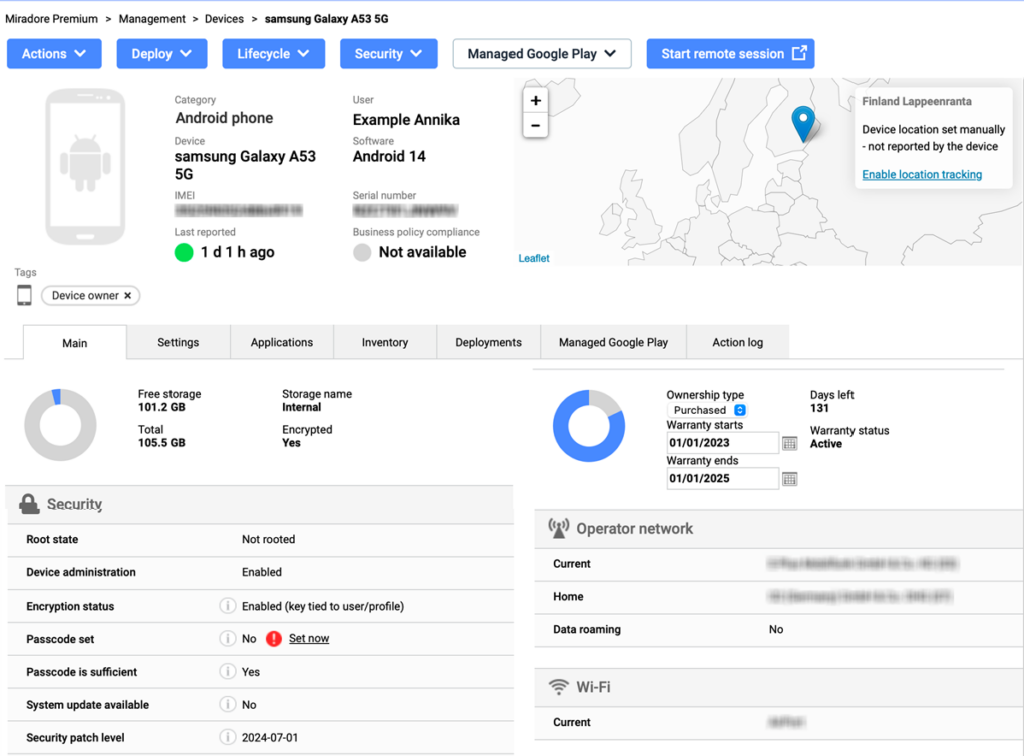
Best for: companies with no MDM budget that need to stop managing their Android fleet by hand and want to start today, not when the budget gets approved.
Miradore, owned by LogMeIn, offers a free plan that’s not a gimmick: it covers up to 50 devices with enrollment, inventory, location, and basic remote commands. The tool doesn’t compete in depth with Hexnode or in specialization with Scalefusion, but for organizations that currently have no MDM at all, it’s the lowest barrier to entry on the market. When needs grow, the Premium plan starts at $2.75/device/month.
Key features
- Android Enterprise enrollment: device registration via Android Enterprise, with both manual and automated flows, supporting corporate devices and BYOD.
- Basic but functional configuration: password, Wi-Fi, VPN, email, and device restriction policies that cover the essentials without overwhelming you with options.
- Core remote actions: lock, full wipe, selective wipe (corporate data only), and GPS location for any Android enrolled in the platform.
- Automatic fleet inventory: an up-to-date list of hardware, installed software, and the status of each Android device, with dashboards and schedulable reports.
- Apps via Managed Google Play: application distribution assigned by device groups, without having to touch each terminal individually.
- Quick configuration templates: pre-built Business Policies that let you apply a set of rules to a group of devices in a few clicks, without configuring everything from scratch.
- 50 devices free, no strings attached: the free plan includes essential MDM operations and doesn’t expire. For small fleets, it may be enough indefinitely.
- 14-day Premium+ trial: full access to all advanced features to evaluate whether upgrading to paid is worth it.
- Remote support with GoTo Resolve (Premium+): direct remote assistance for Android devices built into the console, available only on the top-tier plan.
What sets it apart
The free plan actually works for day-to-day operations — it’s not a demo with a countdown timer. A company with 25 Android tablets spread across its sales team can enroll them, locate them, apply basic policies, and trigger a wipe if one gets lost — all without spending a dime. That eliminates the “we don’t have budget for an MDM” excuse and lets you start managing your fleet today, not when next quarter’s budget gets approved.
Limitations
- Anything beyond the basics (forced encryption with key escrow, native remote support, third-party integrations) is only available on Premium+, which is no longer free.
- Zero lifecycle automation. No SaaS management, no access provisioning, no HR connection. When someone leaves, you have to act on the device manually.
- The level of Android control stays surface-level compared to Hexnode or Scalefusion. Kiosk mode is rudimentary and granular configuration options are limited.
- Interface available in English only. Not a problem for US teams, but worth noting for multinational organizations with non-English-speaking offices.
- Several users report that each restriction requires a separate profile (one for networking, one for wallpaper, one for apps). With many active policies, management gets fragmented and it’s easy to lose track.
6. NinjaOne
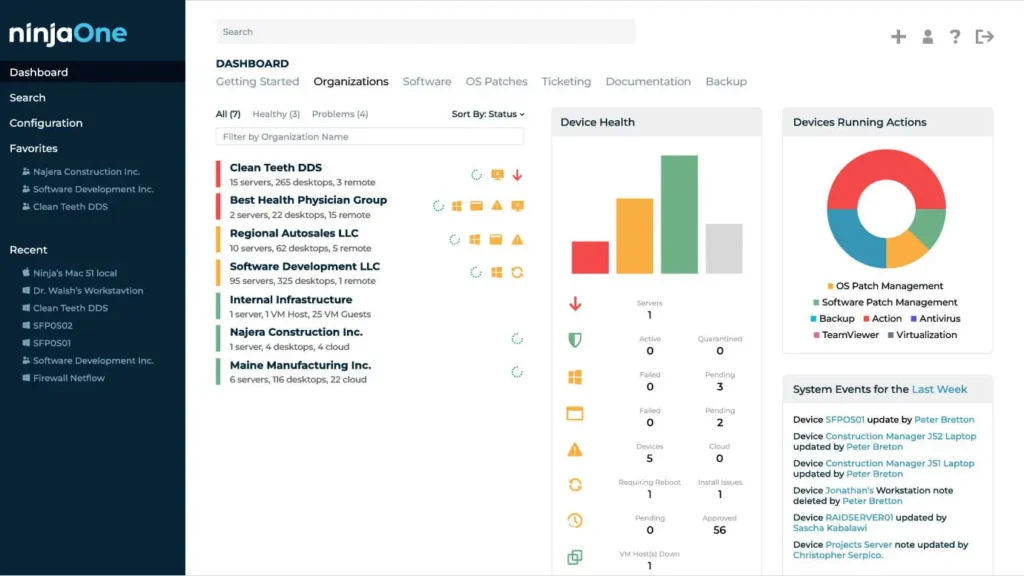
Best for: IT teams already using NinjaOne that want to manage their Android devices from the same console, without adding another vendor.
NinjaOne comes from the RMM world and has gradually extended its MDM capabilities to mobile devices. The tool doesn’t claim to be the most comprehensive Android MDM on the market — just the one that fits best when you already have NinjaOne for everything else. If your team is already patching servers and monitoring laptops from this console, adding Android means activating another tab, not evaluating a new vendor.
Key features
- Android Enterprise from the same console: Work Profile for BYOD, corporate devices (COPE), and dedicated devices, managed in the same dashboard where you spend the rest of your day with servers and laptops.
- Configurable Android policies: passwords, restrictions, network settings, forced encryption, and OS update management with the option to push updates immediately or schedule them in maintenance windows.
- Apps via Managed Google Play: remote installation, blocking, and removal of applications, with the option to lock the device into single-app kiosk mode.
- Real-time screen viewing: the technician can see exactly what the user’s Android is showing to diagnose without asking “what do you see on your screen?”
- Mass enrollment via QR code: QR codes and enrollment tokens that let you register dozens of Android devices without configuring them one by one.
- One dashboard for the entire fleet: the sales rep’s Android shows up right next to the production server and the designer’s laptop. No tab switching, no tool switching.
- Built-in vulnerability detection: CVE identification and risky software flagging across the entire fleet, Android devices included.
- Remote support with NinjaOne Remote: device access to resolve issues directly from the console, without installing anything extra on the endpoint.
What sets it apart
Everything on one screen. The technician who’s patching a Windows server at 10 AM can, without closing anything, notice that a sales rep’s Android is two OS versions behind and kick off the update. That operational continuity seems like a minor detail until you experience it on a three-person IT team managing 200 endpoints across five different device types. When you’re already on NinjaOne, adding Android isn’t adopting a new MDM — it’s activating one more tab.
Limitations
- The Android MDM module is relatively new compared to the core RMM product. Android management depth doesn’t match Hexnode or Scalefusion, especially for kiosks and dedicated devices.
- It’s a device management tool, period. No SaaS management layer, no access control, no employee lifecycle automation.
- Pricing is quote-only. The lack of public pricing forces you through the sales process before you can even compare with the competition.
- No HR connection. Hires and departures don’t trigger any action on Android devices. Everything linking the person to the endpoint is done manually.