Mosyle is a cloud-native MDM founded in 2012 by former Jamf employees, built exclusively around the Apple ecosystem. It covers Mac, iPad, iPhone, and Apple TV, with a free plan for up to 30 devices and three paid tiers that progressively layer on security, identity, and privacy capabilities. You’ll most often find it in SMBs and Apple-first K-12 schools.
The trouble starts when things get more complex. The fleet starts picking up Windows laptops or Android tablets, your organization gears up for a SOC 2 audit or HIPAA compliance, the IT team needs to connect device management with HR, or, more simply, the security and privacy features you actually need turn out to be locked behind the higher tiers. In any of those scenarios, it’s worth looking at what else is out there.
Why IT teams look for Mosyle alternatives
Mosyle is a solid tool inside its niche. But that niche is a narrow one, and the moment an organization steps outside of it, the limits show up fast. These are the most common reasons IT teams start evaluating alternatives:
- Apple-only coverage: Mosyle manages Mac, iPad, iPhone, and Apple TV—nothing else. The minute the fleet brings in Windows, Android, or Linux devices, you need a second MDM running in parallel.
- Security and privacy features locked in the upper tiers: the free plan and basic Business cover core MDM, but EDR, identity, and advanced privacy live inside Mosyle Fuse. The bill climbs quickly as security requirements grow.
- No connection to the employee lifecycle: Mosyle doesn’t cover procurement, shipping, onboarding, offboarding, or device reassignment, and native integration with HR systems is limited.
- A strong education DNA: a big chunk of the product was designed with K-12 in mind, and it shows in flows and terminology that can feel less natural for corporate IT teams.
- Limited customization for complex environments: the simplicity philosophy that makes Mosyle appealing becomes a constraint the moment an organization needs highly granular policies, custom workflows, or deep integrations with SIEM and ITSM platforms.
- No visibility into your SaaS stack: the platform manages the device, but not the applications, licenses, or access the employee uses from it.
What are the best Mosyle alternatives?
1. Factorial IT
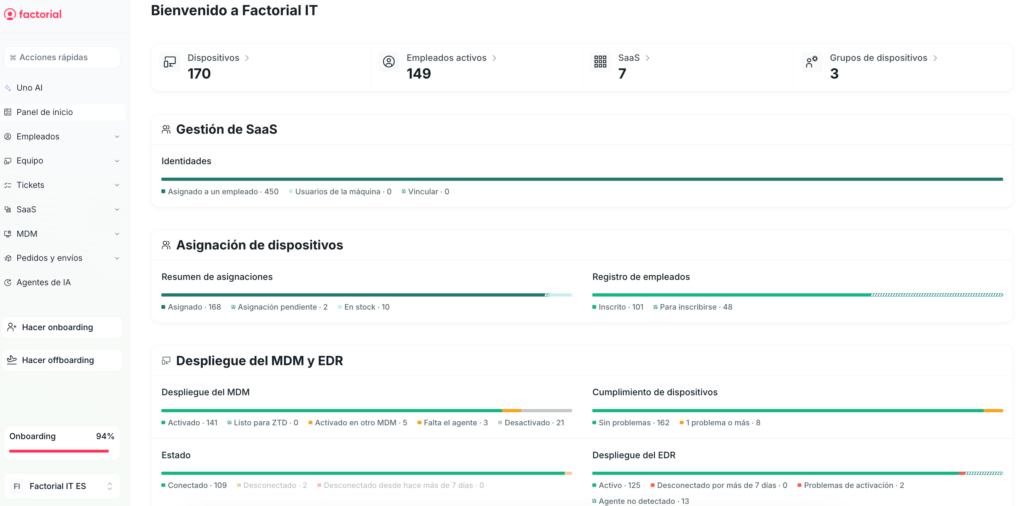
Best for: SMBs and mid-market companies with mixed-OS fleets that want a single platform for devices, security, and the employee lifecycle—without maintaining a separate MDM for every operating system.
Factorial IT is an all-in-one platform that brings device procurement and logistics, MDM, security, and SaaS license management into a single tool. While most MDMs treat the device as an isolated technical entity, Factorial IT treats it as just another attribute of the employee. When HR records a new hire, a termination, or a department change, the device’s policies, applications, and access adjust automatically—without IT lifting a finger.
Key features
- Unified MDM for Windows, macOS, Linux, iOS, and Android: a single console with real-time inventory and remote actions (lock, wipe, restart) that behave consistently across operating systems.
- Zero-touch provisioning: support for Apple Business Manager and Windows Autopilot, so employees receive a device that’s ready to work out of the box—no detour through IT required.
- Policies that follow the employee, not the device: assign policies by person, role, or team, and have them update automatically with any organizational change.
- Full-disk encryption with centralized escrow: enforce FileVault and BitLocker from the console, with recovery keys safely stored and accessible only to IT.
- Audit-ready compliance evidence: automatic control mapping for SOC 2, HIPAA, ISO 27001, CCPA, and GDPR, with centralized logs that cut down the team’s manual work.
- Two-way HR sync: Factorial and 40+ other HRIS platforms automatically trigger onboarding, role-change, and offboarding workflows on the employee’s device.
- End-to-end physical asset management: catalog purchasing, international shipping, assignment, returns, and reassignment—all handled from the same platform.
- SaaS license inventory and control: a map of which applications each employee uses, alerts on underused licenses, and automatic access revocation at offboarding.
- SentinelOne as an optional module: EDR for organizations that need detection and response capabilities beyond classic MDM.
- EU-based infrastructure: European data residency with multilingual human support in English, Spanish, French, Italian, Portuguese, and German.
Main drawbacks
- tvOS is out of scope: fleets with corporate Apple TVs will need a separate tool to manage them.
- The connector ecosystem is still growing: integrations with external SIEM and ITSM tools are expanding quickly, but they don’t yet match the breadth of platforms with more years on that turf.
- The real differentiator shows up alongside Factorial’s HRIS: as a standalone MDM it works, but the full lifecycle automation—which is the product’s main promise—needs both tools running together.
💡 Want to see it in action? Request a personalized demo.
2. JumpCloud
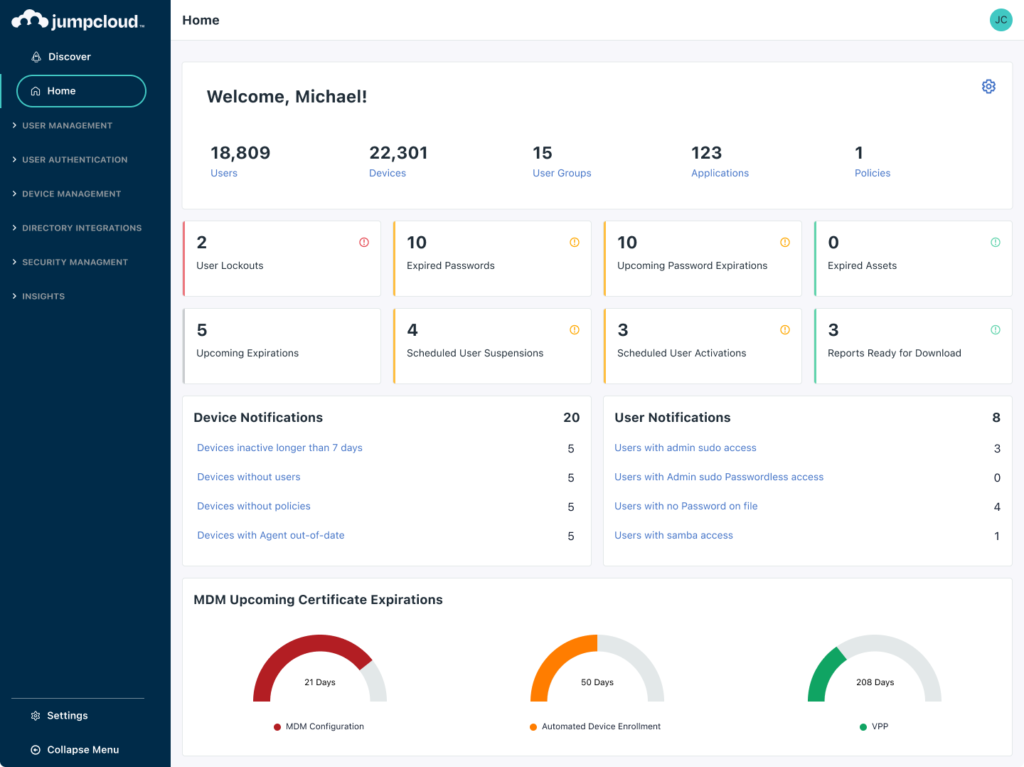
Best for: SMBs and mid-market companies with multi-OS fleets that want to consolidate identity directory, MDM, SSO, and MFA into a single platform, instead of paying separately for Okta or Microsoft Entra ID plus a standalone MDM.
JumpCloud launched in 2012 with a clear idea: deliver a cloud-native alternative to Active Directory built for companies that no longer want to maintain on-premise servers. More than a decade later, the platform has grown into what its founders call an “open directory,” combining identity, SSO, MFA, and device management for Windows, macOS, and Linux from a single console. The pitch is consolidation: what takes three or four tools in other stacks fits under a single license here.
Key features
- Unified identity directory: a modern alternative to Active Directory with LDAP, RADIUS, and SAML support delivered from the cloud.
- SSO with a broad app catalog: pre-built integrations with hundreds of SaaS apps and SCIM support for user provisioning.
- MFA and JumpCloud Go: multi-factor authentication plus a passwordless option using hardware-backed passkeys.
- Cross-platform MDM: Windows, macOS, and Linux managed with unified policies, plus support for iOS and—in a more limited way—Android.
- Patch and software management: application deployment and OS updates pushed from the console, with policies that can be tuned per group.
- Conditional Access: access policies for applications and resources based on device posture, location, and risk level.
- Cloud RADIUS and Cloud LDAP: authentication for corporate Wi-Fi networks and legacy applications, no on-premise servers required.
- Free plan for up to 10 users and 10 devices: a full environment to evaluate the platform before committing to a paid plan.
Main drawbacks
- Limited mobile coverage: iOS MDM works, but Android is much less developed and doesn’t reach the depth of platforms purpose-built for mobile fleets.
- Less depth than specialized tools: in SSO it doesn’t quite match Okta, and in macOS MDM it doesn’t reach Jamf. Its strength is consolidation, not category leadership.
- No physical device lifecycle: doesn’t cover procurement, shipping, or device recovery, and doesn’t natively connect to HR systems.
- Complex tiered pricing: between packages (Device Management, SSO, Core Directory, Platform) and à la carte add-ons, working out the real cost takes some math.
3. Microsoft Intune
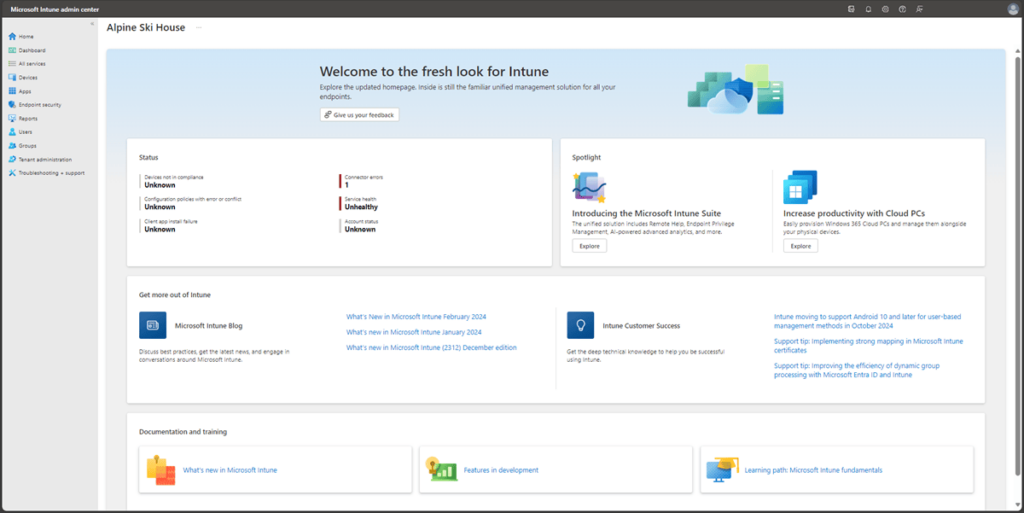
Best for: companies with a predominantly Windows fleet, active Microsoft 365 E3, E5, or Business Premium subscriptions, and an IT team with real hands-on expertise in the Microsoft ecosystem.
Intune is Microsoft’s cloud-native endpoint management platform. It’s now part of the Microsoft Intune suite and bundled into Microsoft 365 E3, E5, and Business Premium licenses, which makes it the default MDM for a big chunk of the mid-market. Where it really shines is Windows, with a level of granular control no other platform matches. Coverage for macOS, iOS, Android, and Linux exists, but it doesn’t go as deep.
Key features
- Conditional Access with Entra ID: adaptive access policies tied to device compliance state and user risk level.
- Windows Autopilot: zero-touch enrollment for Windows devices straight from the manufacturer—no imaging, no manual setup.
- Full Apple MDM: support for Apple Business Manager, supervised mode, and Declarative Device Management across Mac, iPad, iPhone, and Apple TV.
- App Protection Policies: isolate corporate data inside Office, Outlook, and Teams without enrolling the device in MDM.
- Defender for Endpoint integrated: correlation between security posture and access policies from the same layer of the Microsoft stack.
- Endpoint security baselines: Microsoft-maintained templates with recommended postures for Windows, macOS, and Defender, ready to apply.
- Microsoft Tunnel: per-app VPN managed from the console itself, with no third-party software and tied to device compliance.
Main drawbacks
- Apple coverage below the Apple-first standard: macOS and iOS are supported, but the level of detail doesn’t match what Apple-only platforms offer.
- Lag on Apple feature support: new iOS, iPadOS, and macOS APIs don’t arrive day-one in Intune, unlike platforms that cover them at launch.
- Manual APN certificate maintenance: it has to be renewed each year through the Apple portal, and if it lapses, the entire managed Apple fleet disconnects at once.
- Cost multiplied by Microsoft stack dependencies: advanced Conditional Access, Defender, Cloud PKI, and EPM all require additional licenses outside of Intune Plan 1.
➡️ Check out the best Microsoft Intune alternatives.
4. Iru (formerly Kandji)
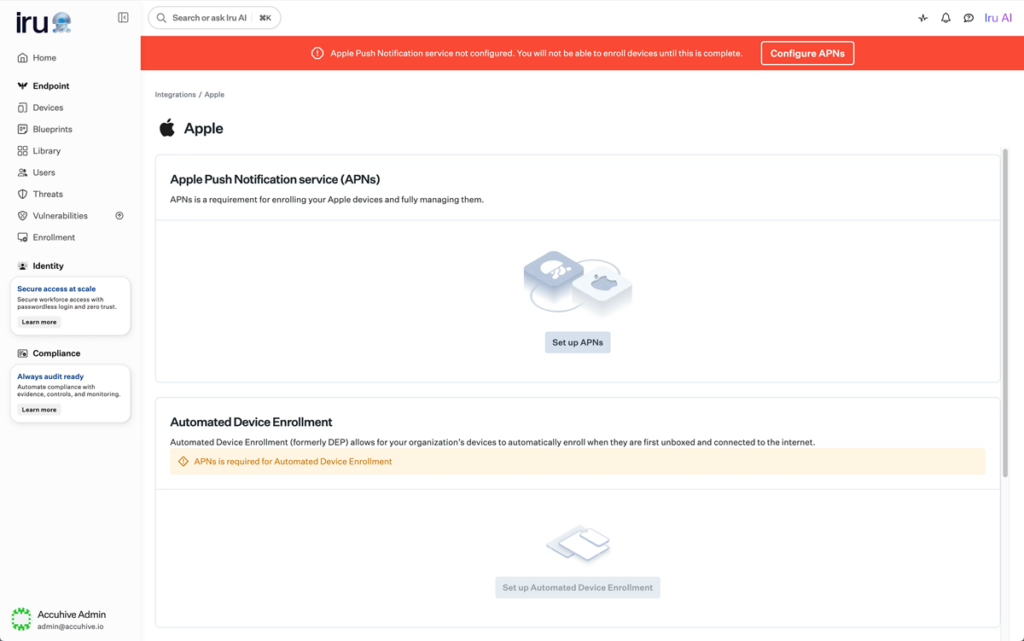
Best for: Apple-first organizations looking for advanced automation with a more polished interface, and that are starting to bring Windows and Android into the fleet without giving up depth on macOS.
Kandji built its reputation by pairing technical depth with an interface any admin could handle without prior training. In October 2025, the company rebranded to Iru and reorganized its catalog into six modules covering MDM, EDR, identity, and compliance. Its DNA is still Apple, but the scope has broadened beyond that ecosystem—it now also manages Windows and, more recently, Android.
Key features
- Blueprints as a visual policy editor: each template bundles profiles, apps, and restrictions by employee type, with conflict validation before deployment.
- Day-one adoption of Apple updates: every new API and MDM command is built into the platform on launch day, with no waiting for vendor release cycles.
- Auto Apps with managed maintenance: a catalog of 300+ business applications that Iru installs, configures, and patches automatically.
- Native EDR with automatic response: behavior-based detection and autonomous isolation of the affected device, no extra agent required.
- Workforce Identity with passkeys: passwordless authentication tied to the device’s Secure Enclave, phishing-resistant and integrated with the corporate IdP.
- Liftoff for self-service onboarding: a guided first-boot experience the employee completes without help desk involvement.
- Compliance Automation with pre-mapped frameworks: CIS Benchmarks, NIST, SOC 2, and ISO 27001 controls ready to activate and audit continuously.
- Iru Context Model as the decision engine: a real-time graph of users, devices, and events that Iru AI uses to propose automatic remediations.
Main drawbacks
- No free tier: unlike Mosyle, there’s no free plan for evaluating the platform without a financial commitment.
- Mandatory annual commitment: the minimum contract is a full year, with no monthly billing options.
- Apple maturity ahead of Windows and Android: the multi-OS capabilities work, but the product’s depth on Apple isn’t yet replicated elsewhere.
- No Linux coverage: Linux workstations and servers are left out, which forces you to keep an additional MDM in heterogeneous environments.
5. ManageEngine
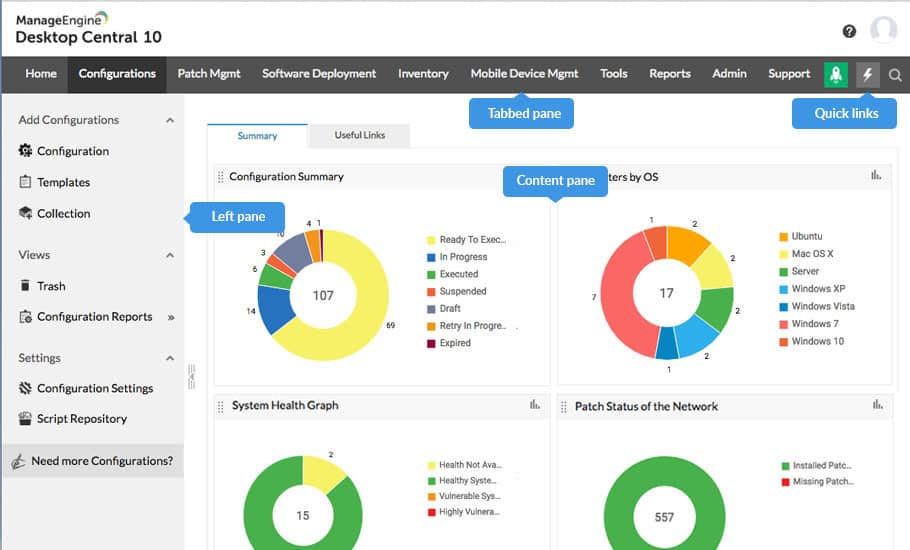
Best for: mid-sized and large organizations with high compliance requirements (banking, healthcare, public sector, defense) that need a UEM platform with an on-premise option and a level of operational control beyond classic MDM.
ManageEngine is the enterprise software division of India-based Zoho Corp, and its endpoint management offering is Endpoint Central. More than an MDM, it’s an enterprise UEM platform that combines automated patching, audited remote control, vulnerability management, and endpoint security in a single architecture. The option to deploy it on-premise—increasingly rare in the market—remains the main reason many regulated organizations choose it.
Key features
- Patch management at the product’s core: automated patching of the OS and a catalog of 850+ third-party applications, with configurable maintenance windows.
- On-premise deployment as a differentiator: the ability to host the platform on your own infrastructure sets ManageEngine apart from most SaaS UEMs—a key point in regulated industries.
- MDM Plus for the mobile fleet: an integrated module for iOS, iPadOS, Android, ChromeOS, and tvOS with policies and an app catalog unified with the rest of the UEM.
- Remote control with audit trail: recordable sessions, encrypted file transfer, and technician collaboration on the same device.
- Integrated Vulnerability Management: continuous vulnerability scanning across installed software, with CVSS-based prioritization and remediation through the patching engine.
- BitLocker and FileVault management from the console: activation, monitoring, and recovery key custody for Windows and macOS without extra tools.
- Browser Security Plus as an optional module: control over corporate browsers, extension management, and tab isolation as a dedicated layer.
- Free plan for up to 25 endpoints: a permanent Free version (not a limited trial), useful for keeping small fleets running or validating the platform at no cost.
Main drawbacks
- Unpredictable licensing model: the mix of per-technician billing, endpoint count, and add-ons (Security Edition, DEX, CMDB) makes the real cost hard to estimate before deployment.
- Limited depth in Apple management: it covers macOS, iOS, and iPadOS, but the level of detail sits below what Apple-first platforms offer.
- Lag on Apple feature support: new macOS and iOS APIs and configurations don’t arrive day-one in the product, unlike Apple-first platforms that cover them at launch.
- No employee-side operations: the product focuses on the device—it doesn’t orchestrate procurement, shipping, onboarding, or offboarding, and doesn’t natively connect to HRIS platforms.
6. Scalefusion
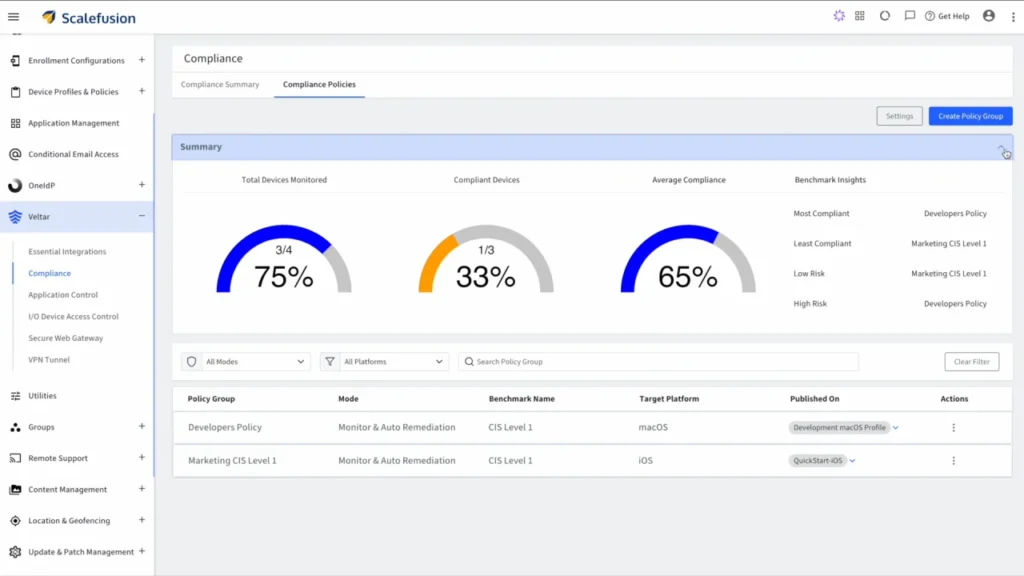
Best for: organizations with frontline devices (POS terminals, sales tablets, rugged smartphones, digital signage, medical devices) where the priority isn’t individual employee productivity but operational control and the security of the asset itself.
If your use case isn’t managing an employee’s laptop but a POS terminal, an interactive kiosk, or a rugged tablet that gets handed off shift to shift, Scalefusion is one of the names that always comes up. The platform was built from day one around the concept of an “operational device,” which is why what it offers in kiosk mode, hardware restrictions, and geofencing clearly outpaces what a general-purpose MDM covers.
Key features
- Kiosk mode with granular hardware lockdown: single-app and multi-app modes with control over the camera, Bluetooth, AirDrop, filtered browser, and physical button blocking.
- Broad multi-OS coverage: Windows, macOS, Linux, iOS, iPadOS, Android, ChromeOS, and tvOS managed from a single console with reusable policies.
- Automated provisioning across all three ecosystems: integration with Apple Business Manager, Android Enterprise, and Windows Autopilot, so fleets arrive at their destination pre-configured.
- Geofencing and speed-based restrictions: conditional configuration based on location and automatic app lockdown when the device exceeds a certain speed—a capability rarely found outside logistics.
- ProSurf corporate browser: a proprietary browser built for kiosk environments, with URL whitelisting, tab control, and centrally managed security settings.
- Workflows with conditional automation: visual flow building that triggers actions (notifications, lockdowns, deployments) based on device state or detected events.
- Built-in digital signage: publish and manage content on corporate screens from the same console as the rest of the fleet.
- OneIdP and Veltar as enterprise modules: identity management (SSO, MFA) and endpoint security (access control, detection) as optional layers on top of the MDM core.
Main drawbacks
- Designed for operational devices, not office fleets: if the main use case is personal laptops for employees, the product’s flagship features go underused.
- Apple depth below Apple-first platforms: while it covers macOS, iOS, and iPadOS, the level of detail sits below what Apple-only MDMs like Mosyle or Iru offer.
- Basic corporate employee management: the user, role, and individual permission layer doesn’t reach the level of platforms purpose-built for corporate staff fleets.
- Asset and employee operations out of scope: doesn’t cover device procurement, shipping, or recovery, and HRIS integration for automating onboarding and offboarding remains limited.
7. Miradore
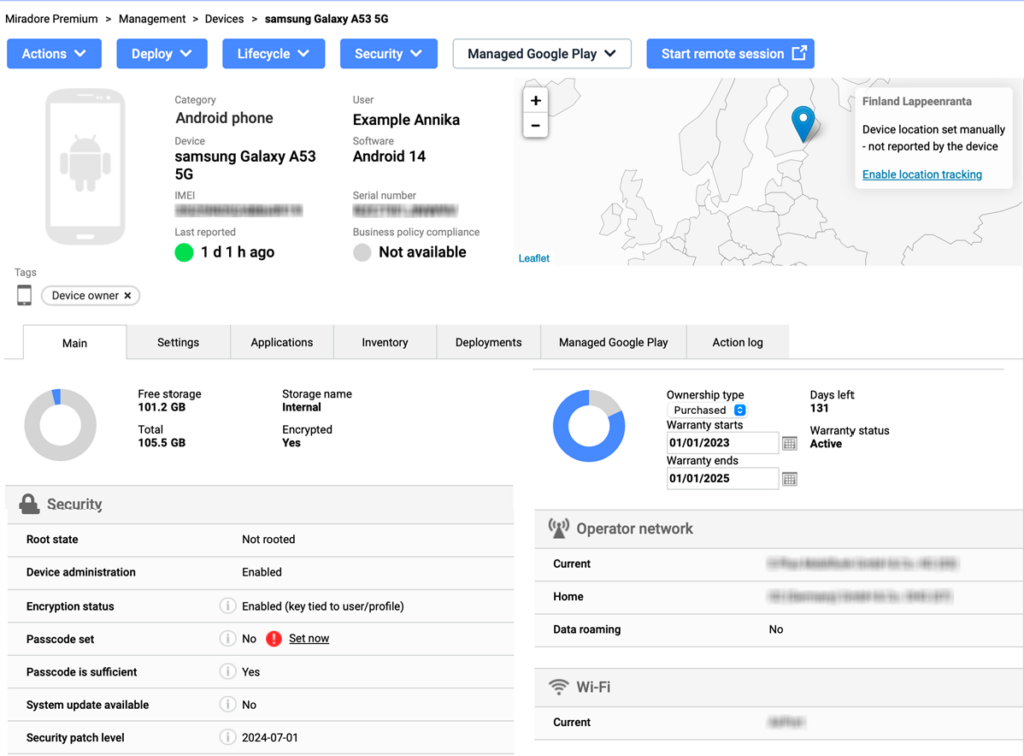
Best for: small IT teams that need a multi-OS MDM without a steep learning curve or long-term contracts, with predictable pricing and a free plan that lets you get started without involving procurement.
Miradore has been on the market for more than twenty years, and it’s been part of GoTo since 2022. Its approach has stayed the same throughout: deliver a no-frills MDM that just works, without trying to compete with enterprise UEM suites. A free plan with no device limit, public pricing, and a simple console have made it a frequent choice for SMBs that don’t have much room for contractual complexity.
Key features
- Permanent Free plan with no device limit: the free version covers enrollment, inventory, and remote commands with no cap on managed devices, which lets you use the tool in production before paying.
- Coverage for Windows, macOS, iOS, and Android: the four most widely used corporate operating systems, with policies shared across platforms to reduce duplicate work.
- Automated enrollment across all three ecosystems: integration with Apple Business Manager, Android Enterprise, and Windows Autopilot so devices arrive ready to use.
- Standard security policies: disk encryption, remote lock and wipe, password enforcement, and usage restrictions configurable by group.
- App distribution via VPP and Managed Google Play: silent deployment from the official Apple and Google stores, plus custom catalogs for Windows and macOS.
- Geolocation and device tracking: real-time location for each device, useful for distributed fleets and for responding to loss or theft.
- Multi-tenant MSP portal: a console built for IT service providers managing fleets across multiple clients from the same account.
- Customizable reporting and dashboards: tailored views with compliance metrics, device status, and inventory trends, exportable for audit or external analysis.
Main drawbacks
- Apple depth below Apple-first MDMs: macOS, iOS, and iPadOS are covered, but the level of detail doesn’t match platforms specialized in the Apple ecosystem, like Mosyle or Iru.
- Incomplete OS coverage: no Linux, ChromeOS, or tvOS, which rules out heterogeneous environments or fleets with Apple TVs (common in education).
- No employee-side operations: the platform focuses on the device—it doesn’t automate onboarding, offboarding, or organizational changes, and doesn’t natively integrate with HRIS.
- Console and documentation in English only: neither the interface nor the official documentation is localized to other languages.
Mosyle alternatives comparison table
| Solution | Best for | Supported OS | Lifecycle management | SaaS management |
|---|---|---|---|---|
| Factorial IT | SMBs with mixed-OS fleets and native HR sync | Windows, macOS, Linux, iOS, Android | Full | Yes |
| JumpCloud | Teams consolidating identity, SSO, and MDM in one platform | Windows, macOS, Linux, iOS, Android | No | Partial |
| Microsoft Intune | Windows fleets with Microsoft 365 already deployed | Windows, macOS, Linux, iOS, Android | No | No |
| Iru (formerly Kandji) | Apple-first shops expanding into Windows and Android | macOS, iOS, iPadOS, tvOS, Windows, Android | No | Partial |
| ManageEngine | Companies with a ManageEngine stack and on-premise requirements | Windows, macOS, Linux, iOS, Android, ChromeOS, tvOS | No | No |
| Scalefusion | Dedicated devices, kiosks, and field fleets | Windows, macOS, Linux, iOS, Android, ChromeOS, tvOS | No | No |
| Miradore | SMBs with mixed fleets that prioritize simplicity and a free plan | Windows, macOS, iOS, Android | No | No |
💡 Still have questions? Tell us about your environment and we’ll set up a demo tailored to your needs. Request your demo →
Disclaimer: The information in this article comes from public sources available at the time of publication and may change without notice. Comparisons are for informational purposes only and do not constitute a recommendation or definitive evaluation of any vendor. Factorial does not guarantee the accuracy or currency of this content; for up-to-date information, we recommend consulting each vendor directly. This content adheres to applicable US guidelines on truthful and fair comparative advertising.