If you’re looking for alternatives to Intune, chances are you didn’t choose it in the first place. It came bundled with Microsoft 365, became the default MDM, and nobody questioned it too much. It’s the tool that’s just there.
The problem surfaces when your fleet grows, when Macs start appearing. macOS management is noticeably weaker, and Linux support is barely functional. And for everything beyond device policy management (hardware procurement, onboarding, offboarding, SaaS license management), you need three or four additional tools.
Why IT teams look for alternatives to Intune
Intune does its job in a very specific context: companies with 100% Windows fleets, IT teams holding Microsoft certifications, and budgets that absorb the Business Premium cost without question.
The multi-OS experience is uneven
On Windows, Intune is deep. Policies, configurations, Autopilot, compliance: all native, all granular. Switch to macOS and the depth drops. There are options, yes, but with less control and more limitations. On Linux, support is token at best. On iOS and Android, it’s functional but without the same precision.
For an average European mid-market company in 2026, where macOS already accounts for 25-30% of corporate devices in many sectors, this means either adding another tool for what Intune doesn’t cover, or accepting that part of your fleet is managed half-heartedly. The typical response is adding Jamf as an alternative for the Macs, but that creates another silo with another cost.
Configuration is a project in itself
Intune doesn’t deploy in an afternoon. Setting up Autopilot, Conditional Access, compliance profiles, and dynamic groups requires specialised technical knowledge. If you don’t have an engineer certified in Microsoft Endpoint Manager (and most SMBs don’t), you end up hiring an external consultancy or leaving the tool half-configured.
No lifecycle management
Intune kicks in once the device is already set up. Everything before that (buying the equipment, shipping it, enrollment during onboarding) and everything after (recovering a laptop during offboarding, reassigning it) sits outside its scope.
Zero SaaS visibility
Your company uses 30, 50, maybe 80 SaaS applications. Who has access to what? How many Figma licences are you paying for that nobody uses? What happens to the access credentials of someone who left three months ago? Intune doesn’t answer any of these questions.
Top Intune alternatives in 2026
1. Factorial IT
Factorial IT is the Intune alternative that best fits companies managing mixed fleets without adding unnecessary complexity. Unlike traditional MDM tools born as purely technical solutions, Factorial IT is designed from the ground up as a platform that connects device management with people processes: onboarding, offboarding, role changes, and regulatory compliance are handled from a single place.
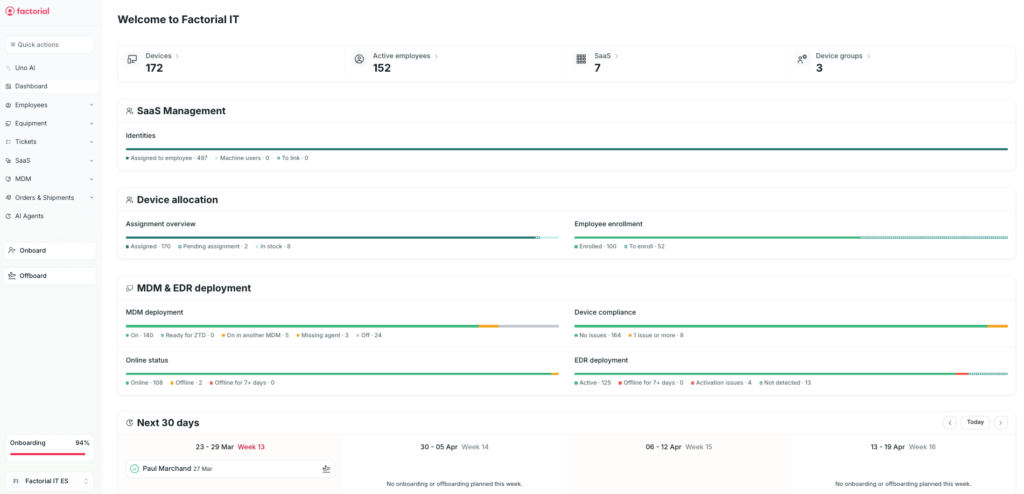
Best for: SMBs and mid-market companies managing mixed fleets that need a platform to simplify day-to-day IT operations without requiring highly specialised profiles.
Key advantages
- True multi-OS management from a single console: macOS, Windows, Linux, iOS, and Android with real-time inventory, device health status, and unified remote actions.
- Zero-touch enrollment via both Apple Business Manager and Windows Autopilot, enabling pre-configured devices to be shipped directly to employees without manual IT intervention.
- Dynamic policies that apply automatically based on role, team, operating system, or security status, and update when someone changes position or leaves the company.
- Automated compliance for frameworks like SOC 2, ISO 27001, and GDPR, with centralised logs and evidence.
- Integrated AI Agents that help resolve common IT incidents and reduce operational load.
- Native HR connection (+40 HRIS), so new hires, departures, or department changes are automatically reflected in device configuration.
- Direct, personalised support with no need to go through resellers.
Key disadvantages
- For Windows-only environments requiring the deepest level of specialisation in that ecosystem (advanced Autopilot, Conditional Access with Entra ID, granular compliance), Intune still offers native technical depth that’s hard to match.
- Organisations with very specific Microsoft stack integration needs (Defender, Purview) may find broader coverage in the native suite.
💡 Want to see it in action? Request your demo
2. NinjaOne
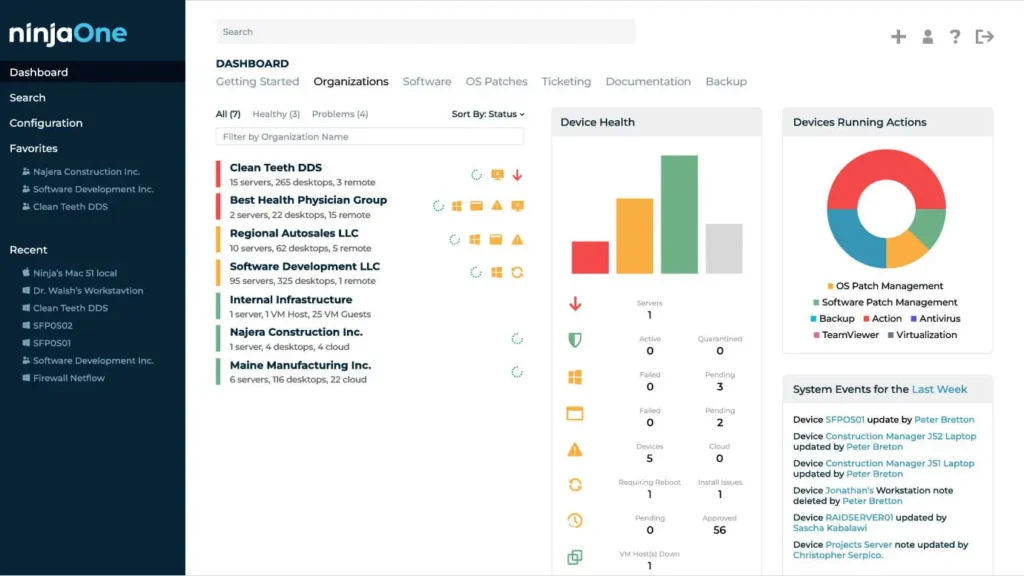
NinjaOne has its roots in the RMM world, and its approach reflects that heritage. It’s the tool of choice for many MSPs and internal IT teams that need remote monitoring, automated patching, and incident management in a single console.
Best for: IT teams whose priority is technical visibility over every endpoint (pending patches, performance, alerts) across Windows, macOS, and Linux fleets.
Key advantages
- Noticeably faster implementation than Intune. Clean interface where administrators don’t need weeks of training.
- Solid automated patching across all three desktop operating systems, with real-time monitoring.
- Aggressive per-device pricing model with volume discounts.
Key disadvantages
- Mobile support is limited: iOS and Android aren’t at the same level as Windows, macOS, and Linux.
- Doesn’t manage identities or SSO. If you need to consolidate directory and devices in a single tool, NinjaOne won’t solve it alone.
- Doesn’t cover lifecycle processes like onboarding, offboarding, or employee-linked automation.
3. JumpCloud
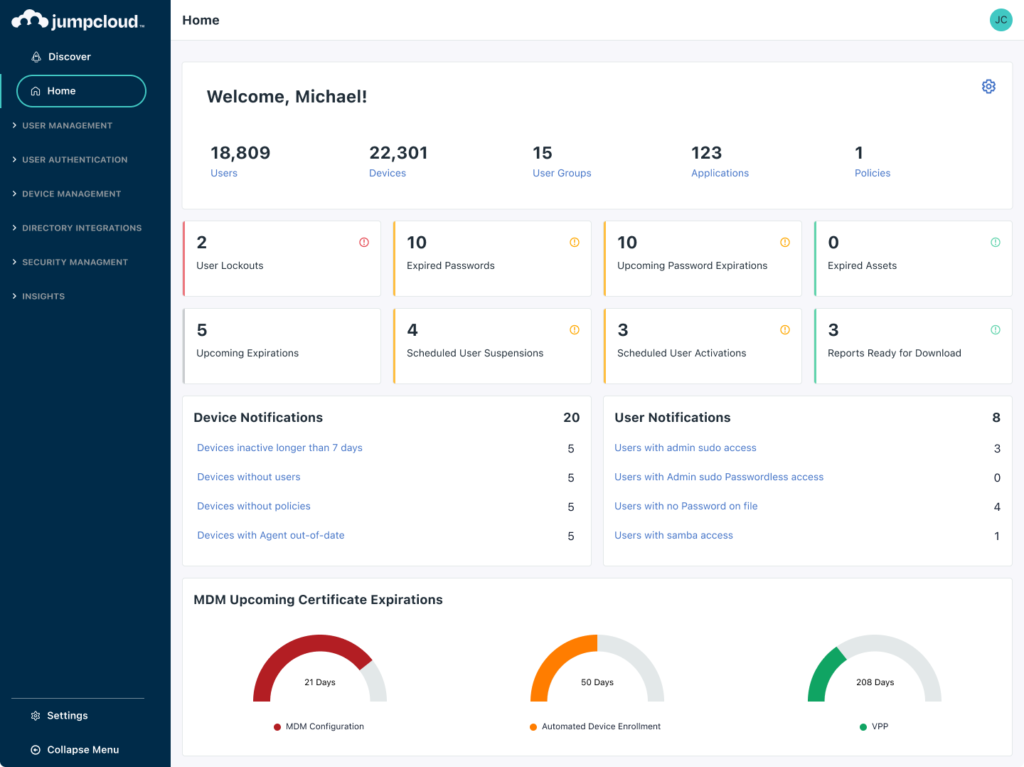
JumpCloud is aimed at companies that want to eliminate on-premise Active Directory and consolidate identity directory, SSO, MFA, and MDM in a single cloud-native product.
Best for: distributed companies with remote workers across multiple countries that need to unify identity and device management without depending on the Microsoft ecosystem.
Key advantages
- Open directory that ingests identities from Google Workspace, Azure AD, Okta, or other providers without locking into a single ecosystem.
- Multi-OS MDM (Windows, macOS, Linux, iOS, and Android) with compliance policies, patching, and app management.
- Consolidates identity + access + devices in a single product, reducing tool sprawl.
Key disadvantages
- The learning curve is steep. Consolidating directory, MDM, and SSO involves configuring considerably more than a traditional MDM.
- Commercial presence in Europe is limited. If you need local-language support with guaranteed response times, verify this before signing.
- Pricing can scale quickly as user count grows.
4. Scalefusion
Scalefusion has a clear niche: dedicated devices. If you manage kiosks, point-of-sale terminals, field tablets, or shared devices, it’s one of the best options on the market. Its advanced kiosk mode is what truly sets it apart.
Best for: retail, logistics, hospitality, healthcare… any sector where devices aren’t employee laptops but fixed or shared tools.

Key advantages
- Advanced kiosk mode, optimised for dedicated and shared devices.
- Broad support: Windows, macOS, Linux, iOS, Android, and ChromeOS. Zero-touch enrollment with Apple Business Manager and Android Enterprise.
Key disadvantages
- Optimised for dedicated devices, and it shows when used to manage standard employee laptops.
- Corporate user management features are more basic than platforms built for that use case.
5. Hexnode
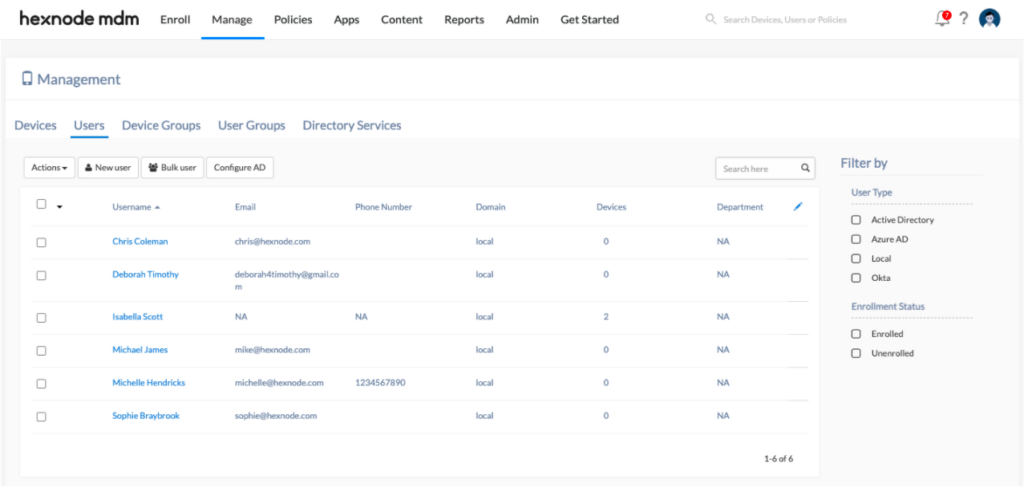
Hexnode competes on price and breadth of support. It covers Windows, macOS, Linux, iOS, Android, ChromeOS, tvOS, FireOS, and Android TV, probably the longest list in this comparison. If you have a heterogeneous fleet with unusual devices, Hexnode covers them all.
Best for: SMBs with tight budgets that need a functional UEM without paying enterprise prices.
Key advantages
- The broadest device support in this comparison, including smart TVs, low-cost Android tablets, and Chromebooks.
- Straightforward enrollment, functional kiosk mode, geofencing for field fleets, and APIs for integration.
- Well-regarded technical support in the SMB segment. 14-day free trial.
Key disadvantages
- The breadth of support comes at a cost: the interface is dense and the learning curve for new administrators is steeper than expected.
- Technical support is centralised, with no local teams in Europe. This can be a relevant factor for companies with European business-hours support requirements or local-language needs.
- Doesn’t cover lifecycle management or SaaS management.
6. Rippling
Rippling is a modular platform that combines HR, payroll, benefits, and device management in a single product. Its device management module has matured considerably: it covers macOS, Windows, iOS, and iPadOS from a unified console, with security policies based on hundreds of user and device attributes.
Best for: companies looking to unify people and device management in a single platform, especially if they already operate or plan to operate within the full Rippling ecosystem.

Key advantages
- Native HR-device connection: when an employee joins, they’re assigned a device with their role’s policies. When they leave, the device is locked and access is revoked.
- Works well as part of the complete Rippling ecosystem (payroll, benefits, HR, IT).
- Support for Apple Declarative Device Management (DDM), which allows devices to apply policies autonomously without constant server communication.
Key disadvantages
- No Linux support, which rules it out for companies with engineers or technical teams running Linux in their fleet.
- In Europe, localisation still has gaps in languages and adaptation to regulations like NIS2.
- If you only need the MDM module, the cost and complexity of the full ecosystem may not be justified.
7. ManageEngine
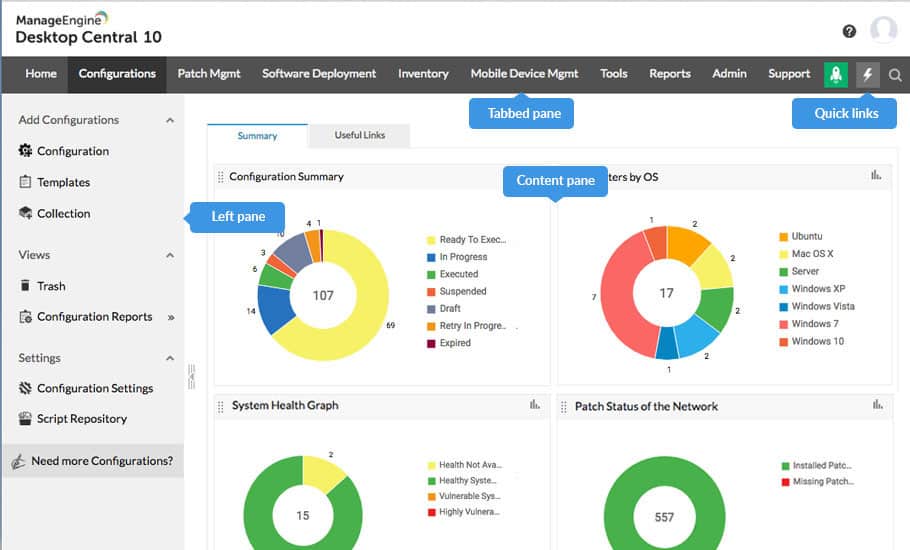
ManageEngine Endpoint Central (formerly Desktop Central) is the UEM offering from Zoho. It’s a mature platform with over a decade on the market, combining endpoint management, patching, asset inventory, remote control, and security in a single console. Its origins lie in Windows environments, but multi-OS support has improved significantly.
Best for: IT teams in medium and large enterprises looking for a complete UEM platform with an on-premise option, especially if they already use other ManageEngine products (ServiceDesk Plus, ADManager, etc.).
Key advantages
- Robust automated patching for Windows, macOS, Linux, and over 850 third-party applications.
- Flexible deployment: cloud or on-premise (for companies with data sovereignty requirements).
- Broad ManageEngine ecosystem. Natively integrates with ServiceDesk Plus, ADManager, and other stack tools, enabling IT operations consolidation without depending on third parties.
- Free plan for up to 25 endpoints. 30-day trial with no device limit.
Key disadvantages
- The pricing model is confusing. It’s billed per technician + endpoints + add-ons (security, DEX, CMDB…), and the real cost can be significantly higher than the published base price.
- The interface isn’t modern. Administrators coming from cloud-native tools will notice a denser, less intuitive user experience.
- Doesn’t cover device lifecycle (procurement, shipping, onboarding/offboarding) or SaaS licence management. It remains a classic UEM, not an IT operations platform.
Intune alternatives comparison table
| Solution | Best for | Supported OS | Lifecycle | SaaS management |
|---|---|---|---|---|
| Factorial IT | European SMBs with mixed fleets | Windows, macOS, Linux, iOS, Android | Full | Yes |
| NinjaOne | MSPs and technical IT teams | Windows, macOS, Linux | No | No |
| JumpCloud | Companies consolidating directory + MDM | Windows, macOS, Linux, iOS, Android | Partial | Partial |
| Scalefusion | Dedicated devices and kiosks | Windows, macOS, Linux, iOS, Android, ChromeOS | No | No |
| Hexnode | SMBs with tight budgets | Windows, macOS, Linux, iOS, Android, ChromeOS | No | No |
| Rippling | Rippling HR users | Windows, macOS, iOS | Partial | Partial |
| ManageEngine | Companies with ManageEngine stack | Windows, macOS, Linux, iOS, Android, ChromeOS | No | No |
Still have questions? Tell us about your environment and we’ll give you a personalised demo tailored to your needs. Request your demo
Disclaimer: The information presented on this page is based on publicly available sources. The comparisons between Factorial and other providers are intended solely for the illustration of the respective software features, pricing and functionalities. All information regarding features, prices, and integrations may be subject to change without prior notice. Factorial assumes no liability for the accuracy, completeness, or timeliness of the information presented. We recommend contacting the respective providers directly to obtain the most accurate and up-to-date information. All legal regulations regarding Spanish fair advertising and competition law are fully observed by us; if you have any concerns, please reach out to us. The comparisons presented do not constitute a final evaluation or recommendation for any provider, but serve solely as an informational source.