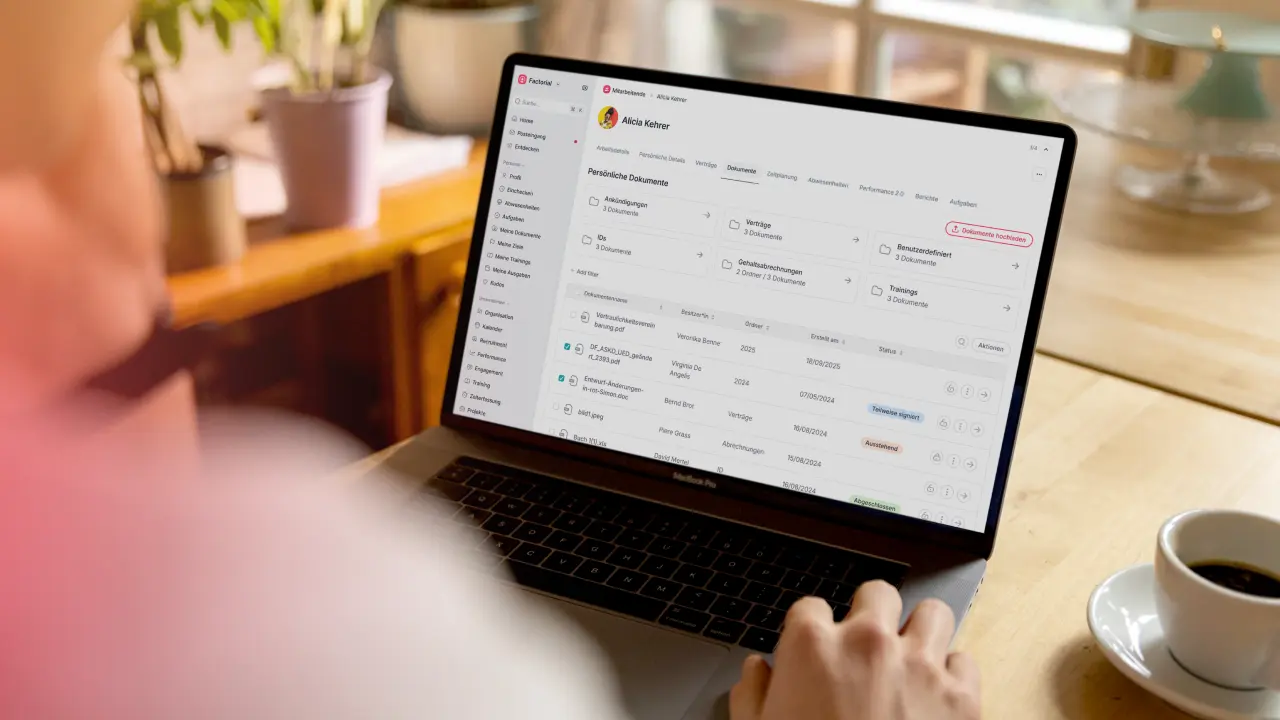
For many businesses, managing remote a remote workforce is a core part of daily operations. Having employees across locations, time zones, and devices requires more than just email and video calls. Companies need clear visibility, strong communication, and a remote management system they can rely on to keep work moving forward. Remote management tools play a key role. These platforms help leaders, HR teams, and IT professionals manage people, projects, and technology from anywhere. They bring structure to remote team management, reduce manual work, and support secure digital business management.
In this article, we rank the top remote management tools that help companies stay productive and connected. Read on to learn what these tools are, why they matter, the features to look for, and how the best platforms compare. Whether you manage a small remote team or a growing global workforce, this guide will help you choose the right solution.
What are remote management tools?
Remote management tools are software platforms that help businesses manage employees, systems, and workflows without needing everyone in the same physical location. These tools support remote team management by giving managers and IT teams the ability to monitor activity, assign tasks, communicate clearly, and solve technical issues from afar.
At a basic level, remote management tools allow leaders to stay informed about what is happening across their organization. This may include tracking employee work hours, checking project progress, or ensuring company devices are secure and up to date. More advanced platforms also include remote monitoring software, IT management tools, and document management features.
For IT teams, remote management often means managing devices, troubleshooting issues, and keeping systems secure. For HR and operations teams, it means overseeing employee data, time tracking, performance, and compliance. Many modern tools combine these functions into one system to reduce complexity.
As remote and hybrid work continue to grow, businesses rely on remote team management tools to maintain visibility and accountability. Without the right tools in place, teams may struggle with missed deadlines, communication gaps, or security risks. With the right solution, companies can run smoothly, even when employees work from different locations.
Benefits of remote management tools
Remote management tools help businesses stay organized and productive when teams work from different locations. Below are the key benefits and how they support daily operations.
Improved productivity and accountability
Remote management tools make it easier to assign tasks, set deadlines, and track progress. Managers can see how work is moving forward and adjust workloads when needed. Remote time tracking features also help employees manage their schedules and stay focused on priorities.
Stronger communication and collaboration
These tools bring team communication into one shared space. Updates, files, and project details are easy to access, which reduces confusion and delays. Clear communication helps teams collaborate more effectively, even across time zones.
Better visibility for managers and leaders
With real-time dashboards and reports, leaders can monitor team activity and performance without micromanaging. This visibility helps identify challenges early and supports smarter, data-based decisions.
Increased data security and compliance
Remote work can increase security risks, but remote management tools help protect company data. Features like access controls, device monitoring, and audit logs help IT teams secure systems and meet compliance standards.
Scalable digital business management
As businesses grow, remote management tools help keep operations simple and organized. Centralized systems and automated workflows reduce manual tasks and support long-term growth across remote and hybrid teams.
Key features to look for in remote management
Not all remote management tools offer the same capabilities. Choosing the right platform depends on your team’s needs, size, and goals. Below are the key features to look for when evaluating remote team management tools.
Real-time monitoring and remote troubleshooting
IT management tools should allow teams to monitor devices, systems, and networks in real time. Remote access and troubleshooting features help IT teams fix issues quickly without needing to be on site. This reduces downtime and keeps employees productive.
Project tracking and task management
Strong remote team management tools include features for assigning tasks, setting deadlines, and tracking progress. These tools help managers keep projects on schedule and ensure everyone knows their responsibilities.
Time tracking and productivity insights
Tracking employee work hours, breaks, and attendance helps managers understand how time is spent across the team. Productivity reports support fair workload distribution and help identify areas where processes can improve.
Team communication and collaboration tools
Built-in messaging, shared dashboards, and file sharing features help teams stay connected. Centralized communication reduces misunderstandings and makes it easier to collaborate on projects in real time.
Centralized document storage and sharing
A single, secure location for storing business documents is essential. Remote management tools should allow teams to share files, control access, and keep information organized and easy to find.
Security and access controls
Look for tools that include role-based permissions, device monitoring, and activity logs. These features help protect sensitive data and support compliance with company policies and regulations.
Scalability and integrations
The best remote work tools grow with your business. Integrations with payroll, HR systems, and other business software help reduce manual work and support smooth digital business management.
Top 9 best remote management tools
Here is a detailed look at some of the best remote management tools available in 2026. Each tool supports remote team management and remote monitoring software in its own way. Check out a brief summary, top features, pros and cons, typical users, and pricing where available.
1. Factorial
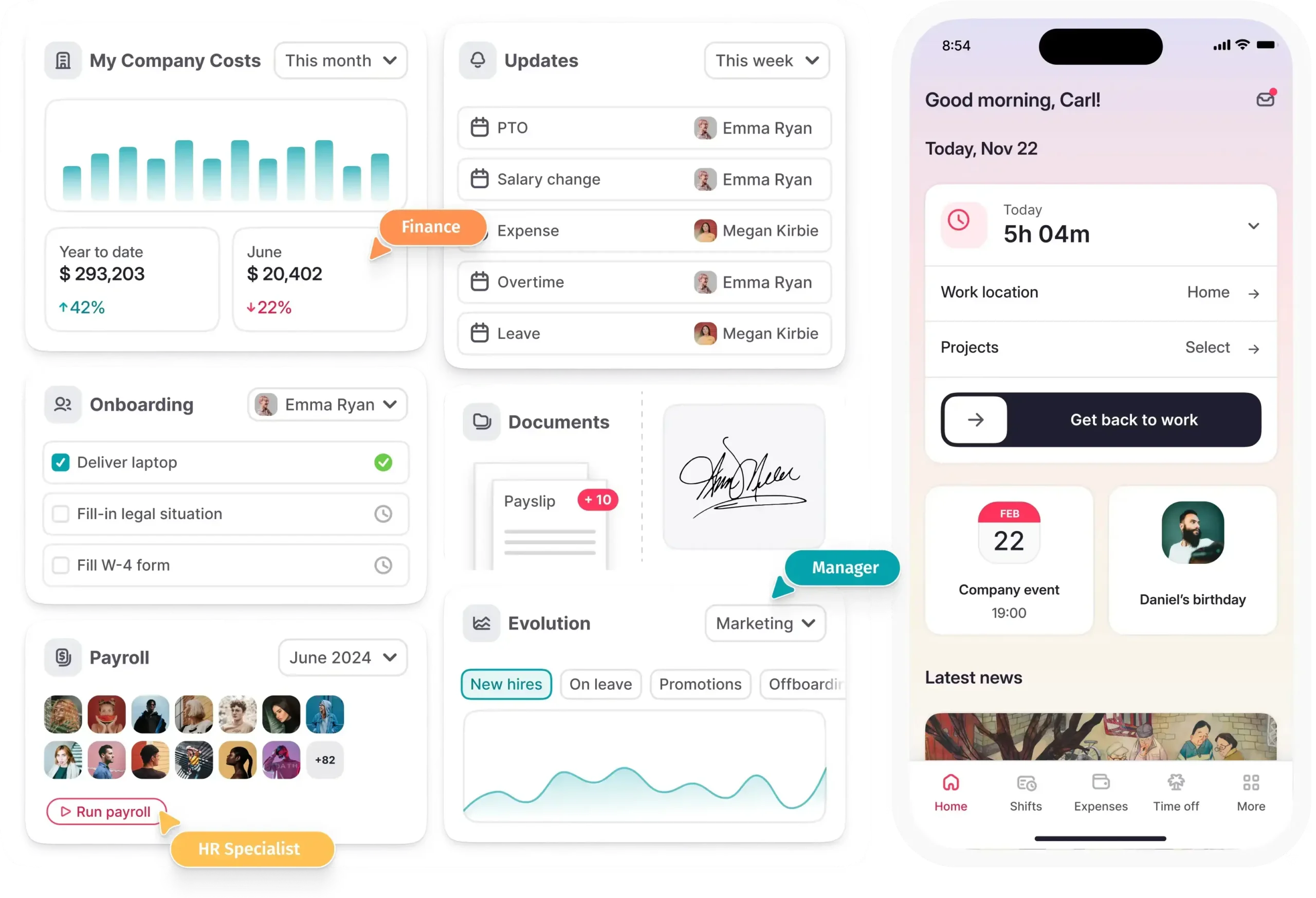
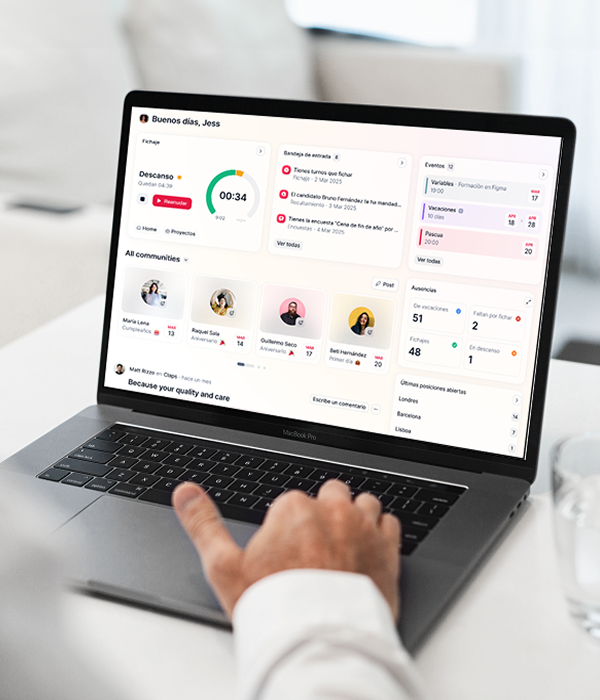
Overview: Factorial offers a comprehensive business management platform that now includes Factorial IT, a solution built to automate IT operations in sync with HR processes. Unlike traditional remote monitoring software, Factorial IT helps organizations manage devices, applications, licenses, and compliance through one unified system. This helps remote teams stay productive while reducing manual tasks for HR and IT teams.
Top features:
Automated onboarding and offboarding: Configure devices, grant SaaS access, and revoke permissions automatically when employees join or leave.
Device procurement and zero-touch deployment: Order devices from a global catalog and ship them preconfigured to employees in over 60 countries.
Multi-OS mobile device management: Manage Macs, Windows, Linux, iOS, and Android devices from one dashboard. Apply security policies, enforce encryption, and remotely lock or wipe lost devices.
SaaS management and automation: Automatically assign or revoke application access, detect unused licenses, and control SaaS spending.
Security and compliance: Apply policies centrally and generate audit-ready reports to support compliance and security standards.
Pros:
- Integrates IT and HR workflows in one platform, reducing the need for multiple tools.
- Saves time on manual tasks like provisioning devices and managing licenses.
- Helps organizations gain full visibility into hardware, software, and compliance across systems.
Cons:
- May be more than what very small companies need if they only require basic remote access.
- Pricing varies based on users and features and typically requires a custom quote.
Best for: HR and IT teams in small to mid-size companies that want unified remote team management tools with strong device and SaaS management.
Price: Factorial IT typically starts around $10 per employee per month and varies depending on plan and company size.
2. Splashtop
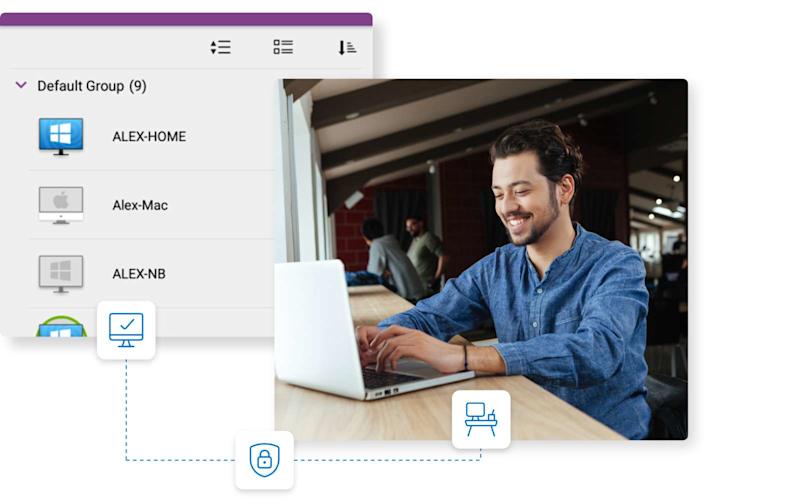
Overview: Splashtop is a remote access and support platform used by businesses and IT teams for secure remote desktop connections. It allows support technicians and employees to access computers from anywhere.
Top features:
- Fast remote screen access with multi-monitor support.
- File transfer, remote wake, and reboot features.
- Encryption and secure connections to protect sessions.
- Session recording for training and accountability.
Pros:
- Strong remote support performance.
- Works well across devices and operating systems.
Cons:
- Focused on remote desktop access rather than full remote workforce management.
- Larger enterprises may require other tools with broader workflows.
Best for: IT support teams, help desks, and companies needing reliable remote desktop control.
Price: Entry plans start at around $5 per month per user.
3. ConnectWise
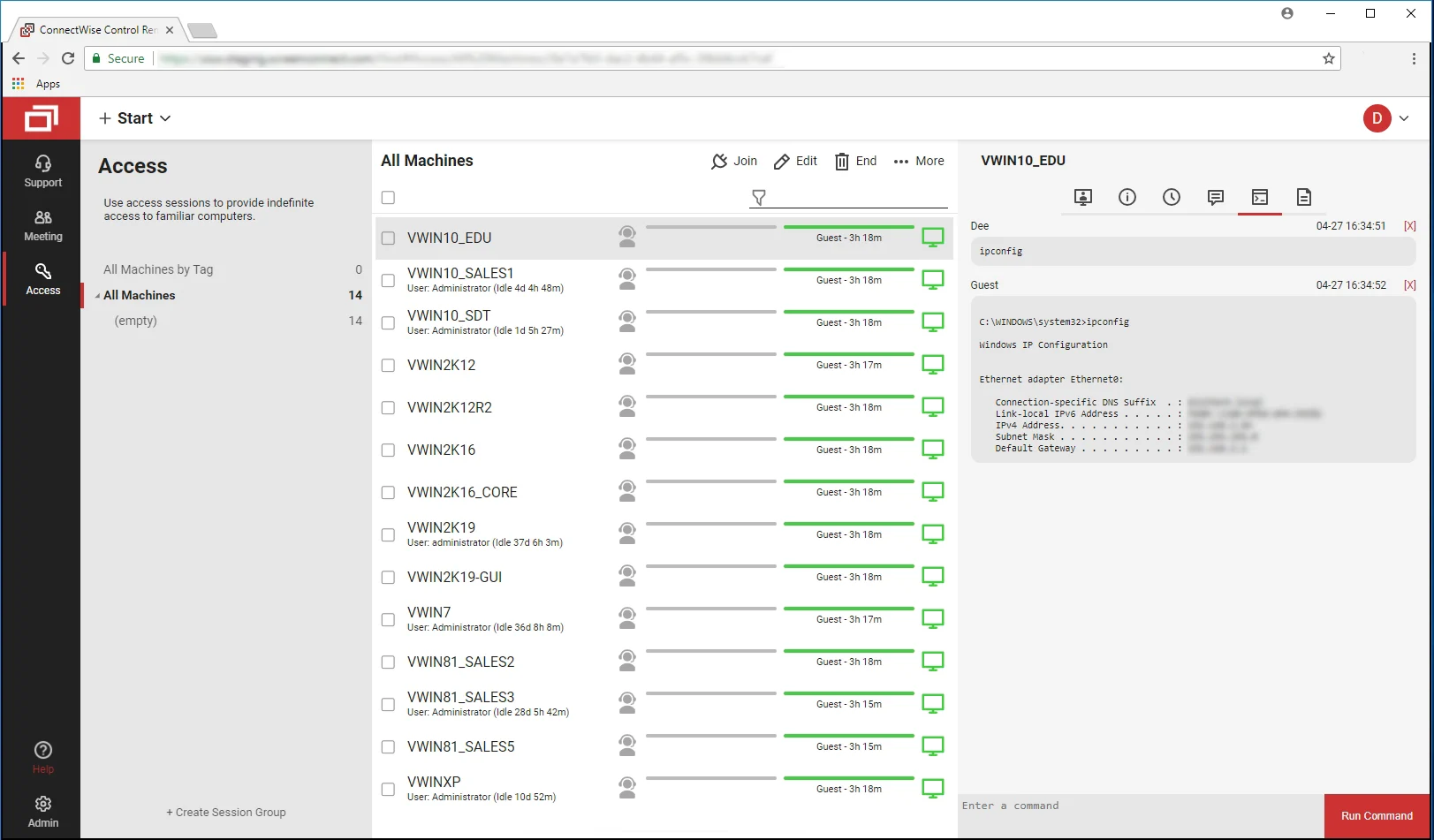
Overview: ConnectWise’s suite includes ScreenConnect (also known as ConnectWise Control) and RMM tools for remote monitoring and support. It is widely used by managed service providers and internal IT departments.
Top features:
- Remote access and control with unattended support capabilities.
- Automation and scripting tools for advanced workflows.
- Patch management and real-time monitoring.
- Integration with PSA and ticketing systems.
Pros:
- Highly customizable and powerful for large IT environments.
- Strong support and community resources.
Cons:
- Steep learning curve due to complex interface.
- Price typically requires a custom quote.
Best for: Enterprise IT teams, MSPs, and organizations with complex remote device management needs.
Price: Custom pricing based on features, number of technicians, and endpoints.
4. Zoho Assist
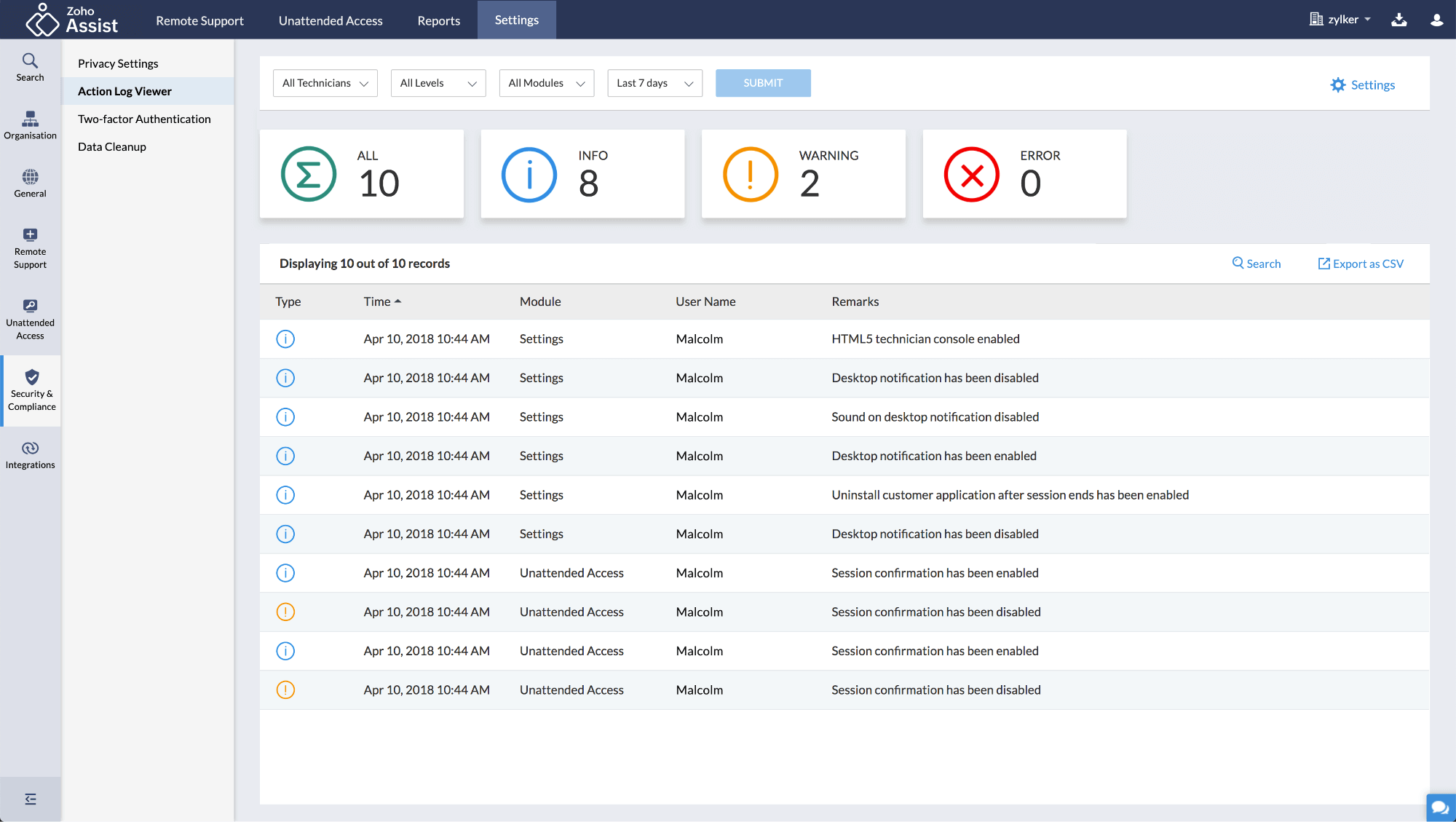
Overview: Zoho Assist is a cloud-based remote support and access tool that helps IT teams troubleshoot and manage devices remotely through browser-based sessions.
Top features:
- Browser-based access without installing software.
- Attended and unattended remote sessions.
- Multi-platform support including Windows, macOS, Linux, iOS, and Android.
- Integration with Zoho ecosystem for helpdesk and service support.
Pros:
- Very affordable with low starting pricing.
- Easy setup and use without heavy IT overhead.
Cons:
- Not a full RMM platform, but focused on remote session support.
Best for: Small businesses and IT support teams needing affordable remote access.
Price: Plans start from around $10 per month for remote support.
5. Atera
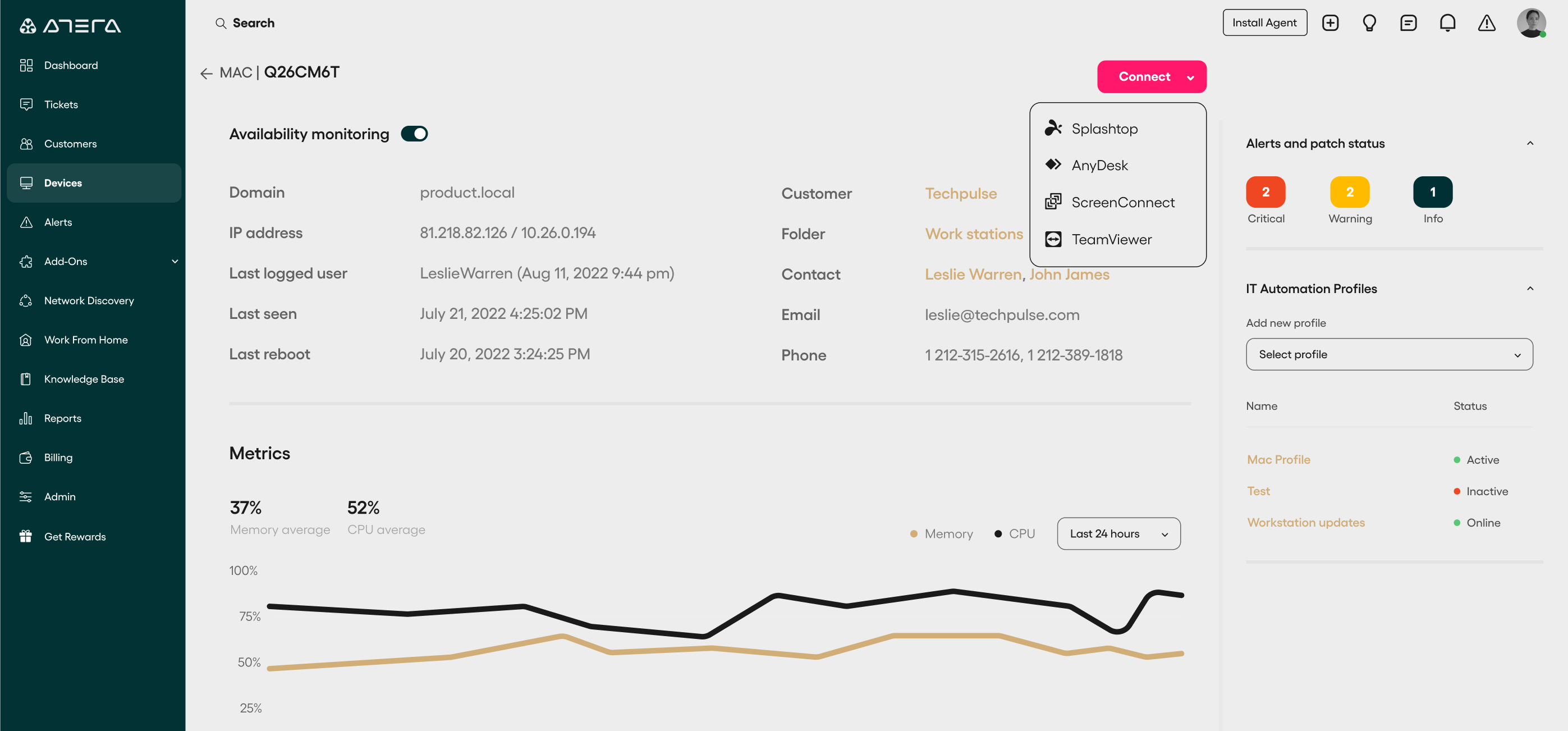
Overview: Atera combines RMM, remote access, PSA, and automation in a single platform. It uses a per-technician pricing model that can be more predictable than per-device fees.
Top features:
- Unlimited endpoint management based on technician licensing.
- AI-powered IT automation and ticket summaries.
- Integrated helpdesk, billing, and reporting.
- Network discovery and patch management.
Pros:
- Cost-effective for small to medium IT teams.
- Unified IT and remote management platform.
Cons:
- Some users say advanced automation and integrations are limited versus larger platforms.
Best for: Small MSPs, internal IT teams with growing endpoint counts.
Price: Starts around $99 per month per technician.
6. NinjaOne
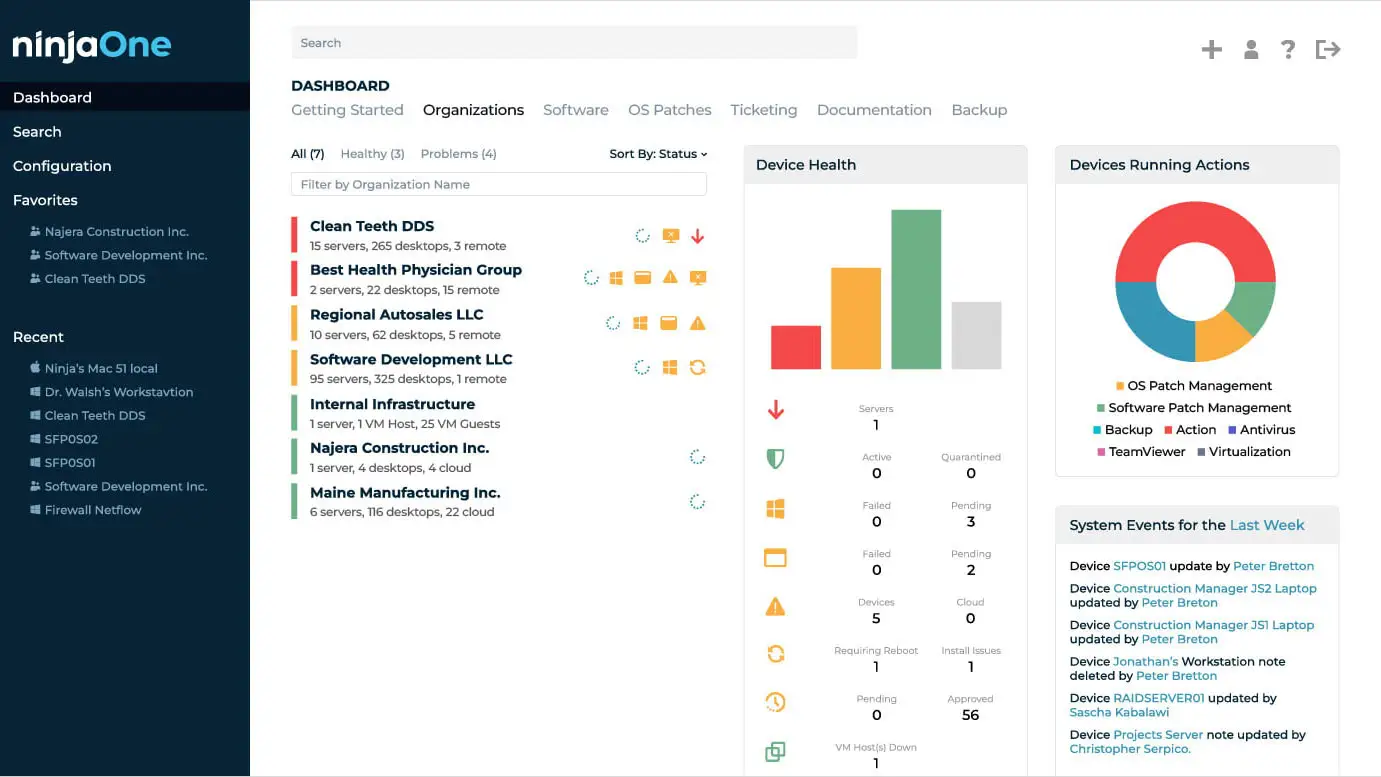
Overview: NinjaOne is a cloud-native RMM solution that makes endpoint and device management easier with automation, monitoring, and secure remote access.
Top features:
- Automated patching and updates.
- IT asset tracking and inventory.
- Secure remote access and scripting.
- Cross-platform support.
Pros:
- Modern interface and easy deployment.
- Strong automation and reporting.
Cons:
- Custom pricing with per-device model can be harder to estimate.
Best for: Mid-size and larger IT teams looking for scalable RMM.
Price: Custom quotes; typical per-endpoint pricing $2–$4/month reported.
7. Rippling IT

Overview: Rippling IT is part of Rippling’s unified workforce platform that brings HR, device, identity, and application management together in one system. This makes remote operations more efficient and secure.
Top features:
- End-to-end device lifecycle management.
- Role-based access and security policies.
- Unified identity and device control with workflow automations.
- Tight integration with HR and onboarding/offboarding.
Pros:
- Centralizes HR and IT data to reduce manual reconciliation.
- Automation from device provisioning to offboarding.
Cons:
- Custom pricing; requires a quote.
- More complex than point-solution remote access tools.
Best for: Growing companies that want unified HR and IT controls.
Price: Custom pricing based on modules and headcount.
8. Datto
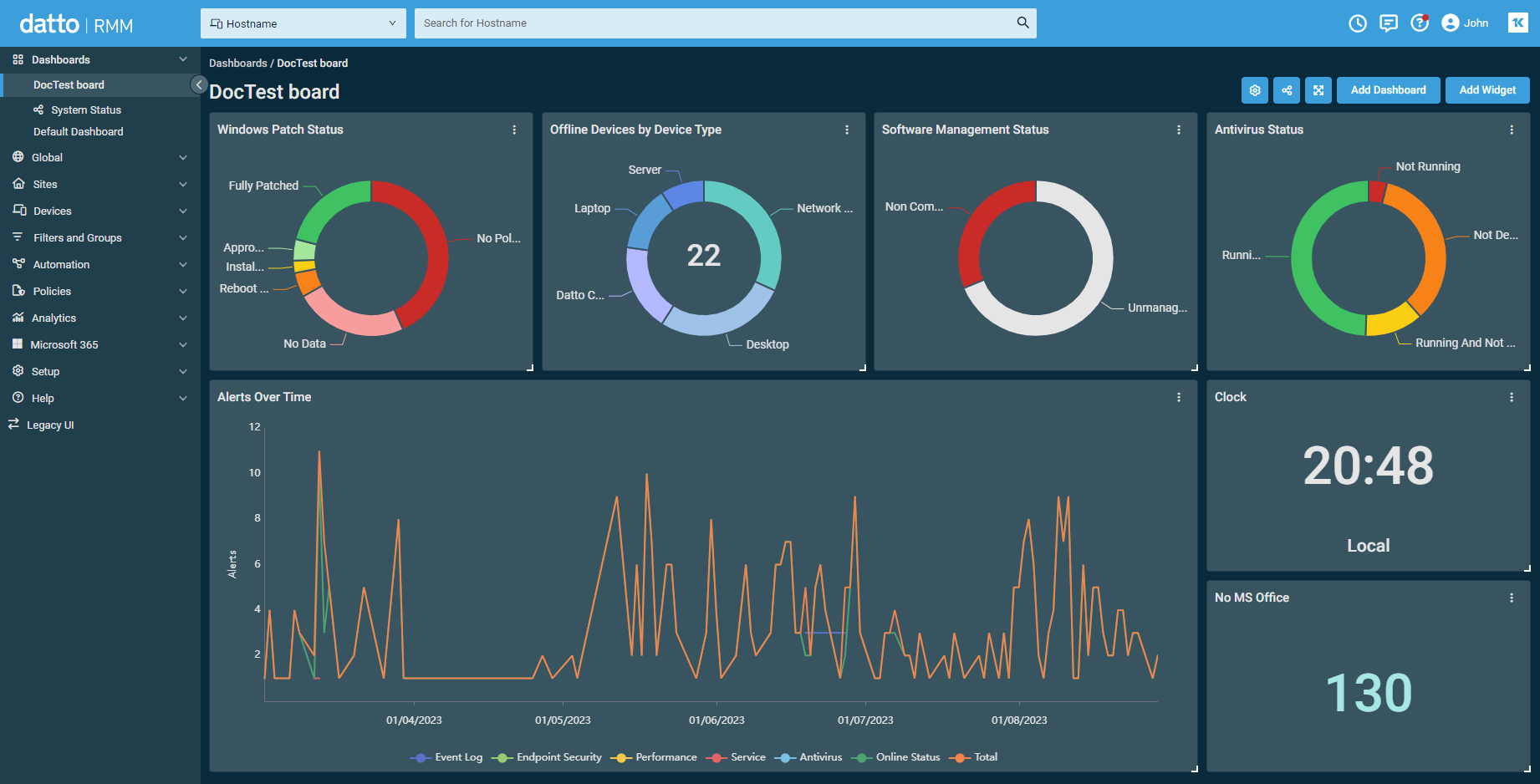
Overview: Datto RMM is a cloud-based remote monitoring and management platform geared toward managed service providers and IT teams that require strong security and automation capabilities.
Top features:
- Automated patch management.
- One-click remote access.
- Network and device monitoring dashboards.
- Microsoft 365 user management.
Pros:
- Strong security focus and ransomware detection options.
- Good scaling for MSPs and IT departments.
Cons:
- Pricing requires custom quotes.
- Some advanced features require integration with other tools.
Best for: IT teams and MSPs that prioritize security and automation.
Price: Custom.
9. ScreenConnect
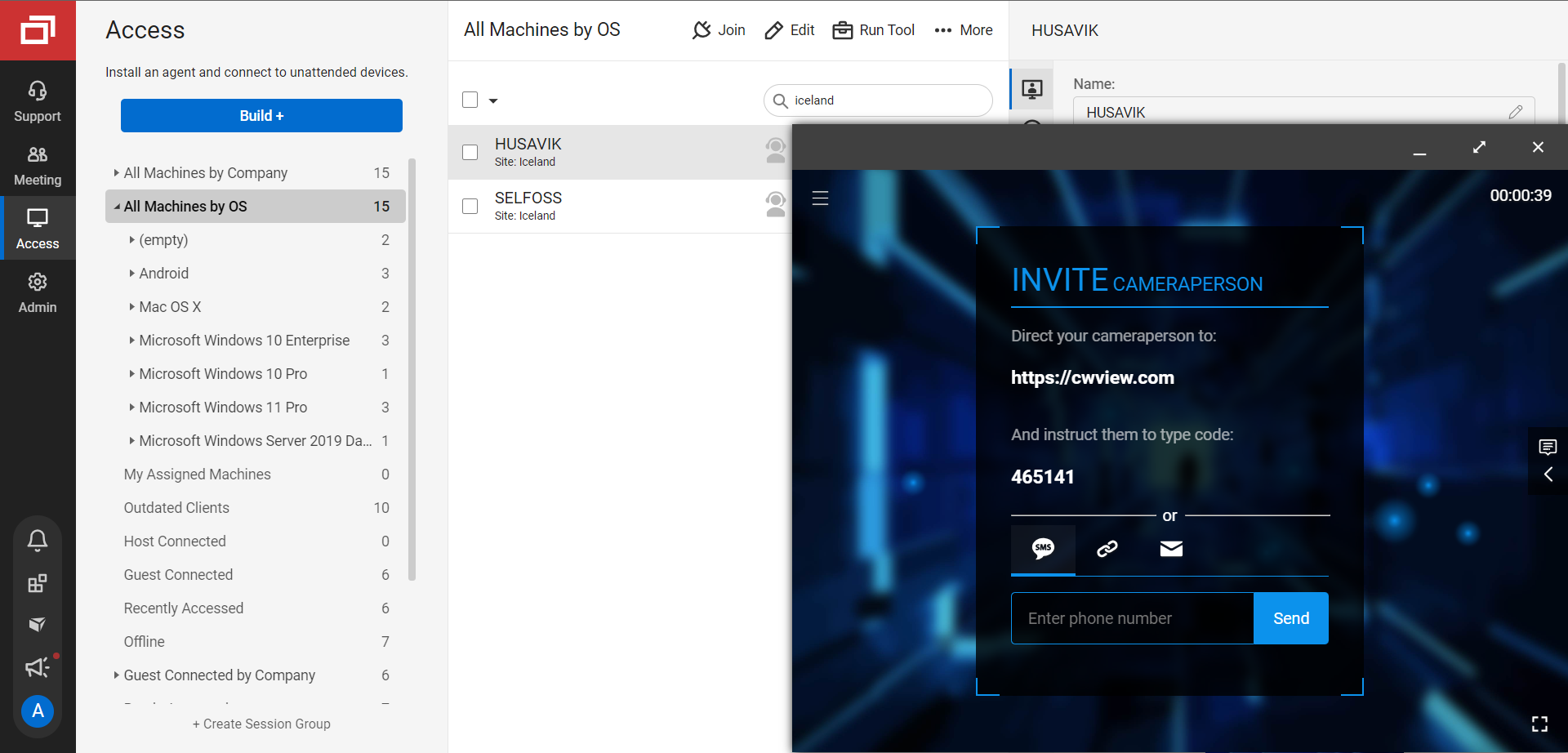
Overview: ScreenConnect specializes in remote support and remote access with customization for technicians. It is highly flexible and designed for detailed troubleshooting and control.
Top features:
- Secure unattended access.
- Script toolbox and workflow automation.
- Multi-monitor support and session recordings.
- Custom branding and session management.
Pros:
- Fast, reliable remote access.
- Great for deep technician workflows.
Cons:
- Can be complex for new users.
- Pricing varies by number of agents and technicians.
Best for: IT support teams that need aggressive remote troubleshooting tools.
Price: Starts around $28/month with paid plans scaling by features.
Remote Management Tools Compared (Comparison Chart)
The table below provides a quick side-by-side view of the top remote management tools covered in this guide. It highlights what each platform does best, who it is designed for, and how pricing generally works. This overview can help narrow down options before diving into demos or trials.
| Platform | Key highlight | Best for | Price |
|---|---|---|---|
| Factorial IT | Unified HR and IT management with device and SaaS automation | HR and IT teams at small to mid-size companies | From ~€10 per employee per month |
| Splashtop | Fast, secure remote desktop access | IT support teams and help desks | From ~$5 per user per month |
| ConnectWise | Advanced remote monitoring and automation | Enterprise IT teams and MSPs | Custom pricing |
| Zoho Assist | Browser-based remote support with low setup effort | Small businesses and IT support teams | From ~$10 per month |
| Atera | Per-technician pricing with unlimited endpoints | Small MSPs and internal IT teams | From ~$99 per technician per month |
| NinjaOne | Cloud-native RMM with strong automation | Mid-size to large IT teams | Custom pricing |
| Rippling IT | Combined HR, IT, and identity management | Growing companies with distributed teams | Custom pricing |
| Datto RMM | Security-focused RMM with automation | MSPs and IT teams focused on protection | Custom pricing |
| ScreenConnect | Powerful remote troubleshooting and control | IT support and technical teams | From ~$28 per month |
Choosing the right remote management tool depends on your team’s size, goals, and daily needs. Some platforms focus on IT monitoring and remote access, while others support broader workforce and business management. Comparing features, pricing, and use cases side by side makes it easier to find a tool that fits your remote setup today and can grow with your business over time.
Boost Your Remote Workforce’s Efficiency with Factorial
Managing a remote workforce takes more than just keeping systems online. Businesses need clear visibility into their teams, secure access to tools and data, and processes that work smoothly across locations. Remote management tools make this possible by bringing structure, consistency, and control to remote operations.
An all-in-one platform like Factorial helps businesses manage people and technology from one place. With built-in HR tools and Factorial IT, companies can track time and attendance, manage documents, automate onboarding, and control devices and software access. This reduces manual work and lowers the risk of errors or security gaps.
For growing teams, having HR and IT connected is especially valuable. When employee data, device management, and access permissions are linked, teams can move faster and stay compliant as they scale. Managers gain better insight into team activity, while employees benefit from clear processes and easy access to the tools they need.
By using the right remote management tools, businesses can improve productivity, strengthen security, and support long-term growth. Factorial gives organizations the control and visibility they need to manage remote teams with confidence, no matter where employees work.