Do you remember managing your workforce meant days of dealing with a never-ending stream of phone calls and scribbling down sign-in sheets? Remember wrestling with spreadsheets that were already out of date before your team had even left the office? Today, your team is constantly on the go, and your management tools need to keep up with them. Companies with mobile, deskless, or hybrid teams are replacing traditional management systems in favor of mobile workforce management software, and the benefits are clear: stay organized, cut admin overhead, and keep employees connected wherever the job takes them.
We put together a list of the top four best mobile workforce management solutions. This list should help you find the right fit for your team. We ranked these options based on the features, pricing, pros, and cons of each software, that way you can save time and money and keep your operation running smoothly.
What is Mobile Workforce Management?
Mobile workforce management software is a collection of tools and tech used to coordinate, support, and oversee employees who are based outside of an office environment. That includes field service teams, logistics teams, construction crews, healthcare workers, retail staff, and anyone else who spends their working hours on the move.
Mobile workforce management software typically lets you track employees in real-time using GPS. It lets you schedule shifts, dispatch teams, and track time, all from a smartphone or tablet. This type of tech lets managers assign tasks remotely and makes sure that mobile workers have all the information they need to do their job as efficiently as possible.
Why is Mobile Workforce Management Software Worth It?
The mobile workforce management software market was worth over $7 billion in 2025 and is projected to grow at a rate of 13% through 2030. North America accounts for 38.4% of global market share, and this is often driven by the rise of remote working and the demand for real-time employee analytics. Here’s why businesses are making the switch to remote work:
Get more done, no matter where you are
With a mobile-first platform, employees can clock in and out, check their schedules, submit expense reports, and update task progress from anywhere. Managers can keep track of who is working and when, where they are, and what progress they have made, all in real-time, without having to call or email them for updates.
Automate scheduling and compliance
Mobile workforce management software automates tedious tasks like shift assignment, overtime tracking, and break compliance. In industries with strict labour regulations, automated time records help businesses respond to any labour audit with confidence.
Real-time GPS tracking for field teams
For companies managing field teams, GPS tracking and geofencing ensure that employees are clocking in from where they should be. This helps reduce time theft and improves accountability, as well as making the planning of routes efficiently a lot easier.
Seamless HR and payroll integration
Most mobile workforce management platforms integrate directly with payroll systems. This eliminates the need for entering data twice and reduces the probability of payroll errors. This is especially important for businesses with hourly workers.
Better employee experience
An intuitive mobile app with self-service features like time off requests, schedule visibility, and in-app messaging reduces friction for employees and frees up the time of managers so they can focus on more strategic tasks. Teams that can manage their own schedules and communicate easily are more engaged and less likely to leave.
Top 4 Mobile Workforce Management Software (Comparison Table)
| Software | Best For | Key Features | Starting Price* |
| Factorial | All-in-one HR + mobile workforce management | GPS clock-in, geofencing, shift planning, absence management, payroll sync, AI-powered reporting | From $8/user/month |
| Connecteam | Deskless and frontline teams | Scheduling, GPS time tracking, in-app chat, forms, training, task management | Free up to 10 users / From $29/month flat |
| Deputy | Shift-based industries (retail, hospitality, healthcare) | AI scheduling, demand forecasting, timesheet approval, labour compliance | From $5/user/month |
| Hubstaff | Remote and field teams needing productivity monitoring | GPS tracking, time tracking, screenshots, geofencing, payroll integration, reporting | Free (1 user) / From $7/user/month |
*Prices are subject to change, so please contact the company directly for the latest pricing information.
What Is the Best Mobile Workforce Management Software in 2026?
Choosing the best platform for your team depends on a few things like team size, industry, and what you need beyond basic time tracking. Do you need a solution that handles HR, payroll, and expenses as well? Or are you primarily looking for better shift scheduling or employee monitoring tools? Below, we break down each of the top four options for mobile workforce management.
1. Factorial
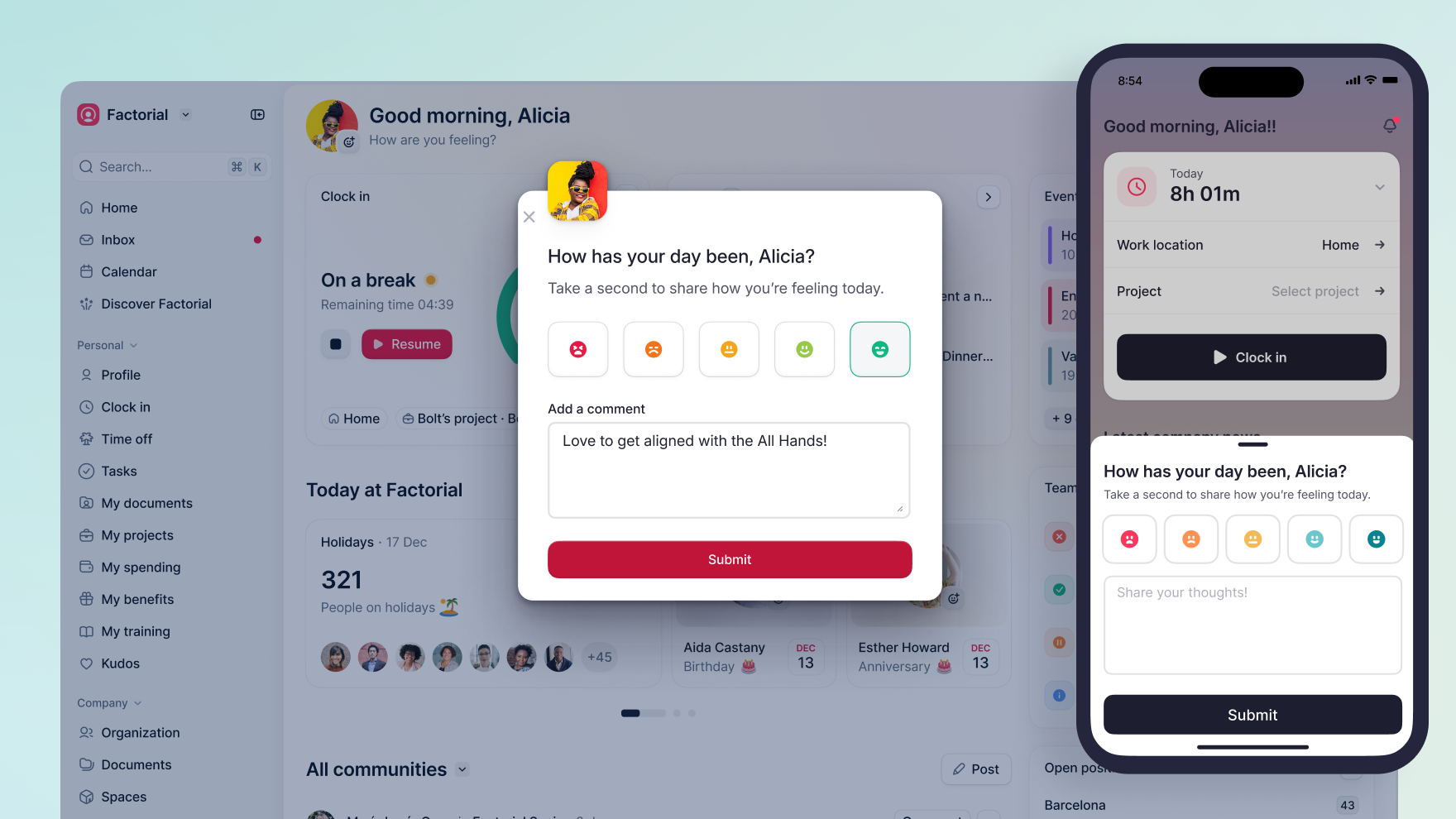
Factorial is a one-stop shop for all your HR and business management software needs. Whether you’re looking to streamline time tracking and shift planning, manage payroll, expenses, talent, or even IT assets, Factorial has you covered. For businesses with mobile workers in the US, Factorial stands out as the “most complete” solution. Factorial is built to allow you to stop juggling multiple tools and bring all your people processes into one centralized hub.
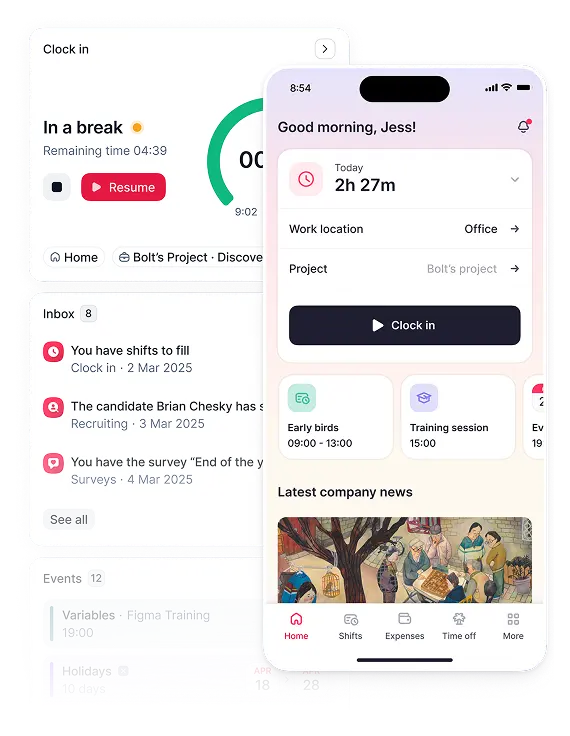
When it comes to time tracking, Factorial’s mobile app lets employees clock in and out from anywhere. That can be in the office, in the field, or working from home. The platform supports GPS-based clock-ins, geofencing that stops employees clocking in from anywhere but approved work locations, and QR code scanning for on-site operations. And if an employee forgets to clock in, they’ll get an automatic notification that helps ensure the accuracy of your timekeeping records across the whole workforce.
What sets Factorial apart is that time tracking is just the starting point. The built-in AI agent, One, takes real-time workforce data and turns it into actionable reports with just a few clicks. Managers can keep on top of attendance trends, spot scheduling gaps, and sync employee hours right into payroll, all from one central dashboard.
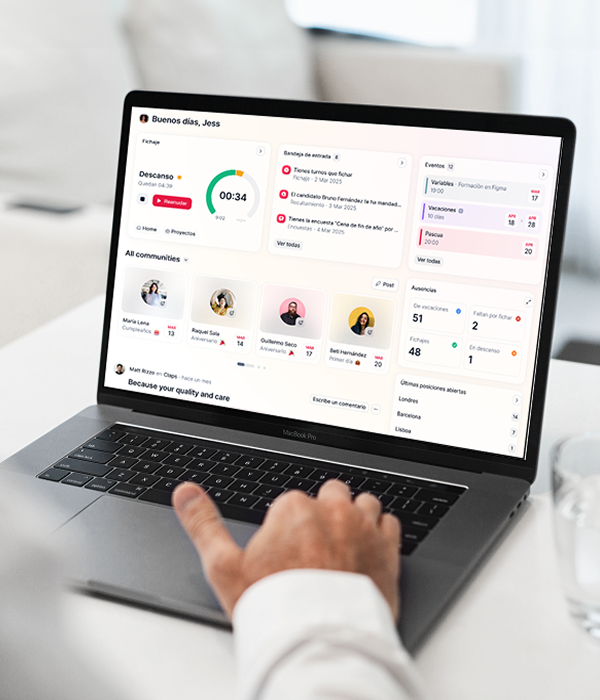
Key features for managing a mobile workforce:
- GPS and geofencing clock-ins: Employees can only clock in from approved locations, giving you peace of mind that your time records are accurate.
- Shift management: Build schedules, approve swap requests in one click, and push real-time updates to employees’ mobile devices.
- Absence management: Team members can request time off straight from the app, and managers can approve or reject requests on the go.
- Expense management: Employees submit expenses by photographing receipts in the app, with a full approval workflow built in.
- Payroll sync: Employee hours flow automatically into payroll, removing the manual work and ensuring staff are paid accurately and on time.
- Document management and e-signatures: Field workers can review, upload, and sign documents from the app, without ever having to leave the job site.
- AI-powered analytics: Factorial’s AI automatically surfaces workforce insights in real-time, giving you what you need to make smarter decisions on staffing, scheduling, and costs.
Factorial integrates with major business tools like Slack, Google Workspace, Microsoft 365, and leading payroll providers. The platform also comes with an open API for custom integrations — making it a versatile fit for businesses with a more complex tech setup.
Who is Factorial best for?
Any company, regardless of size, that wants a single platform to manage their mobile workforce alongside all core HR and finance processes, from onboarding through to offboarding.
Ready to give Factorial a go? Book a free demo and see what a truly all-in-one workforce management platform looks like.
2. Connecteam
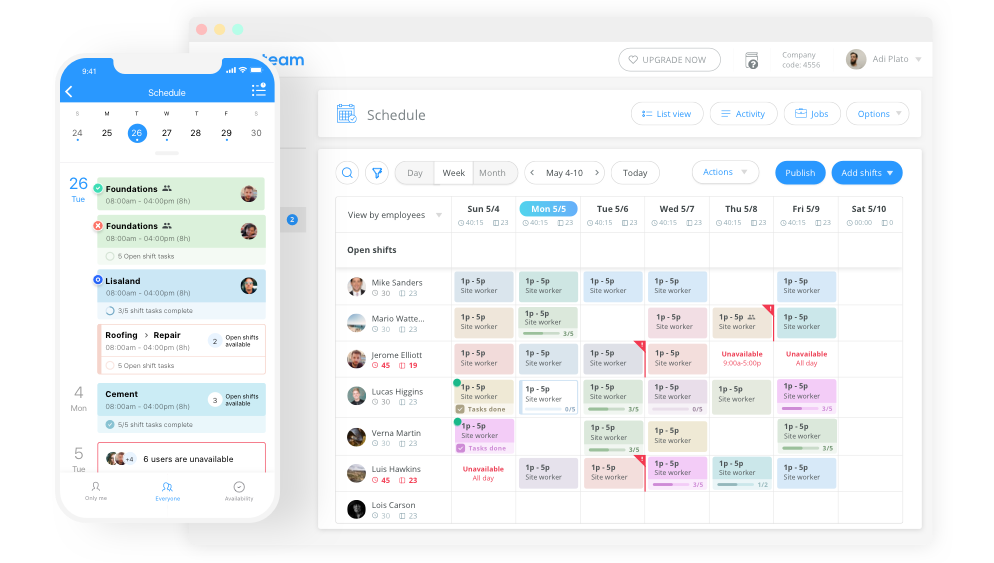
Connecteam is a popular all-in-one workforce management platform built specifically with deskless and frontline employees in mind. It’s organised into three core hubs, each of which can be bought separately or all together, so you only pay for what you need.
For mobile teams in industries like construction, logistics, hospitality, and retail, Connecteam delivers a comprehensive toolkit accessible from any smartphone. The Operations hub covers GPS time tracking, geofencing, employee scheduling, task management, and digital forms. The Communications hub provides in-app chat, a news feed for company announcements, and employee directories. The HR & Skills hub handles time off management, onboarding documents, and training courses — including AI-generated content.
One of the things that really sets Connecteam apart is its value for small teams — there’s a fully featured free plan for businesses with up to 10 users, making it an excellent entry point for smaller operations. Paid plans start at a flat rate of $29/month for the first 30 users, which makes costs a lot more predictable than per-user pricing for growing teams.
Strengths:
- All-in-one platform covering scheduling, time tracking, communications, HR, and forms in a single app
- AI-powered auto-scheduling and content translation in the chat feature
- GPS time tracking, geofencing, and live location trails on mobile and kiosk devices
- Strong training and onboarding tools, including e-signatures and employee recognition
- Excellent value for teams of 10-30 employees
Limitations:
Connecteam is great for managing employees but lacks the full set of tools that dedicated field service businesses need, like dispatching automation and route optimisation. It also doesn’t offer native payroll processing — integrations with QuickBooks and Gusto are available, but payroll still needs a separate system. For businesses that want a fully unified platform covering HR, payroll, and finance, an all-in-one solution like Factorial is the way to go.
Who is it best for?
Deskless frontline teams in retail, hospitality, cleaning, and similar service industries where scheduling, communications, and basic HR are the top priorities.
3. Deputy
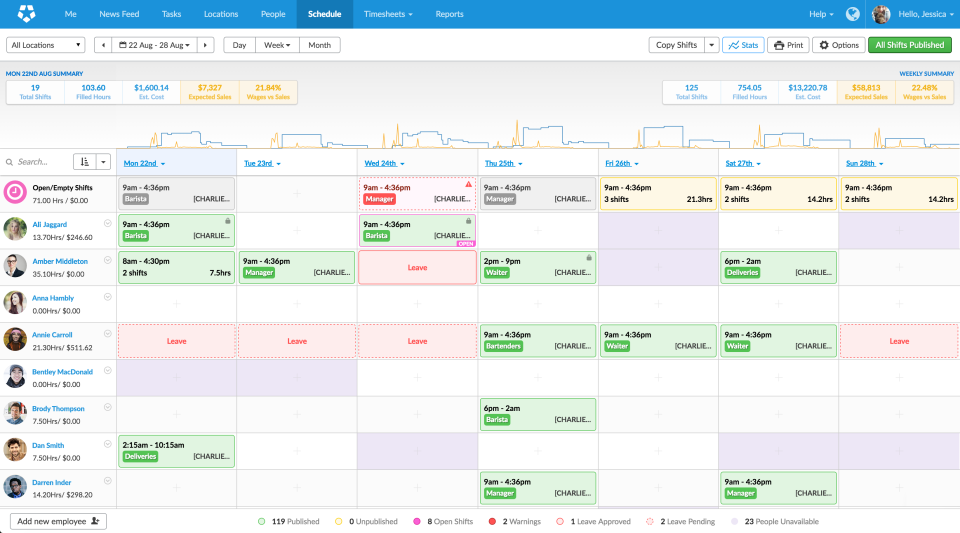
Deputy is a scheduling-forward workforce management platform that has built its reputation in shift-based industries like retail, hospitality, and healthcare. More than 355,000 workplaces worldwide trust the platform to handle their scheduling needs. Deputy really shines when it comes to building complex schedules, automating shift coverage, and giving managers a clear view of their workforce’s attendance.
Its AI-powered auto-scheduling creates optimised shift plans based on past schedules, required staffing levels, and demand forecasts. Managers can drag and drop shifts, approve swap requests, and publish updates, all of which instantly notify employees through the mobile app. Deputy’s timesheet approval system is also one of the best in the market with clean, intuitive, and fully filterable tracking by employee, date, and area.
Strengths:
- Best-in-class scheduling automation with demand forecasting and labour optimisation
- A reliable mobile app that lets employees clock in, send messages, and view their shifts
- Real-time workforce visibility and labour insights for managers
- Integrates with major payroll providers, including ADP, Gusto, QuickBooks, and Xero
- 31-day free trial, no credit card needed
Limitations:
Advanced features like enhanced analytics and expanded messaging are paid add-ons or require a higher-tier plan, which can increase your costs as your team grows. There’s also a bit of a learning curve when it comes to the platform’s location and area hierarchy, and customer reviews on Capterra and G2 note that support can take a little longer to respond.
Who is it best for?
Retail, hospitality, and healthcare businesses with large hourly or shift-based workforces where scheduling automation and labour forecasting are the top priority.
4. Hubstaff
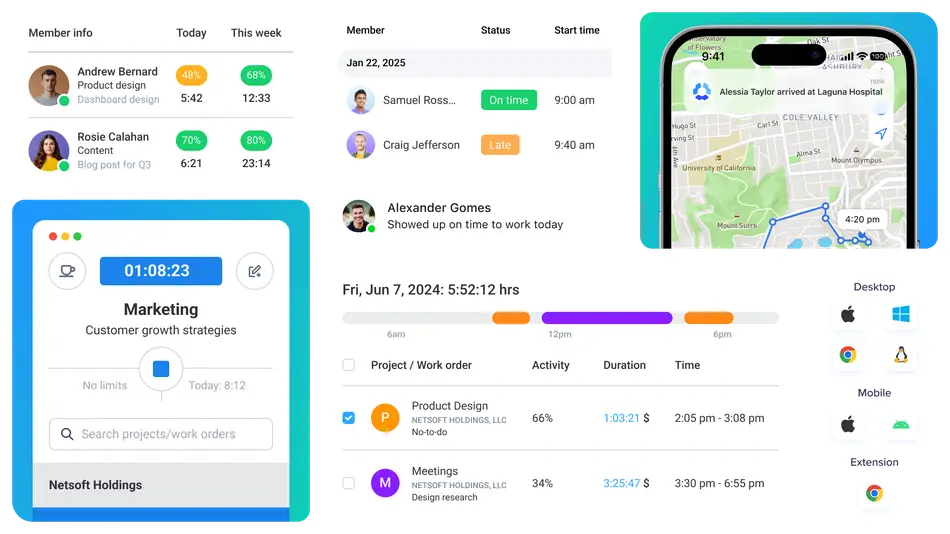
Hubstaff is a time tracking and workforce management platform built to handle remote and field teams that need close oversight of productivity alongside time and attendance. It combines GPS tracking, geofencing, automatic timesheets, and activity monitoring (including screenshots and app usage) all in one place.
For mobile teams, Hubstaff’s location tracking is a standout feature. The GPS logs live and historical locations, and geofenced job sites can automatically start and stop the timer when employees arrive at or leave a worksite. Route tracking and map views give managers a clear picture of where their field employees have been throughout the day.
One tool that Hubstaff offers is a desktop Silent App, a background tracking tool that monitors time and activity on company-owned devices without needing the employee to do anything. It’s useful for organisations that need high-level accountability, but it can feel invasive if not configured carefully.
Strengths:
- Excellent GPS tracking and geofencing for field employee management
- Highly customisable dashboard with widgets for activity, locations, timesheets, and project progress
- Flexible timer across web, desktop, and mobile apps with task-level time assignment
- Advanced reporting tools with scheduled exports in CSV and PDF formats
- Over 30 integrations, including Asana, Jira, Trello, Slack, QuickBooks, and Zapier
Limitations:
Hubstaff’s productivity monitoring features — screenshots, keystroke activity, and app tracking — can create an atmosphere of surveillance that erodes employee trust if not managed carefully. The mobile timer is disabled by default and needs to be manually enabled by admins, which can create friction for teams that need to clock in straight away. Like Deputy, Hubstaff doesn’t include native payroll processing and relies on integrations with providers like PayPal, Wise, and QuickBooks. And if you’re looking for deeper HR capabilities beyond time and attendance, Hubstaff may not be the best fit.
Who is it best for?
Remote teams, agencies, and field service companies that need accurate time tracking, GPS-verified attendance, and productivity reporting. Particularly where accountability and detailed billing are key concerns.
Picking the Right Mobile Workforce Management Software
When deciding on a mobile workforce management platform, it’s worth matching the software to your team’s actual needs rather than just checking off feature lists. Here are a few things to bear in mind:
- Scope of HR needs: If you need more than just scheduling and time tracking, like payroll, expenses, performance reviews, or recruiting, then you’re better off with a platform like Factorial that handles all of that in one place
- Team structure: Deputy’s scheduling capabilities suit shift-based industries; Connecteam is a good fit for frontline teams; Hubstaff works well for field service teams that need GPS accountability
- Ease of use on mobile: Try the app yourself! The best platform is the one your staff will actually use without complaints
- Pricing model: Decide if you prefer to be charged per user, or if your prefer to pay a higher flat rate. Charging per user may grow your expenses as your team grows, but a flat rate price may be more expensive up front.
- Scalability: Think about how your needs will change. Solutions to problems that come up as your organization grows may require you to add new tools as you grow, while an all-in-one platform scales with you from day one.
The one question to ask yourself: what does your team need beyond time tracking? If the answer includes performance reviews, recruiting, expense management, or document management, you should be looking for a platform that handles all of that in one place.
For US businesses looking for a single solution that covers time, HR, payroll, and finance without having to juggle multiple tools, Factorial offers the most complete package. Have a look at all of Factorial’s features by speaking with an HR expert or to see what all-in-one workforce management really looks like in action.
Disclaimer:
The information presented on this page is based on publicly available sources. The comparisons between Factorial and other providers are intended solely for the illustration of the respective software features, pricing and functionalities. All information regarding features, prices, and integrations may be subject to change without prior notice. Factorial assumes no liability for the accuracy, completeness, or timeliness of the information presented. We recommend contacting the respective providers directly to obtain the most accurate and up-to-date information. All legal regulations regarding Spanish fair advertising and competition law are fully observed by us; if you have any concerns, please reach out to us. The comparisons presented do not constitute a final evaluation or recommendation for any provider, but serve solely as an informational source.