When HR and IT teams work from separate systems, small tasks can turn into long email chains. The best HR software with IT management features brings people data, devices, app access, and offboarding into one place, so teams can get new hires set up faster and keep company data safer.
Factorial IT links HR workflows with device management, SaaS access, IT inventory, and security tasks. It can help teams assign devices, grant app access on day new hires join, and shut off access right away when someone leaves.
What is HR software with IT management features?
HR software with IT management features is a platform that joins employee records with IT tasks. Instead of HR telling IT about every new hire, job change, or exit by email or spreadsheet, the system can trigger the right actions based on employee data, bringing the benefits of automating HR tasks to every area of the workplace, including to IT teams. These platforms often use AI in HR, making it possible for anyone to automate almost anything with the right tools.
For example, when a new sales rep starts, HR can add them to the company directory and place them in their spot on the org chart. The platform can then kick off a workflow to order a laptop, assign it to the employee, give them access to Google Workspace and Slack, and add the right security rules, for example for protecting personal information as laid out by the FTC.
When that employee leaves, the same system can help IT take back the laptop, remove access to company apps, and keep a clear record of what happened. This cuts down on missed steps, which matter most during onboarding and offboarding.
Traditional HR systems often focus on payroll, time off, hiring, documents, and performance. Traditional IT tools focus on devices, passwords, access, and security. HR software with IT management features closes the gap between the two.
This setup is useful for growing companies with remote, hybrid, or global teams. When people work from different places, it is harder to keep track of laptops, licenses, app access, and security rules with spreadsheets alone.
Benefits of IT management in HR software
Putting HR and IT workflows in the same system can make everyday work easier for both teams. It also gives leaders a clearer view of costs, risk, and employee readiness.
Faster onboarding
New hires want to start strong on their first day. They should not spend the morning waiting for a laptop or software access.
HR-led IT workflows can kick off device ordering, app setup, and access rules as soon as a hire is confirmed. Factorial IT, for example, supports device ordering and management, pre-configured laptops, and automated app access tied to the employee lifecycle.
This can help teams:
- Ship a laptop before the employee starts
- Set up the right apps for the role
- Give managers a clear onboarding checklist
- Avoid last-minute IT tickets
- Help new hires get to work sooner
Safer offboarding
Offboarding is one of the biggest reasons to link HR and IT. If a former worker still has access to email, files, customer data, or paid software, the company takes on needless risk.
A connected system can use the employee’s last day to trigger access removal and device recovery. Factorial IT says it can revoke access to tools such as Slack and Google Workspace during offboarding and manage the device return process.
This does not remove the need for a good offboarding plan. But it gives HR and IT a shared process instead of relying on someone to remember every step.
Better device tracking
Many companies lose track of equipment as they grow. A laptop may sit in a closet, get shipped to the wrong place, or stay assigned to someone who left months ago.
IT inventory tools can show what devices the company owns, who has each one, where it is in its lifecycle, and what it costs. Factorial IT puts devices, apps, and licenses in a shared inventory mapped to employees.
That makes it easier to:
- See which worker has which device
- Spot equipment that needs repair or replacement
- Plan device refresh cycles
- Recover hardware from departing employees
- Keep cleaner records for audits
Lower software spend
SaaS costs can quietly get out of hand. Companies may pay for unused licenses because nobody knows who still needs a tool after a role change or exit.
HR-connected SaaS management can match licenses to active employees. When someone leaves, their access can be removed and their license can be reused or canceled. Factorial says its SaaS management tools help teams see usage, control access, and cut spending on unused licenses.
Easier compliance
Compliance work often means pulling records from several systems. HR has employee dates and job details. IT has device and access records. Finance may have purchase data. That can slow down audits and make proof hard to find.
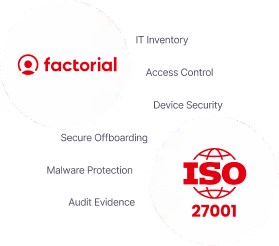
A shared platform helps teams keep records in one workflow. Factorial IT says it supports audit-ready reporting and helps organizations work toward frameworks such as ISO 27001, SOC 2, NIS2, and DORA.
Of course, software does not make a company compliant on its own. Your team still needs clear policies, good access controls, staff training, and regular reviews.
Fewer manual handoffs
Manual handoffs are where mistakes creep in. HR may forget to tell IT about a contractor. IT may not know that an employee changed teams. A manager may give someone access to a tool without tracking the license.
Automation helps teams set up repeatable workflows. The goal is not to replace HR or IT judgment. It is to take routine work off their plates so they can spend more time on higher-value tasks.
What IT management features to look for in HR software
Not every HR platform with an integration marketplace is true HR-IT software. Before you buy, look at how deeply the IT tools connect to employee data and lifecycle workflows.
Employee lifecycle automation
Look for workflows that start when an employee is hired, promoted, changes location, switches teams, or leaves. The platform should let you tie tasks and access rules to these events.
Ask whether the workflow can handle different employee types, including full-time staff, contractors, temporary workers, and global hires.
Device management
The right platform should help you with mobile device management, that is tracking laptops, monitors, phones, and other equipment from purchase to return. For remote teams, it should also support ordering, shipping, repair, replacement, and recovery.
If security is a key need, check whether it works with mobile device management tools. Factorial describes its offering as HR-connected multi-OS device management, while also covering device lifecycle and inventory tasks.
App access and identity controls
Access management should go beyond a simple list of software. Look for tools that can grant and remove access based on job role, department, location, or employment status.
Useful features include:
- Single sign-on support
- Role-based access rules
- App provisioning and deprovisioning
- Access approval workflows
- Password and identity controls
- Audit trails for access changes
Factorial IT highlights automatic app provisioning for new hires and access removal during offboarding.
SaaS management
A good SaaS management feature helps you see every app, license, owner, user, and cost. It should make it easy to spot unused licenses and renewals that need a closer look.
Check whether the tool can show both approved and unapproved apps. Shadow IT can create security and cost problems when employees sign up for tools without a clear owner.
Security and compliance controls
Look for encryption, role-based permissions, audit logs, device policies, and remote lock or wipe options. Your needs will depend on your industry, company size, and the data you handle.
Factorial is a platform that includes encryption, role-based permissions, and audit trails, while its IT product can apply security policies and lock devices remotely.
Reporting
Choose software that can answer practical questions quickly:
- Which devices are assigned to each employee?
- Which licenses are unused?
- Who still has access after a role change?
- What hardware costs are coming up?
- Can we show proof of access and device controls for an audit?
The best reporting is clear enough for HR, IT, finance, and leadership to use without building a new spreadsheet every week.
Top 10 HR Software With IT Management Features
The best HR software with IT management features helps HR and IT teams work from the same employee data. It can speed up onboarding, track devices, manage software access, and make offboarding safer.
1. Factorial
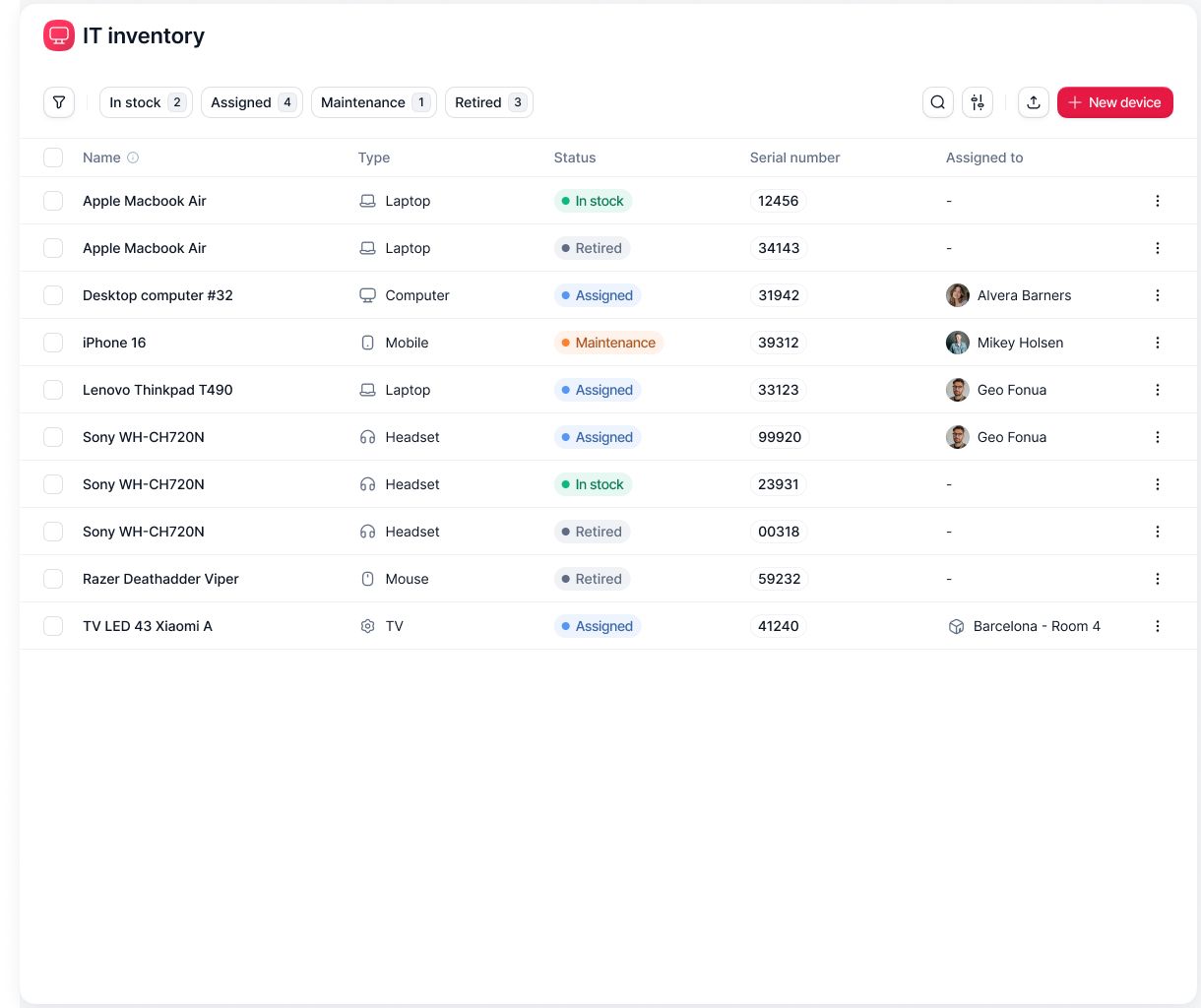
Overview: Factorial is an all-in-one AI business management platform that bring HR, finance, operations, and IT together in one place. It has AI agents that you can delegate tasks to and that allow you to ask questions from Factorial about your company in plain English and get answers based on your company data.
Platform summary: Factorial’s IT management software helps teams manage devices, software access, IT inventory, and employee lifecycle tasks in one place. It can set up new hires, track company equipment, and remove access when employees leave.
Pros:
- HR and IT in one platform
- Tracks devices and software
- Sets up new hires faster
- Removes access when people leave
- Easy to use
Cons:
- Some advanced tools are limited
- Payroll may need extra tools
- Setup takes time
- Support can be slow at times
Price
Factorial has a core plan that starts at $8 per user per month. Request a personalized demo for a quote tailored to your needs and to understand how Factorial can support your HR and IT teams.
2. Rippling
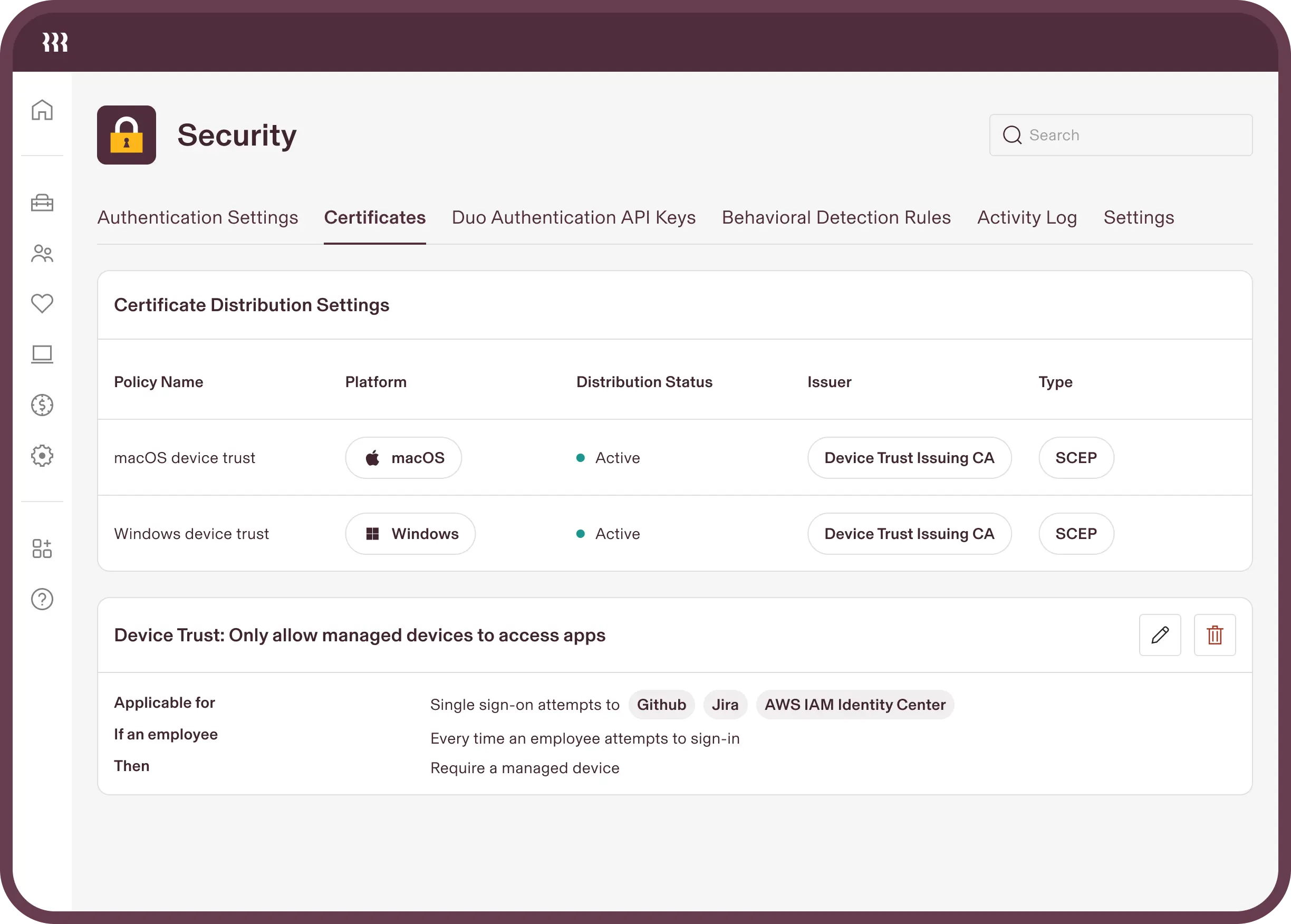
Overview: Rippling is a workforce platform that combines HR, payroll, IT, finance, and benefits.
Platform summary: Rippling links employee data with device management, app access, and security tasks. It can help companies set up laptops and software for new hires, then remove access during offboarding.
Pros:
- Links HR, payroll, and IT
- Manages devices and app access
- Automates onboarding and offboarding
- Easy-to-use design
- Wide range of features
Cons:
- Costs can add up
- Setup can feel complex
- May be too much for small teams
- Pricing is not always clear
3. Deel
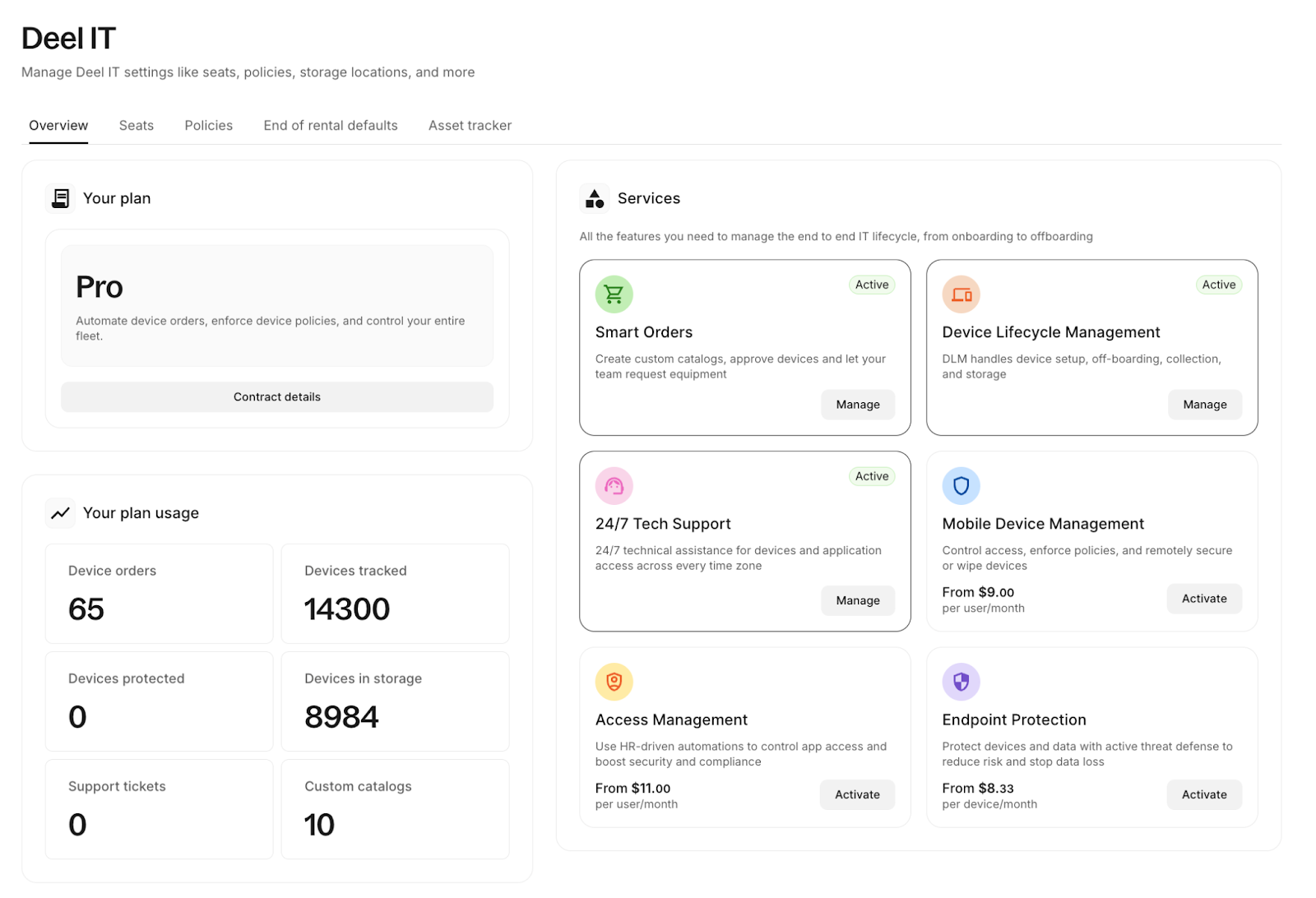
Overview: Deel is a global HR and payroll platform for companies that hire employees and contractors in different countries.
Platform summary: Deel helps teams manage global hiring, contracts, payroll, compliance, and remote workforce needs. It can also support equipment workflows for distributed teams.
Pros:
- Great for global teams
- Handles payroll and contractor payments
- Easy to use
- Helps with global compliance
- Supports remote hiring
Cons:
- IT tools are less advanced
- Fees can be high
- Payments can sometimes take longer
- Some features cost extra
4. JumpCloud
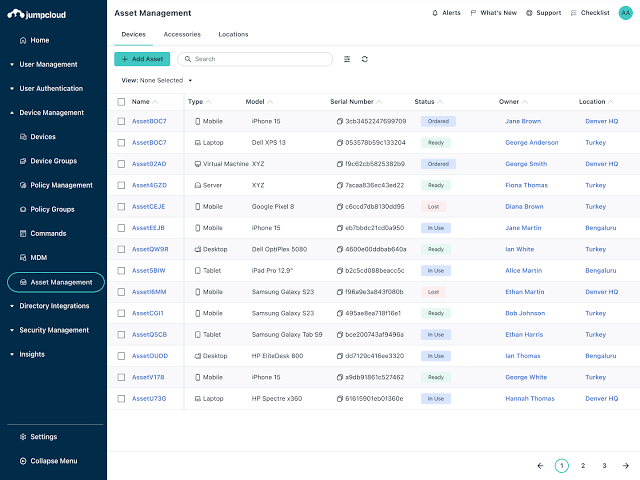
Overview: JumpCloud is an IT platform for device, identity, and access management.
Platform summary: While it is not a full HR system, JumpCloud works well with HR software. It helps IT teams manage employee devices, passwords, app access, and single sign-on across Mac, Windows, and Linux.
Pros:
- Manages user access and devices
- Works with Mac, Windows, and Linux
- Includes single sign-on
- Good for security-focused teams
- Easy for IT teams to use
Cons:
- Not a full HR platform
- Needs a separate HRIS
- Reporting can be limited
- Can feel technical for HR teams
5. BambooHR
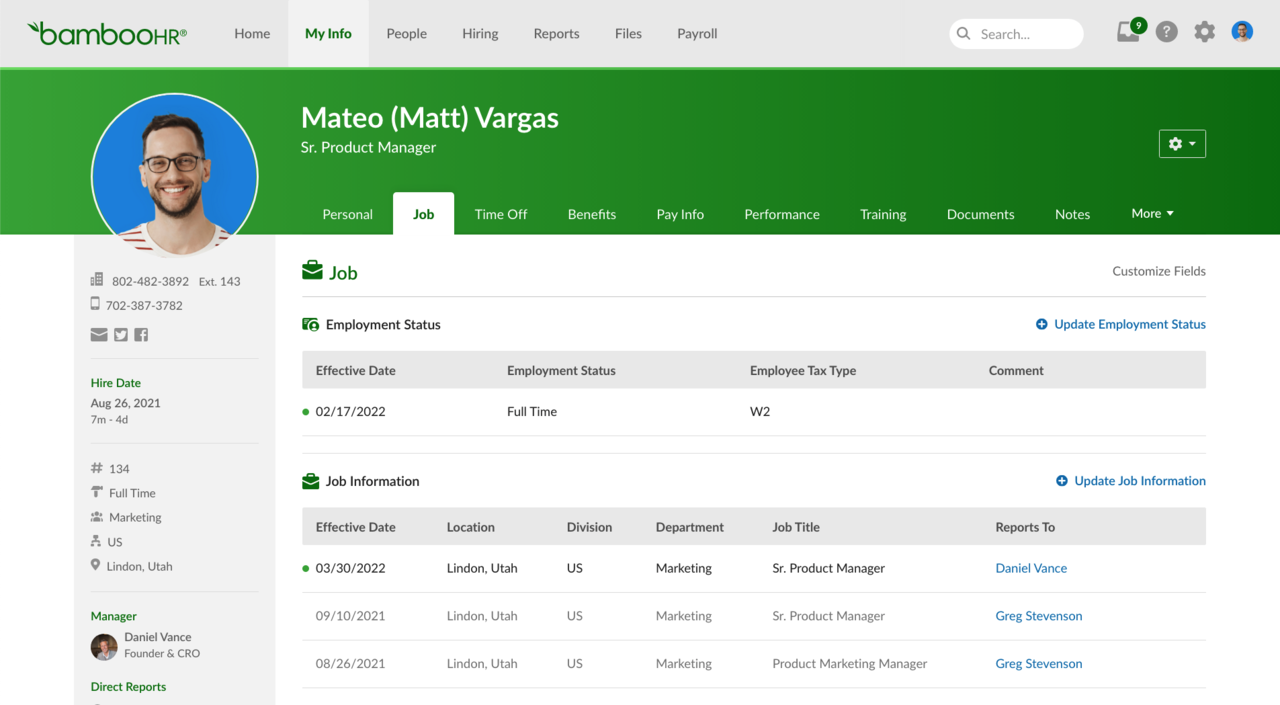
Overview: BambooHR is HR software for small and midsize businesses.
Platform summary: It covers core HR tasks, such as employee records, onboarding, time off, and performance reviews. Companies can link it with separate IT tools for devices and access management.
Pros:
- Simple to use
- Good for core HR tasks
- Strong onboarding tools
- Easy for employees to learn
- Good fit for small businesses
Cons:
- No built-in device management
- Needs IT integrations
- Limited customization
- Not ideal for complex global teams
6. HiBob
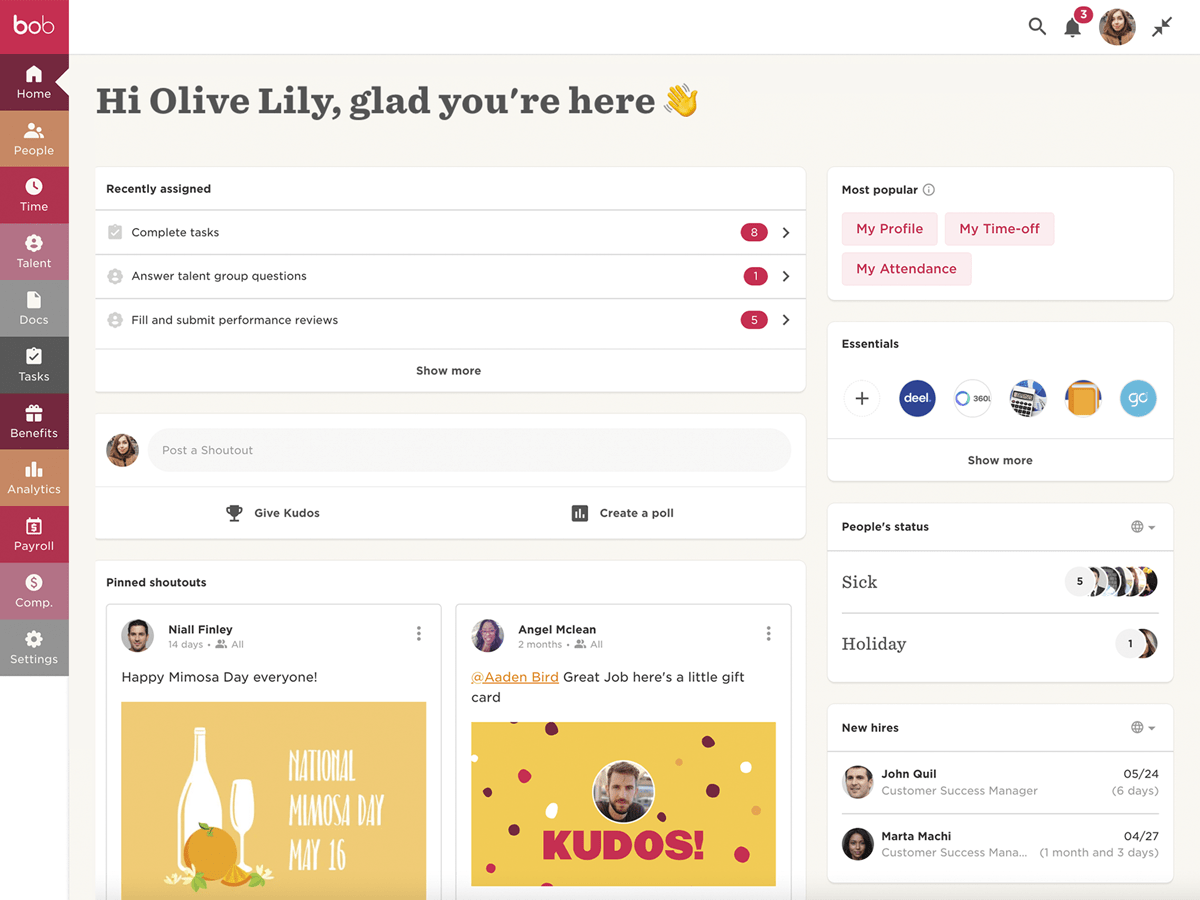
Overview: HiBob is HR software for hybrid, and global companies.
Platform summary: HiBob focuses on employee experience, people data, onboarding, performance, and workforce insights. It can act as the HR hub and pass employee details to separate IT systems.
Pros:
- Simple design and easy to use
- Strong employee experience tools
- Good for hybrid teams
- Useful people insights
- Supports HR workflows
Cons:
- No built-in device management
- May need extra payroll tools
- Can take time to set up
- Less suited to small teams
7. Workday
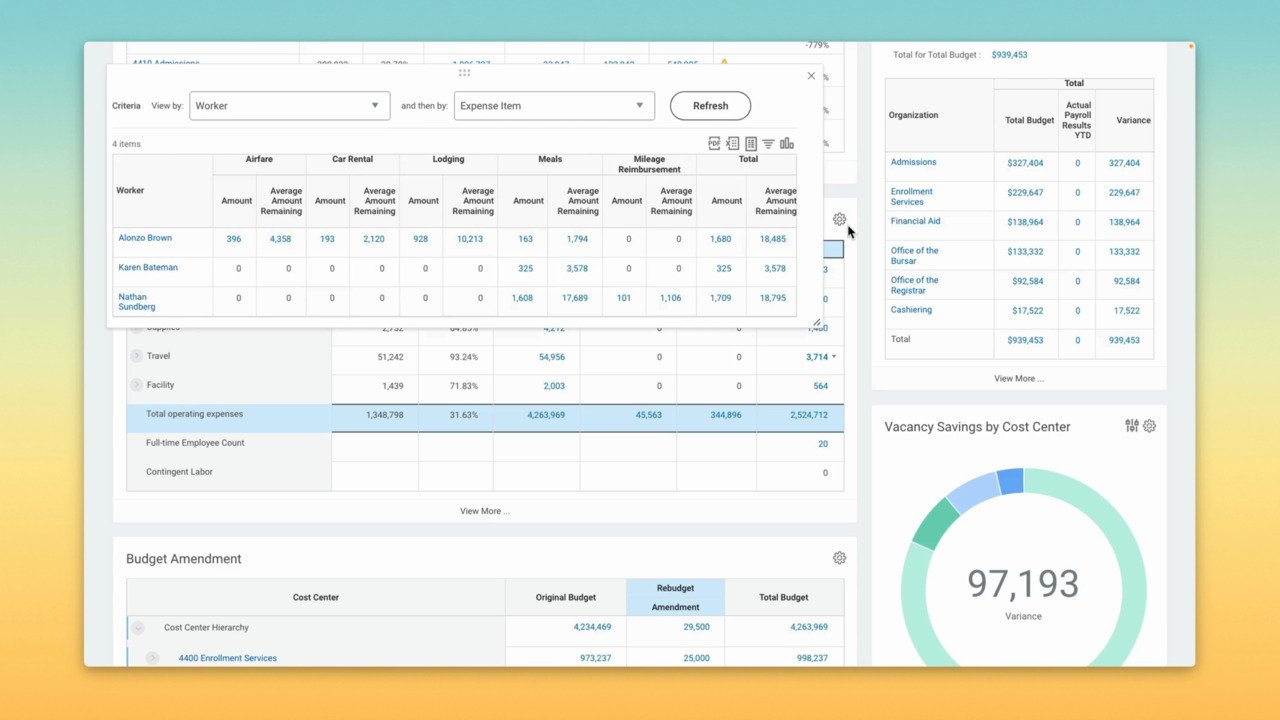
Overview: Workday is enterprise software for HR, finance, planning, and analytics.
Platform summary: Workday helps large companies manage employee records, job changes, approvals, and workforce data. IT teams can use this data to set up access and accounts in connected tools.
Pros:
- Strong for large companies
- Deep reporting tools
- Handles complex HR needs
- Works well for global teams
- Strong employee data controls
Cons:
- Takes a long time to set up
- Can be expensive
- Too complex for small teams
- Needs separate IT tools
8. UKG Pro
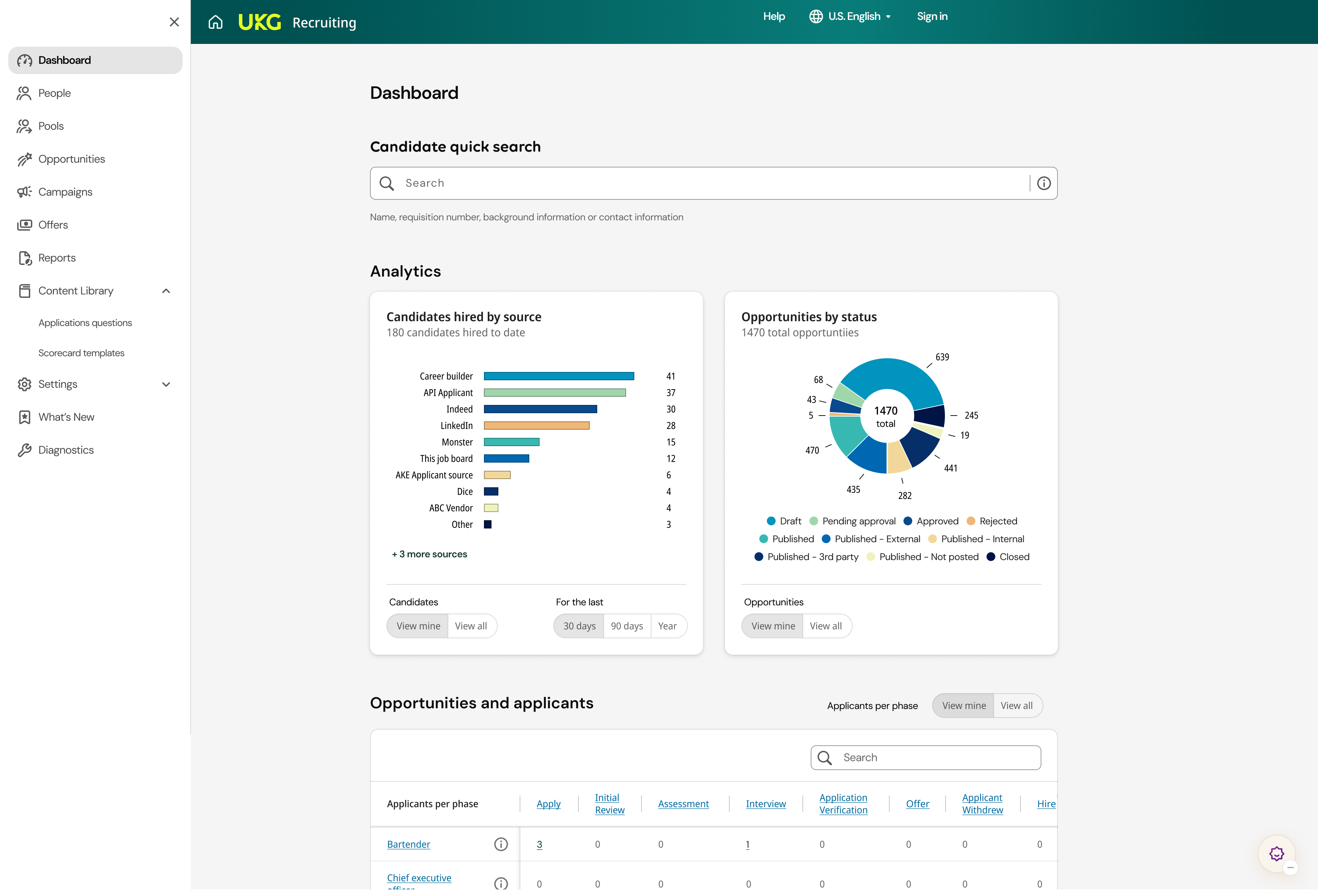
Overview: UKG Pro is an HR and payroll platform for midsize and enterprise businesses.
Platform summary: Its strongest features cover payroll, scheduling, time tracking, talent, and workforce management. It can share employee data with separate IT and security tools.
Pros:
- Strong payroll tools
- Good for shift-based teams
- Handles time tracking well
- Built for larger workforces
- Supports complex scheduling
Cons:
- Setup can be hard
- Can feel too complex
- Pricing is not always clear
- Limited built-in IT tools
9. ADP Workforce Now
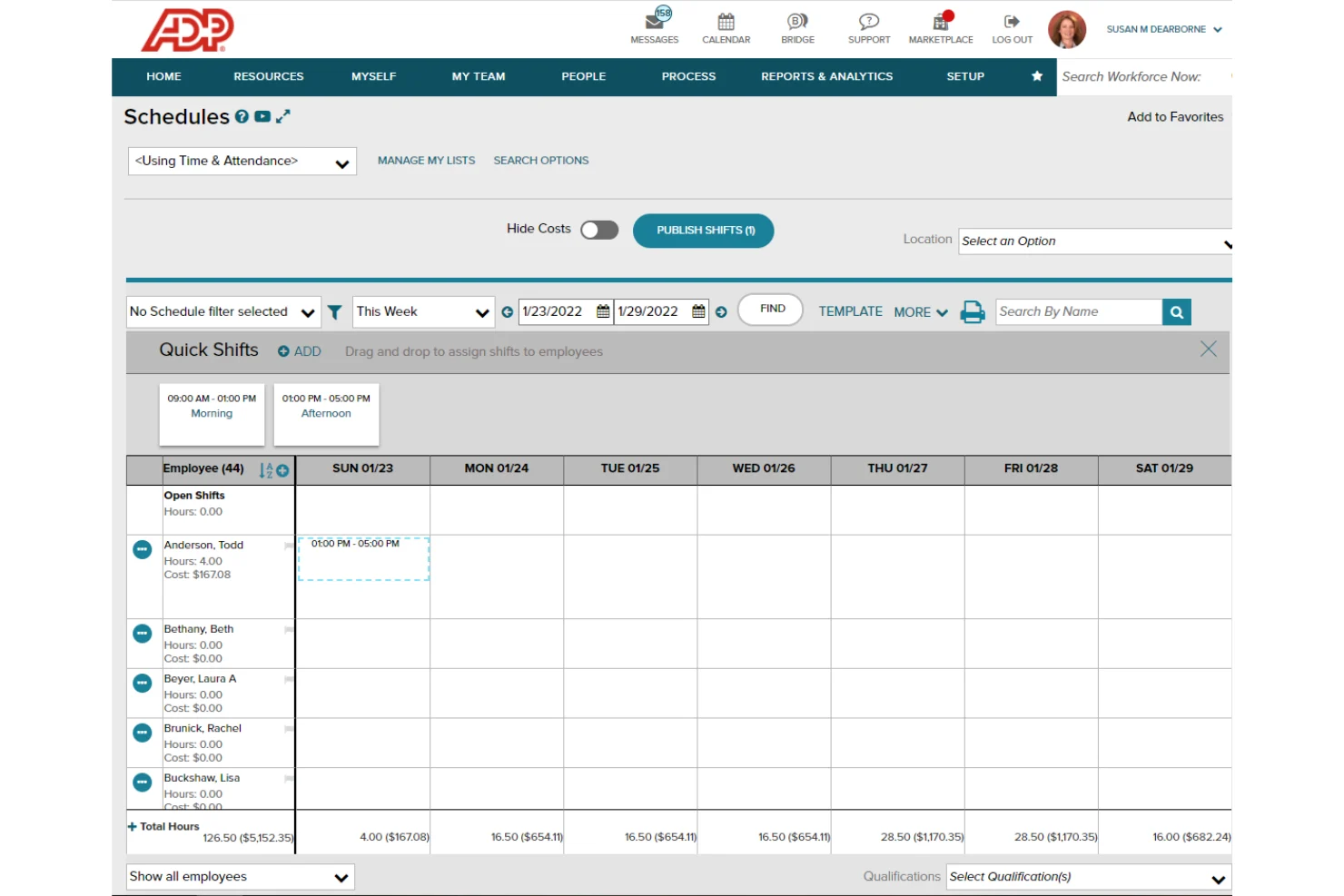
Overview: ADP Workforce Now is a payroll-focused HR platform for midsize and larger US businesses.
Platform summary: It covers employee records, payroll, benefits, time tracking, talent, and reporting. Most companies will connect it with separate tools for device and access management.
Pros:
- Strong payroll support
- Helps with compliance
- Covers core HR needs
- Well-known provider
- Good for midsize businesses
Cons:
- No deep device management
- Design can feel outdated
- Support can vary
- Reporting may take time to set up
10. Paylocity
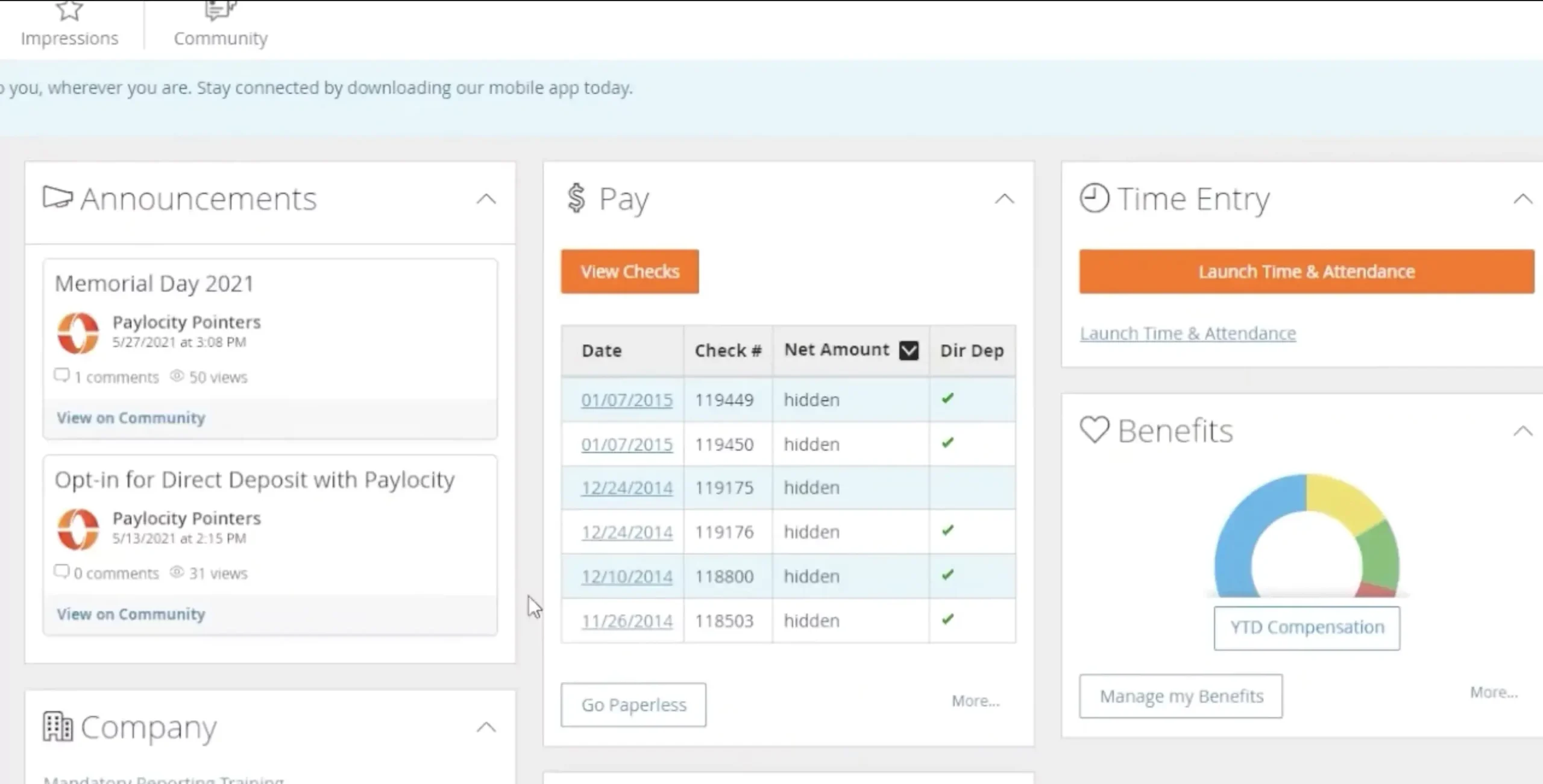
Overview: Paylocity is a US-focused HR and payroll platform for midsize businesses.
Platform summary: It helps companies manage core HR, payroll, time, benefits, talent, and employee engagement. It works best with separate IT tools for access and security needs.
Pros:
- Strong HR and payroll tools
- Good employee self-service
- Includes engagement features
- Works well for midsize teams
- Covers key HR tasks
Cons:
- No built-in IT management
- Needs separate IT tools
- Reporting can be hard to learn
- Setup can take time
How to Choose HR Software with IT Management Features
Choose software that helps HR and IT work better together. It should make it easier to set up new hires, manage devices, and remove access when employees leave.
Know what you need
Start with your biggest problem. You may need to:
- Set up new hires faster
- Track laptops and phones
- Manage app access
- Remove access when people leave
- Cut unused software costs
- Support remote employees
Check onboarding tools for IT tasks
The software should help new hires get ready before their first day. Look for tools that can:
- Send onboarding tasks
- Assign a laptop
- Set up app access
- Share documents and policies
- Notify HR, IT, and managers
Check how you can offboard employees
When someone leaves, the software should help you:
- Remove app access
- Get company devices back
- Reuse software licenses
- Keep a record of each task
- Protect company data
Look at device tracking
Choose software that shows who has each device. It should help you track:
- Laptops and phones
- Device costs
- Repairs and replacements
- Returned equipment
- Missing devices
Remote teams may also need help with shipping and recovering devices.
Check access controls
The platform should help you control who can use each app. Look for:
- App access for new hires
- Access based on job role
- Single sign-on
- Access removal for leavers
- Records of access changes
Check integrations
Make sure the software works with the tools you already use, such as:
- Google Workspace or Microsoft 365
- Slack or Microsoft Teams
- Payroll software
- Accounting tools
- Device management tools
Plan for growth
Choose a platform that can grow with your team. Check if it can support:
- More employees
- Remote teams
- Different countries
- More devices and apps
- Better reporting
- More complex workflows
Try it first
Ask for a demo or free trial. Make sure it is easy for HR, IT, managers, and employees to use.
Choose the Right IT Management Platform for HR Teams
The best HR software with IT management features makes it easier to manage people, devices, and app access in one place. Factorial is a great choice for international teams that want to automate onboarding and offboarding, track IT assets, manage SaaS access, and cut down on manual work across HR and IT.

FAQs
It is software that helps HR and IT manage employees, devices, and app access in one place, simplifying workflows that can sometimes be prone to bottlenecks.
Yes, some HR software has IT device tracking tools that can track laptops, phones, monitors, and other equipment you assigned to employees.
Yes, there are a few IT management features that can make HR software very useful in an onboarding workflow automation scenario. It can help teams assign devices, set up apps, and share other IT tasks before a new hire’s first day so that things go smoothly.
Yes. Similarly to how it helps with onboarding, come offboarding it can remove app access, track whether devices have been returned or not, and help protect company data by revoking access to documents automatically when someone leaves.
When you evaluate a platform you should look for device management, app and access controls, and a clear view of every device, app, and license. It should also automate onboarding, offboarding, security tasks, and compliance work, while helping your team lock or wipe lost devices remotely.