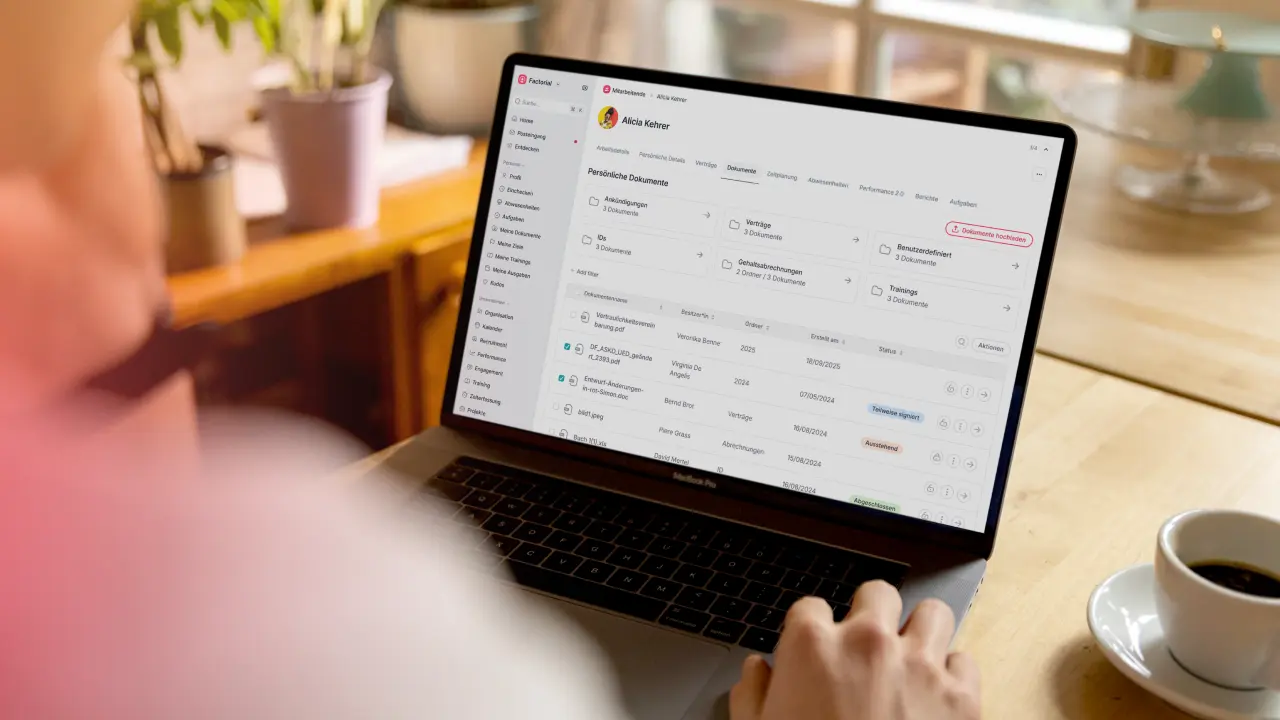
IT teams manage more assets than ever. Laptops, phones, tablets, servers, monitors, and software licenses move between employees constantly. Hybrid or remote work, faster hiring, and higher security requirements have made tracking these assets far more difficult than it used to be. Many organizations rely on spreadsheets, shared email inboxes, and other outdated tools to manage IT assets. These methods can break down quickly. Records are hard to keep in sync, devices go missing, licenses remain active after employees leave, forcing you to pay for tools you don’t use without realizing, and audits become difficult to prepare for. IT asset management software solves these problems by giving companies one system to track ownership, usage, location, and status of every IT asset.
As your business grows, IT asset management becomes more important and reliant on the right software. The right software helps teams reduce manual work, prevent costly mistakes, and keep IT operations running smoothly as the number of devices, tools, and users increases.
In this guide, we break down what IT asset management software is, why you need it in 2026, and which tools offer the best features, usability, and scalability.
What Is IT Asset Management Software?
IT asset management software is a tool that helps companies track, manage, and control their IT assets throughout their entire lifecycle. This includes knowing what assets you own, who is using them, where they are located, and what condition they are in.
An IT asset is any tech resource a business uses to operate. This usually includes laptops, desktops, phones, tablets, servers, networking equipment, and peripherals like monitors and keyboards. It also includes digital assets such as software licenses, cloud subscriptions, and user access to all sorts of applications.
IT asset management software replaces manual tracking methods like spreadsheets or shared documents. Instead of relying on your memory, notes, or disconnected files, IT teams get a single source of truth for all hardware and software. Assets can be assigned to employees, tracked as they move between users, and flagged when they are lost, damaged, or no longer needed.
Most IT asset management software also supports the full asset lifecycle. This means managing assets from purchase and deployment during onboarding, through daily use and maintenance, and finally through offboarding, return, or retirement. With the right system in place, IT teams can automate routine tasks, reduce errors, and keep accurate records without constant manual updates.
IT Asset Management vs. IT Service Management (ITSM)
IT asset management and IT service management are related, but they are not the same thing. Many teams mix them up, which can lead to choosing the wrong tool.
IT asset management focuses on tracking and controlling IT assets. It answers basic questions like: What devices and software do we have? Who is using them? Where are they right now? Are they secure and up to date? The goal is to keep clear records and stay in control of every asset.
IT service management (ITSM) focuses on support and requests. It is used to manage tickets, issues, and employee requests. Help desks and service portals are part of ITSM. These tools help IT teams respond to problems and support employees.
Some platforms combine both and offer asset tracking along with ticketing or request features.
Why Businesses Need IT Asset Management Software in 2026
Managing IT assets is getting harder because companies use more devices and more software than ever before. Employees work from different places, and equipment changes hands often. Old tracking methods simply can’t keep up. Many IT teams still use spreadsheets, emails, or notes to track assets. This takes a lot of time and is easy to mess up. When one update isn’t logged somewhere, devices can disappear from records, and software licenses can stay active when they should not.
IT asset management software removes a lot of this manual work. Instead of updating many files, IT teams use one system. Devices and software can be assigned to employees, tracked over time, and updated automatically when people join, change roles, or leave.
Security and compliance are also important. When assets are not tracked properly, risks increase. Lost laptops, unused user accounts, and outdated devices can all cause problems that can be avoided with preparation. IT asset management software helps teams remove access on time, secure devices, and keep clear records for audits like SOC 2.
Better visibility is another benefit. IT teams can see what devices they own, which software is being used, and what needs to be replaced soon. This helps avoid overspending and makes budget planning easier.
Most importantly, IT asset management software creates clear ownership. Every device and license has a known user and status. This reduces loss, prevents damage, and ensures your teams use their equipment more responsibly.
Best IT Asset Management Software in 2026
Finding the right IT asset management software can be overwhelming. There are many tools on the market, each with different features, pricing, and integrations. The best platforms are easy to use, scale with your company, and help you track devices, software, and licenses without extra work.
Read about the top tools for 2026 below. Each review includes key features, who the software is best for, and pricing information when available.
1. Factorial
Factorial IT is a top IT asset management software designed to simplify how companies track devices, software, and licenses. It connects IT operations with HR and finance, giving teams a single place to manage the full lifecycle of every asset.
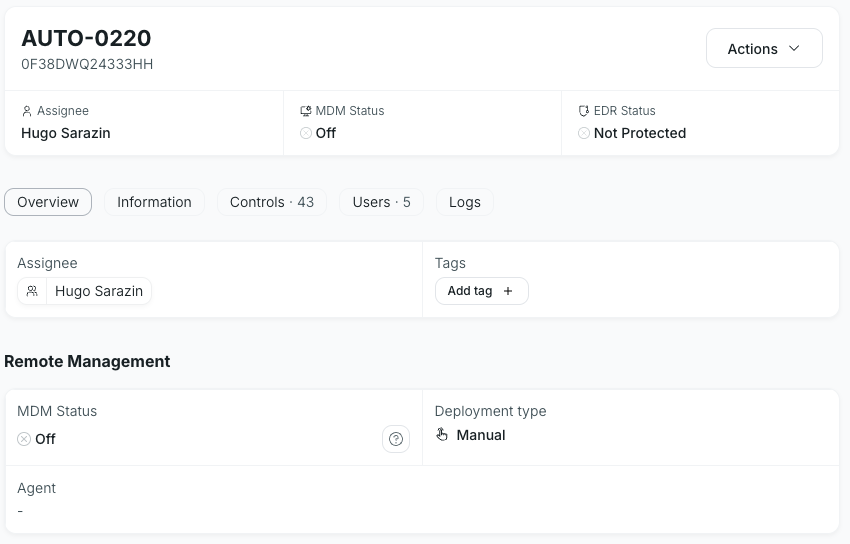
Key IT Asset Management Features in Factorial
- Full Asset Lifecycle Management: Track hardware and software from purchase to retirement.
- Multi-OS Device Management: Manage Windows, macOS, Linux, and Android devices in one platform.
- Automatic Provisioning and Deprovisioning: Assign and revoke access automatically when employees join, change roles, or leave.
- SaaS and License Management: Track all apps, subscriptions, and licenses with automatic updates and alerts.
- Global Hardware Procurement: Order and ship devices to over 60 countries, with 0-touch deployment.
- Security and Compliance: Built-in SOC 2 readiness, audit logs, and encrypted device management.
- AI-Powered Tools: Smart workflows, predictive device management, and autonomous issue resolution.
Connect Factorial IT with HR and Finance
One of Factorial IT’s standout features is its integration with HR and finance systems. When HR updates employee records, Factorial automatically adjusts device assignments and app access. Finance teams can see IT spend in real-time, helping to control budgets and reduce wasted licenses.
Who Factorial Is Best For
Factorial IT is ideal for growing companies or teams that want a unified platform instead of switching between multiple tools. It works well for organizations with hybrid or remote employees, companies that manage many devices, and teams that need strong compliance and audit-ready reporting.
Price
Factorial’s pricing is scalable and depends on company size and features. It avoids per-device fees, making it easier for growing companies to plan costs without hidden charges. You can request a demo to get a detailed quote.
2. Jira Service Management
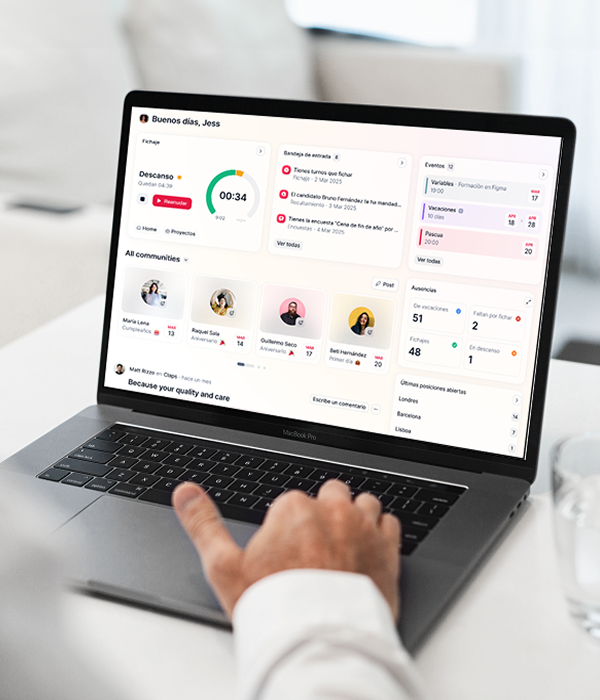
Jira Service Management is a popular platform for IT teams that need both asset tracking and service management. It combines ticketing with IT asset visibility, making it easier to manage hardware, software, and employee requests in one place.
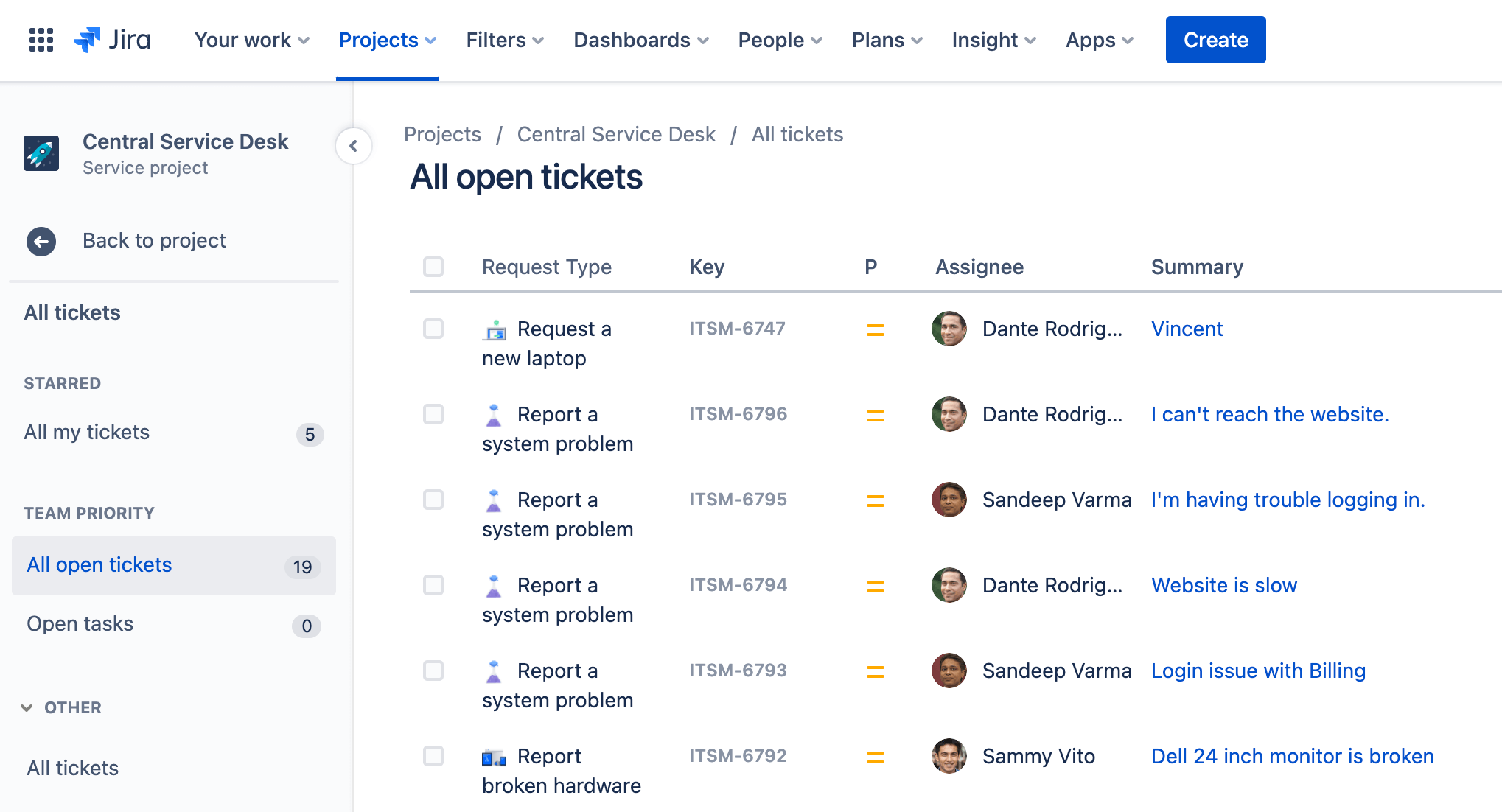
Key IT Asset Management Features in Jira
- Centralized asset database for hardware and software
- Integration with other Atlassian tools and popular IT apps
- Basic automation for tickets and workflows
- Reporting for audits and IT compliance
Who Jira Is Best For
Jira is best for teams already using Atlassian products or companies that need strong ITSM features alongside asset tracking. It works well for mid-sized to large organizations that want customization and workflow automation.
Price
Jira offers tiered pricing based on users, with a free plan for small teams. Paid plans provide more advanced features and reporting.
3. NinjaOne
NinjaOne is a remote monitoring and management (RMM) platform that includes IT asset management. It is designed for teams that need quick visibility of devices across multiple locations.
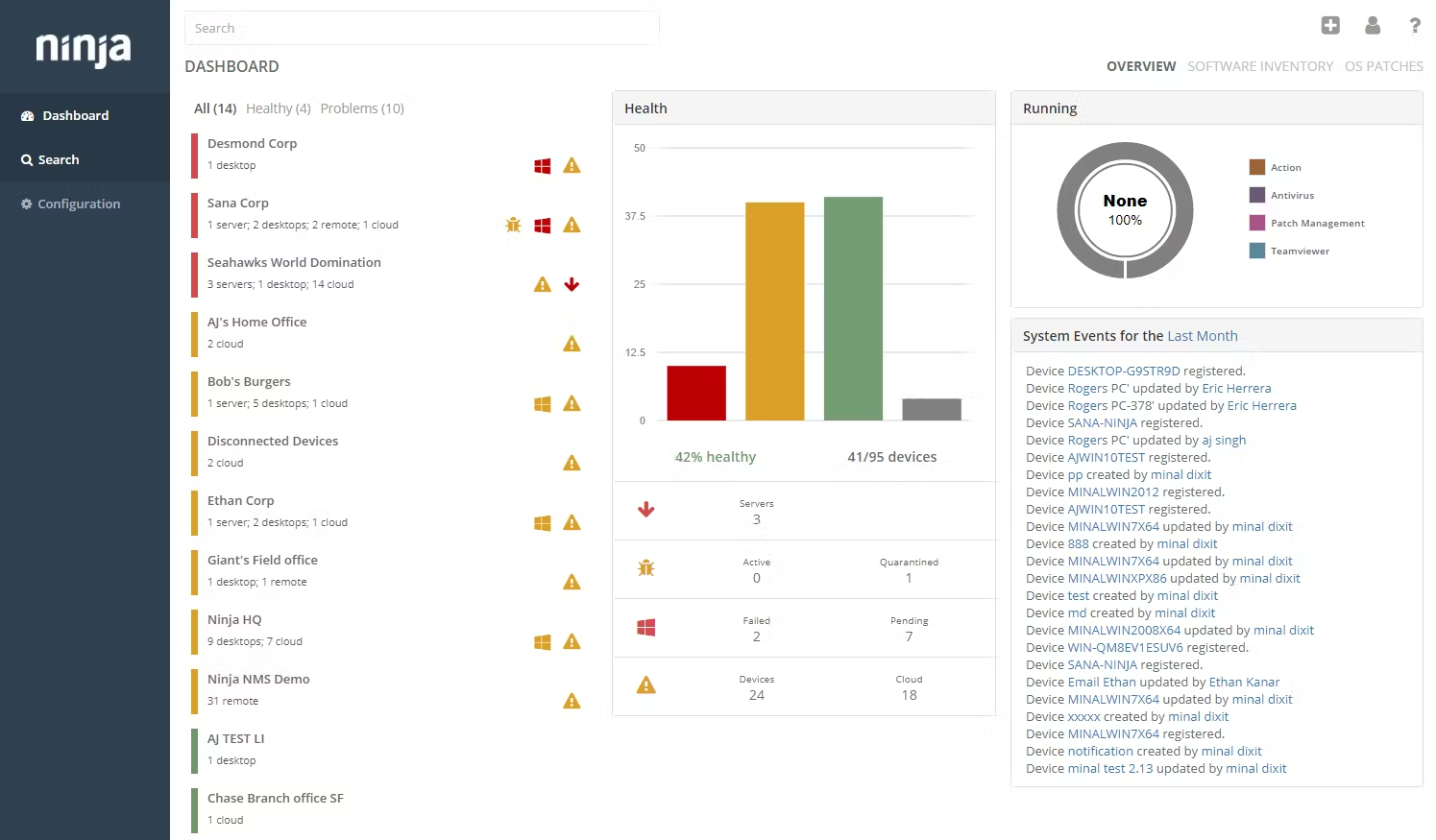
Key IT Asset Management Features in NinjaOne
- Automated device discovery and inventory tracking
- Software license management and patching
- Remote device control and troubleshooting
- Alerts for security or compliance issues
Who NinjaOne Is Best For
NinjaOne suits IT teams managing multiple endpoints across offices or remote employees. It is ideal for organizations that need strong monitoring and remote management features alongside asset tracking.
Price
Pricing is subscription-based, usually per device, with custom quotes for larger organizations.
4. Atera
Atera is an all-in-one IT management platform for MSPs and internal IT teams. It combines asset management with remote monitoring, ticketing, and reporting.

Key IT Asset Management Features in Atera
- Hardware and software inventory tracking
- Automated onboarding and offboarding of devices
- Software license and subscription management
- Reporting and analytics for IT spend and compliance
Who Atera Is Best For
Atera is best for small to mid-sized IT teams or managed service providers who want an integrated platform for devices, tickets, and monitoring.
Price
Atera uses a per-technician subscription model, which covers unlimited devices.
5. CiraSync
CiraSync focuses on syncing and managing Microsoft 365 data but also provides IT asset tracking features for organizations using Microsoft tools.
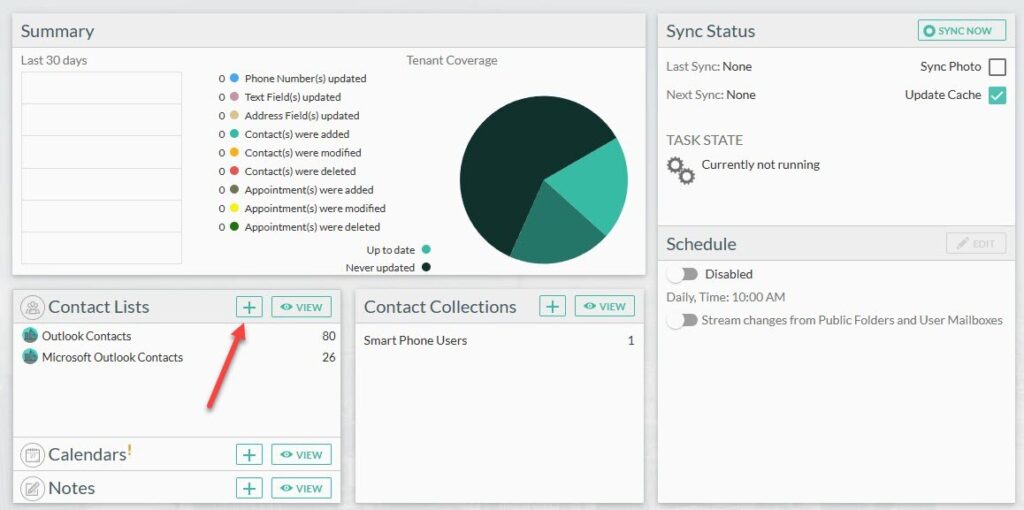
Key IT Asset Management Features in CiraSync
- Tracks devices and user access in Microsoft 365
- Automates updates and permissions across devices
- Provides reporting on usage and licenses
- Supports compliance with audit logs
Who CiraSync Is Best For
CiraSync is best for companies already using Microsoft 365 and looking for simple asset and access management integrated into that ecosystem.
Price
Pricing depends on the number of users and devices, with flexible subscription options.
These tools show that IT asset management software can do different things. Some focus on tracking all devices and software, while others combine tracking with support or remote monitoring. The right tool depends on what your team needs and how you want to manage your assets.
IT Asset Management Software Comparison Chart
The chart below shows the main strengths of each platform, who it works best for, and what size company it suits. It makes it easier to compare them quickly.
| Platform | Key Strengths | Best For | Ideal Company Size |
|---|---|---|---|
| Factorial | Full asset lifecycle management, HR & finance integration, multi-OS support | Companies that want one system for all devices and software | Small to mid-sized, growing teams |
| Jira Service Management | Customizable workflows, combines ITSM and asset tracking | Teams needing workflow automation and support | Mid-sized to large organizations |
| NinjaOne | Remote monitoring, automated inventory, patching | Teams managing many remote or hybrid devices | Small to mid-sized companies |
| Atera | All-in-one IT management with monitoring and ticketing | IT teams or managed service providers (MSPs) | Small to mid-sized IT teams |
| CiraSync | Microsoft 365 integration, easy user and device sync | Companies using Microsoft 365 | Small to mid-sized companies |
Each tool has its own focus. Some are better for full asset management, some for support or remote monitoring, and some for specific platforms. Use the chart to see which one fits your company’s needs best.
How to Choose the Right IT Asset Management Software for Your Business
Choosing the right IT asset management software can be tricky, but asking the right questions makes it easier. The goal is to find a tool that fits your team, your devices, and your workflows.
Questions to Ask Before Buying
Who owns the assets?
Understand whether devices are assigned to employees, departments, or shared across teams. Some software works better for individual ownership, while others handle shared equipment easily.
How often do devices change hands?
If laptops, phones, or other devices move frequently between employees, you need a system that can track changes quickly and automatically.
Do you need HR or finance integration?
Connecting your IT system to HR or finance software can save time on onboarding, offboarding, and budgeting.
How many devices and licenses will you track?
Make sure the platform can handle your current inventory and can grow as your company grows.
Do you need remote management or helpdesk features?
Some tools include device monitoring, patching, or ticketing. Decide if these features are important for your team.
Things to Avoid
- Overbuying enterprise tools: Don’t pay for features your team won’t use.
- Software that doesn’t integrate: Make sure it works with your existing systems.
- Tools that are hard to learn: A complicated system slows down your IT team instead of helping.
Ask these questions and focus on choosing a tool for simplicity, scalability, and integrations so you can find a platform that saves you time, improves security, and keeps your IT assets organized.
Final Verdict: Factorial IT for a Unified System
Factorial IT is a strong choice for companies that want one platform to manage all IT assets. It tracks devices, software, and licenses, while connecting with HR and finance systems. This reduces manual work, keeps records accurate, and helps your team stay secure and compliant.
For growing teams or companies moving away from spreadsheets and scattered tools, Factorial makes managing IT easier and more efficient. Book a demo to see how it can work for your business.
IT Asset Management Software FAQs
1. What are the 3 main deliverables of IT asset management?
- Inventory tracking: Know every device and software license you own.
- Lifecycle management: Manage assets from purchase to retirement.
- Compliance and reporting: Keep accurate records for audits and security checks.
2. Which IT management software is best?
The best software depends on your company’s needs. Factorial IT works well for teams that want one system for all devices, software, and integrations. Other tools like Jira, NinjaOne, Atera, or CiraSync may be better if you need specific features like remote monitoring or Microsoft 365 integration.
3. How does ITAM improve security?
IT asset management ensures devices and software are tracked, updated, and assigned to the correct users. This reduces lost or unmonitored devices, removes access when employees leave, and helps prevent security risks.
4. Can Factorial IT integrate with my existing HR platform?
Yes. Factorial IT connects with many HR systems to automatically manage employee onboarding, offboarding, and device assignments, saving time and reducing errors.
Disclaimer:
The information presented on this page is based on publicly available sources. The comparisons between Factorial and other providers are intended solely for the illustration of the respective software features, pricing and functionalities. All information regarding features, prices, and integrations may be subject to change without prior notice. Factorial assumes no liability for the accuracy, completeness, or timeliness of the information presented. We recommend contacting the respective providers directly to obtain the most accurate and up-to-date information. All legal regulations regarding Spanish fair advertising and competition law are fully observed by us; if you have any concerns, please reach out to us. The comparisons presented do not constitute a final evaluation or recommendation for any provider, but serve solely as an informational source.