HR teams have a lot of tasks to manage every day. Time management software helps them track what they and their employees are working on, plan schedules, and organize workloads. In Portugal, time-tracking laws require that employers, especially those with more than 10 employees, keep accurate records of daily working hours, including start and end times, breaks, and weekly rest periods. Using time tracking software in Portugal makes it easier to follow these rules and have records ready if labor authorities request them.
These tools also help manage shifts, absences, and vacations. They can create reports that show how employees spend their time, which helps managers make better decisions and improve productivity.
Why You Need Time Tracking Software in Portugal
Time management software helps companies and HR teams work more efficiently and stay organized. Using the best time tracking software in Portugal can make everyday tasks easier and reduce mistakes.
One key advantage is that it allows managers to focus on important work instead of spending hours on routine tracking. It also helps employees know exactly what is expected of them.
These tools also help companies follow Portugal’s time-tracking laws. Accurate records containing the start and end times of your employees, breaks, and weekly rest periods are required by law for companies with more than 10 employees. Using a time tracking tool in Portugal ensures compliance and reduces the risk of fines.
Time management software also improves teamwork. Managers can share schedules, track shifts, and plan vacations in one system. Reports and analytics show where time is spent and where improvements are needed. This helps both employees and managers make better decisions about workloads.
Finally, using software helps compensate your team fairly. Overtime is easier to calculate, and the system can make sure employees are paid correctly for work on holidays or weekends.
10 Best Time Trackers for Portugal
Choosing the right time tracking software in Portugal can help companies save time, reduce mistakes, and stay compliant with local labor laws. Here is an overview of some of the top solutions, including Factorial and other popular tools, with detailed summaries to help you compare.
1. Factorial
Factorial’s time tracking software is one of the best options for companies in Portugal. It helps HR teams track tasks, manage shifts, and stay compliant with local labor laws.
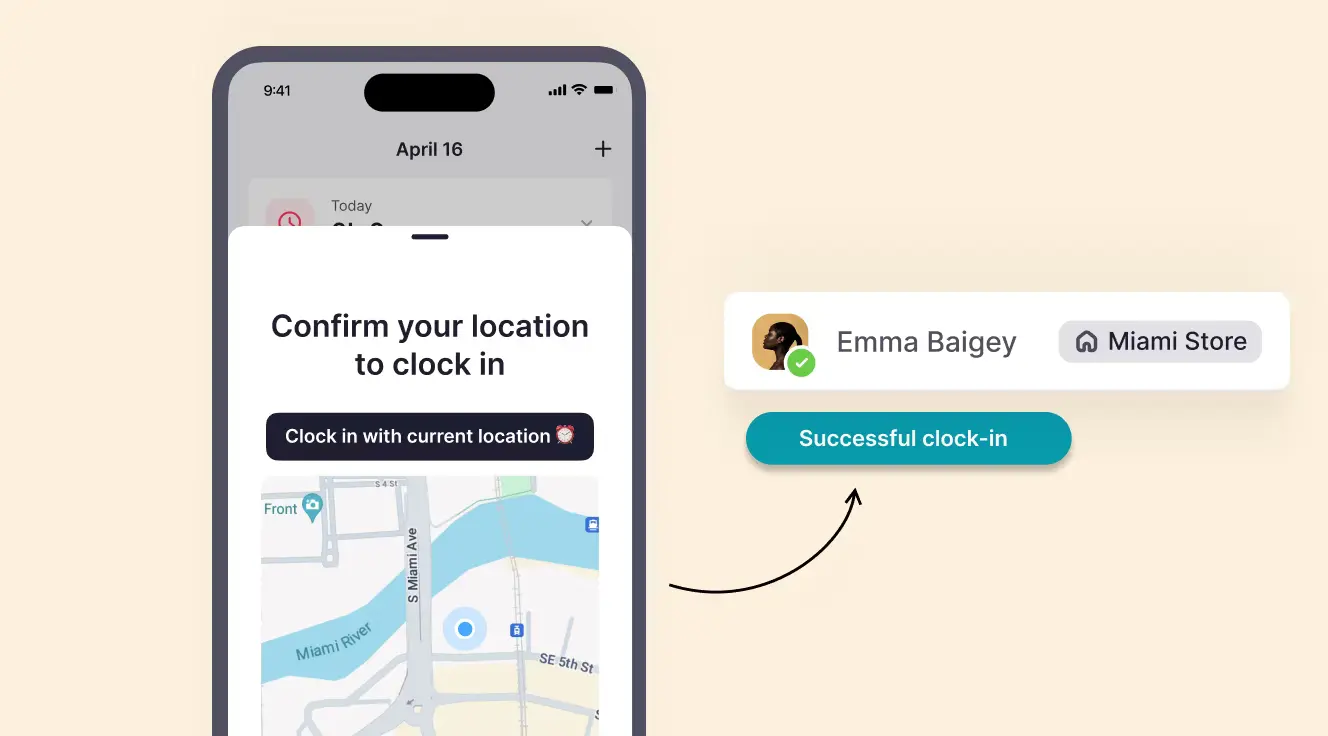
Portuguese companies need to track time like everyone else, but it is a bit more complicated. Employers must keep records of start and end times, breaks, and weekly rest periods for all employees, especially those in companies with more than 10 staff. The rules also cover employees with variable schedules, drivers, and mobile workers.
Portuguese companies can record working hours and employees can request a copy of their records within 8 working days. Factorial makes this easy by automatically keeping accurate time logs and creating reports. Factorial even offers the platform and support in Portuguese to make your job easier.
Key Features of Factorial
Tracking Employee Attendance
This feature reduces mistakes that arise from manual time tracking (i.e. excel sheets) and saves time. Managers can see who is working, check overtime, and approve timesheets. The system helps companies comply with Portugal’s regulations, including recording start and end times, breaks, and rest periods.
Shift Management
Scheduling shifts is simple. Managers can create rotating schedules, assign work locations, track night shifts, and get alerts for overlapping shifts. Factorial also calculates overtime and makes it easy to export reports.
Absence and Vacation Management
Managing vacations and absences can be time-consuming. Factorial allows teams to request time off, track balances, and plan coverage in one system. This helps ensure that companies stay compliant with Portuguese labor rules while keeping employees’ schedules organized.
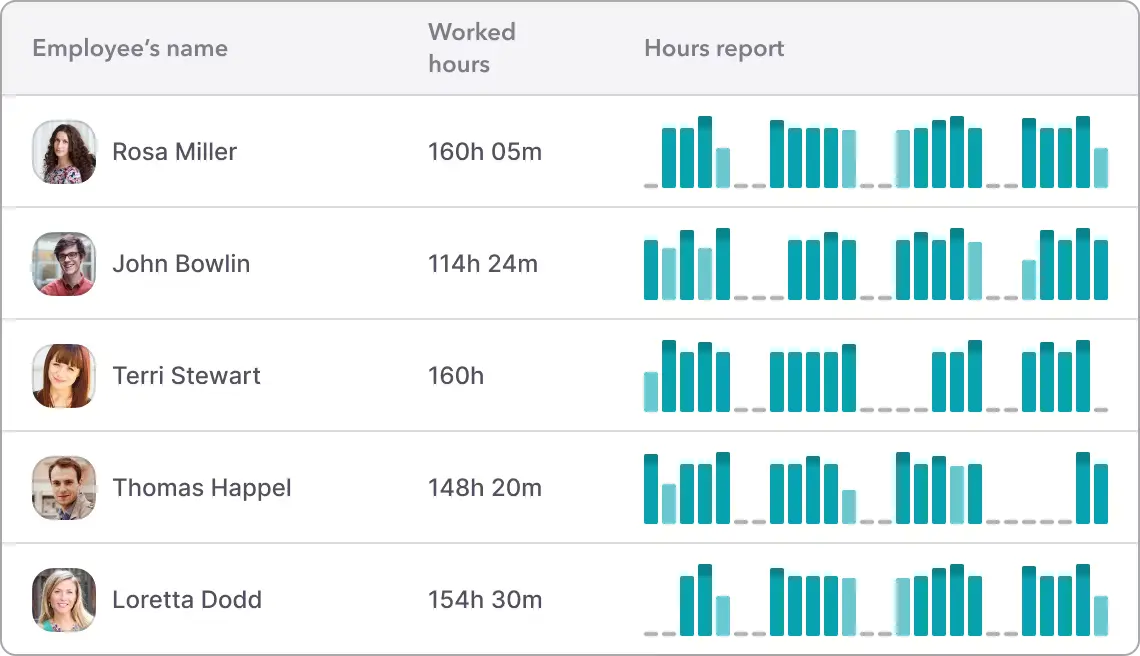
Factorial also includes other HR tools like payroll, talent management, and document storage, making it an all-in-one business management solution for HR teams.
Pros:
- All-in-one platform
- Customer support in Portuguese
- Helps ensure legal compliance
- Centralizes employee records for international teams
Cons:
- Can be a bit too complex for very small teams that only need simple time tracking
Price: Free demo available, paid plans start at €8/user/month
✅ Book a free demo to see all of Factorial’s features.
3. Clockify
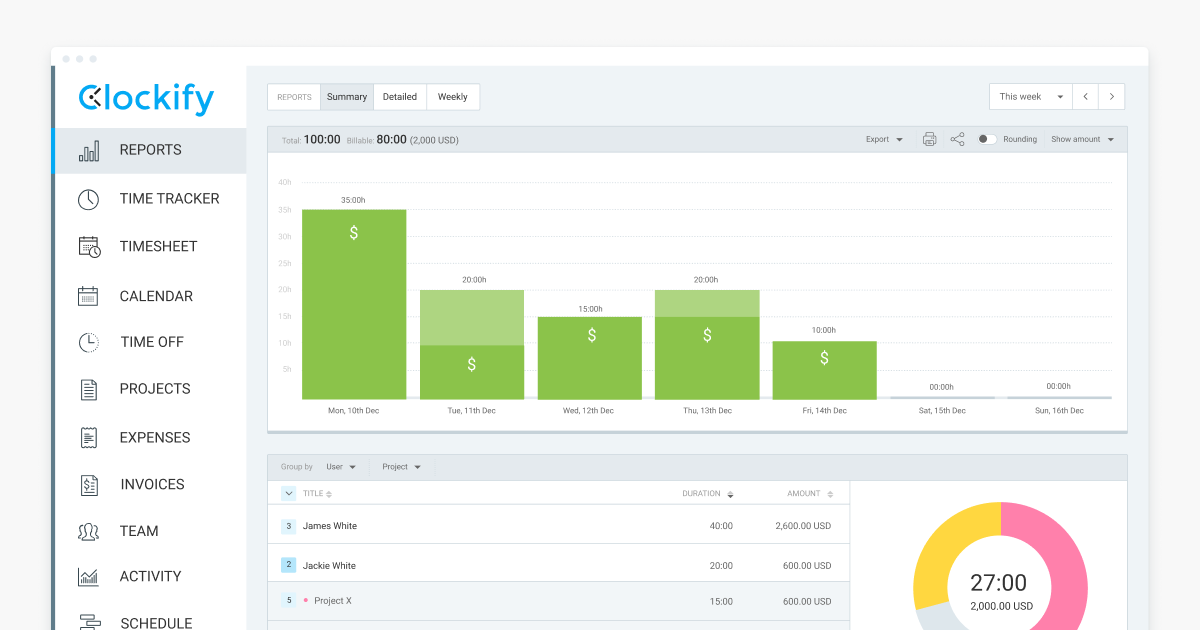
Summary: Clockify is a flexible time tracking tool suitable for teams of any size. It allows real-time tracking or manual entry of hours and works with project management apps. The software helps employers stay organized and ensures employees’ hours are accurately recorded, which is crucial for compliance with Portuguese labor laws.
Key Features:
- Real-time and manual time tracking
- Timesheets and calendars
- Task templates and reporting
- Integrations with project management tools
Pros:
- Simple to use
- Free plan available
- Works well for both small and mid-sized teams
Cons:
Advanced reporting features require paid plans
Price: Free basic plan, paid plans start at €9/user/month
4. Desktime
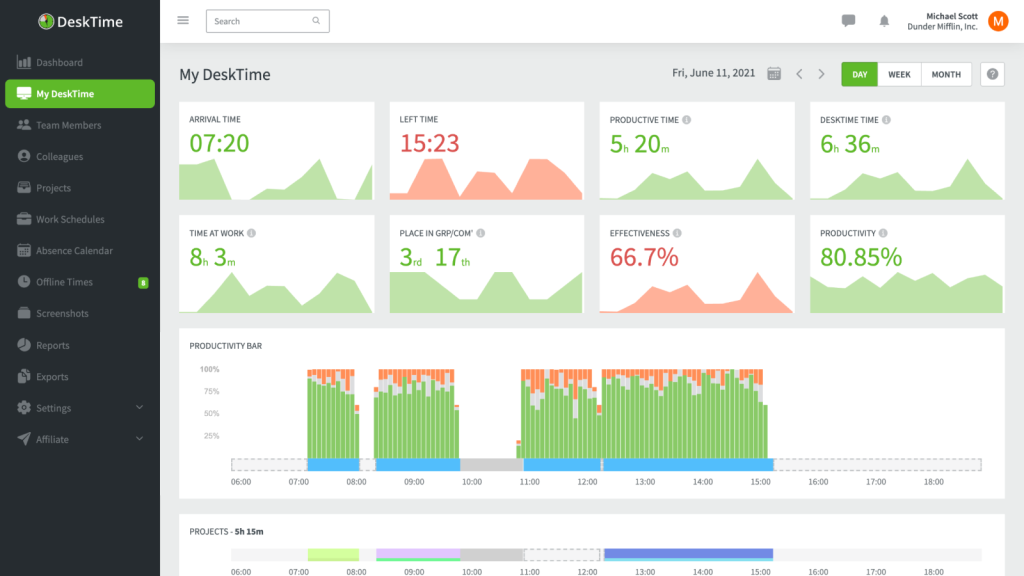
Summary: Desktime automatically tracks work hours both online and offline. It’s useful for managers who want to monitor productivity and track project costs. The software also helps employers in Portugal ensure that all working hours, breaks, and overtime are recorded accurately.
Key Features:
- Automatic and manual time tracking
- Cost and productivity tracking
- Project and shift management
- Reporting and analytics
Pros:
- Works offline
- Good for cost tracking and productivity analysis
Cons:
The interface can be busy and confusing at first
Price: Free plan; paid plans start at €7/user/month
5. Harvest
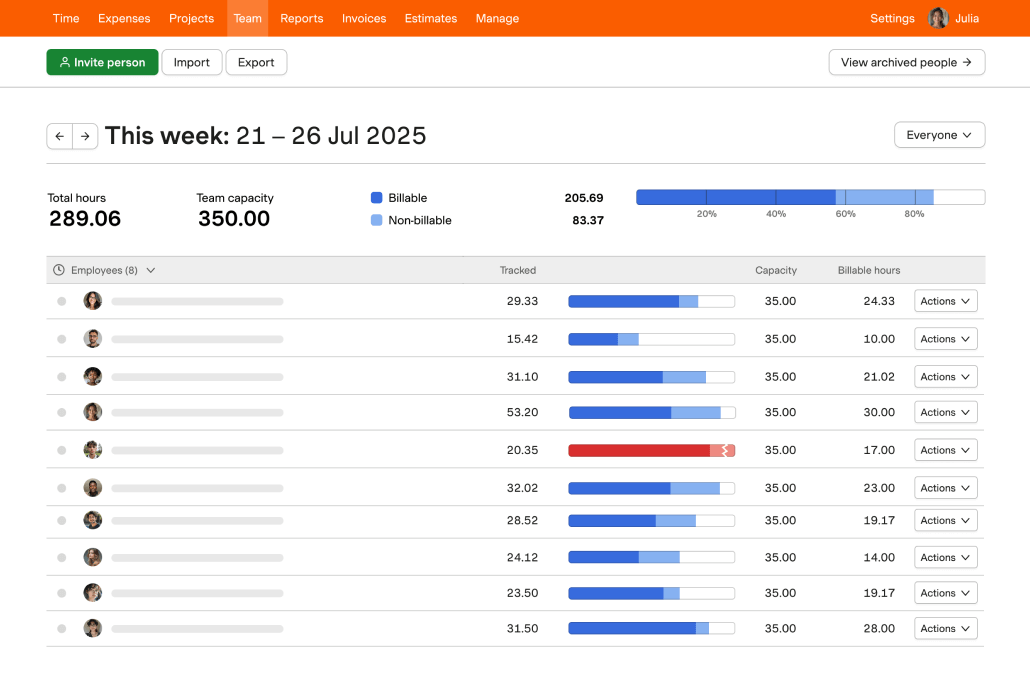
Summary: Harvest is a time tracking and reporting tool known for its flexibility. It allows teams to log hours, track projects, and manage invoices. Harvest is useful for companies that need both employee time tracking and financial oversight.
Key Features:
- Time tracking and reporting
- Project and task management
- Invoicing and payments
- Mobile and desktop apps
Pros:
- Flexible for project-based teams
- Integrates with other tools easily
Cons:
- Paid plans needed for larger teams to access full features
Price: Free trial, paid plans start at €12/user/month
6. Hubstaff
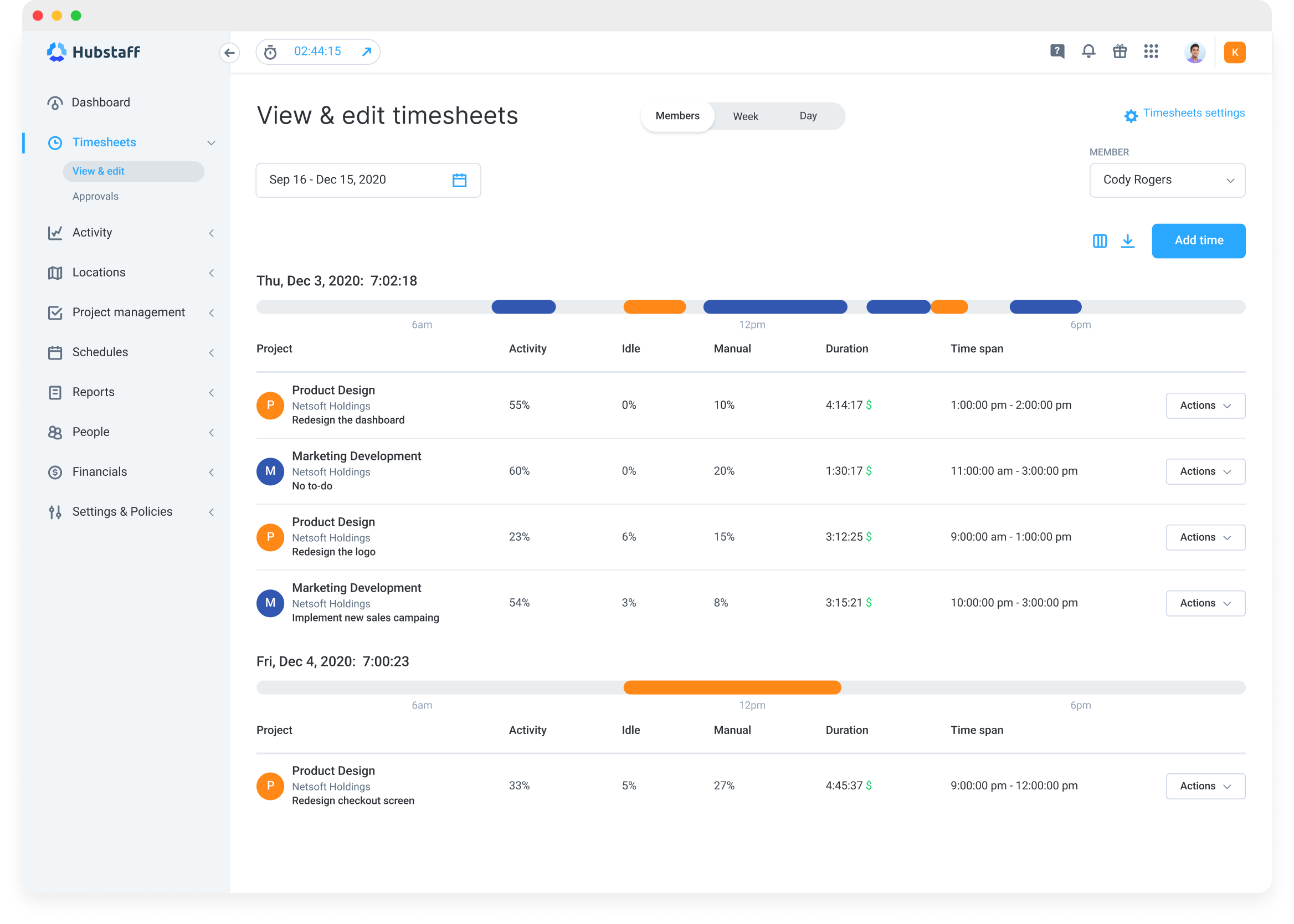
Summary: Hubstaff is designed for remote teams. It tracks hours, tasks, and employee productivity. The platform also records screenshots and GPS for mobile or field workers, making it easier for managers to see what employees are working on while ensuring compliance with Portuguese regulations.
Key Features:
- Time tracking with screenshots
- GPS tracking for field teams
- Productivity monitoring
- Timesheets and reporting
Pros:
- Great for remote and mobile teams
- Detailed monitoring and reporting
Cons:
- Some features can feel intrusive for some employees
Price: Free trial, paid plans start at €7/user/month
7. Pomodor
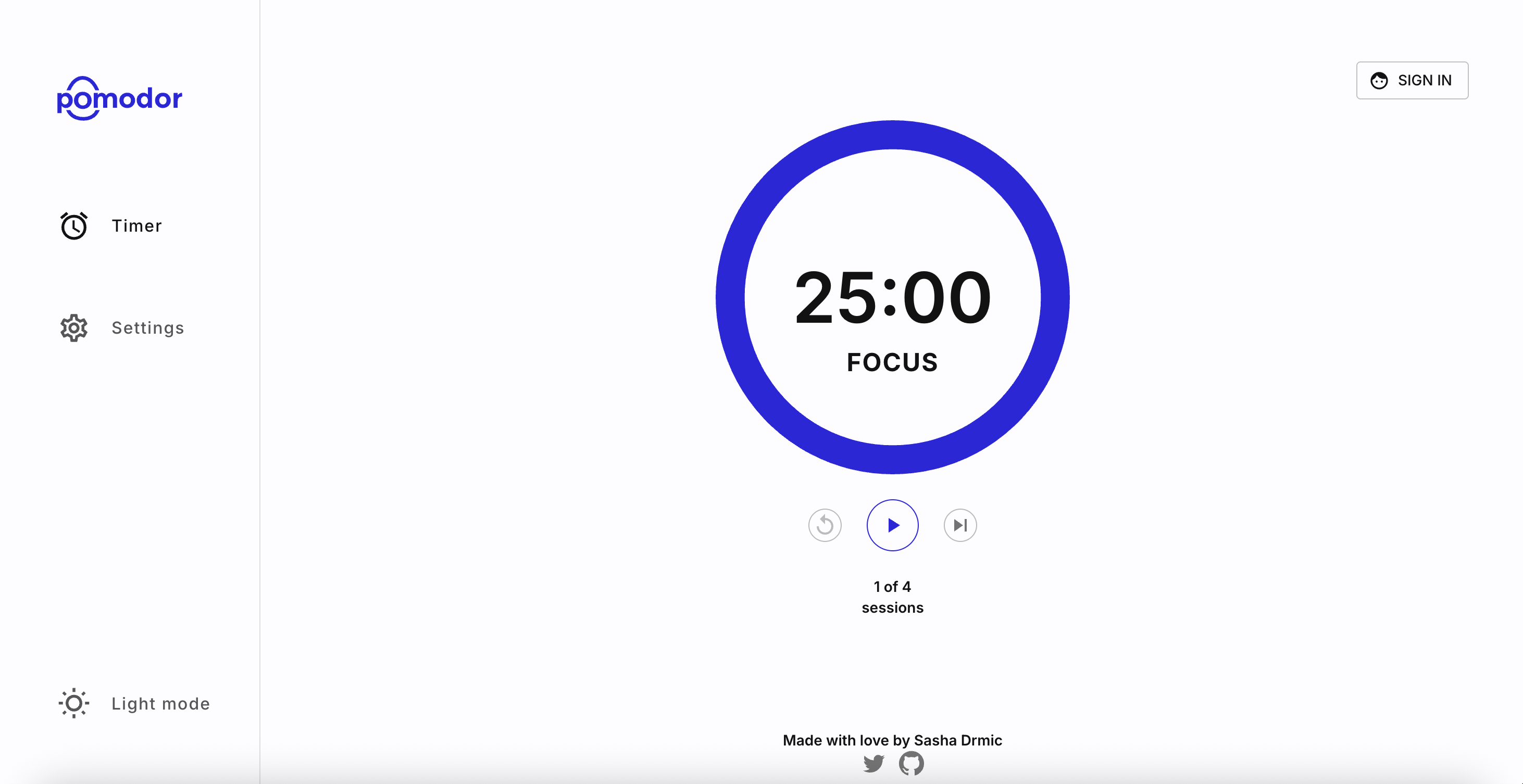
Summary: Pomodor uses the Pomodoro technique to help employees focus on tasks for short periods with scheduled breaks. It’s simple but effective for boosting individual productivity, but this app is not designed for tracking the time of your entire team or organization. Pomodor can work well together with other time tracking tools for focus and time management, but it is very different from other entries on this list.
Key Features:
- Timer for work sessions and breaks
- Simple interface
Pros:
- Easy to use
- Helps increase productivity
Cons:
- Does not track team hours or manage shifts
- Limited features
Price: Free web app
8. Timecamp
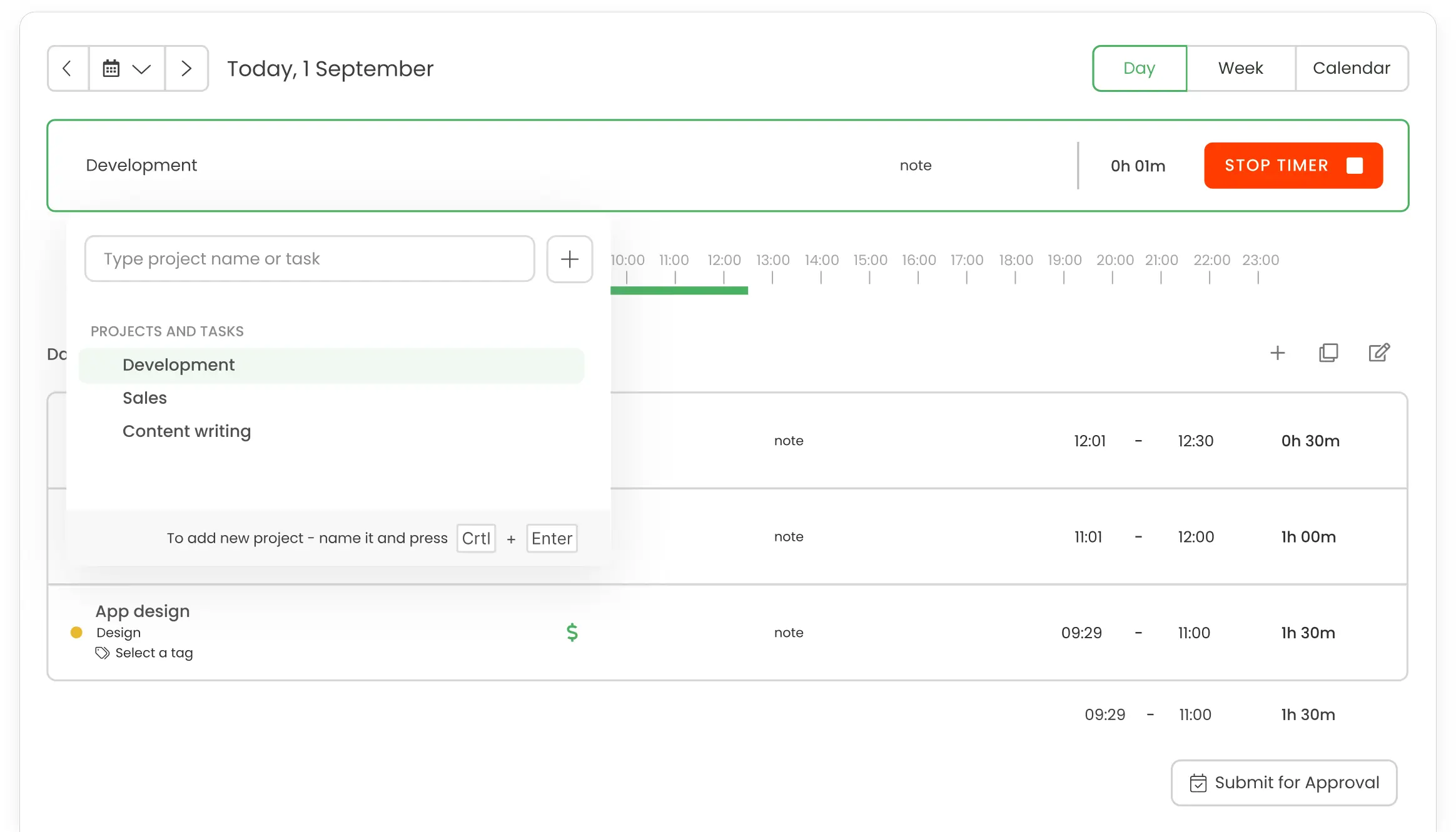
Summary: Timecamp tracks time, attendance, and productivity automatically. It’s useful for teams that need to manage projects, budgets, and employee hours in one platform. It also supports compliance with Portuguese labor laws by recording start/end times, breaks, and overtime.
Key Features:
- Automatic time tracking
- Attendance and productivity monitoring
- Project planning and budget tracking
- Reporting and analytics
Pros:
- Flexible for team and project management
- Helps ensure legal compliance
- Tracks both attendance and productivity
Cons:
- Can take time to set up for large teams
Price: Free plan, paid plans start at €6/user/month
9. Timely
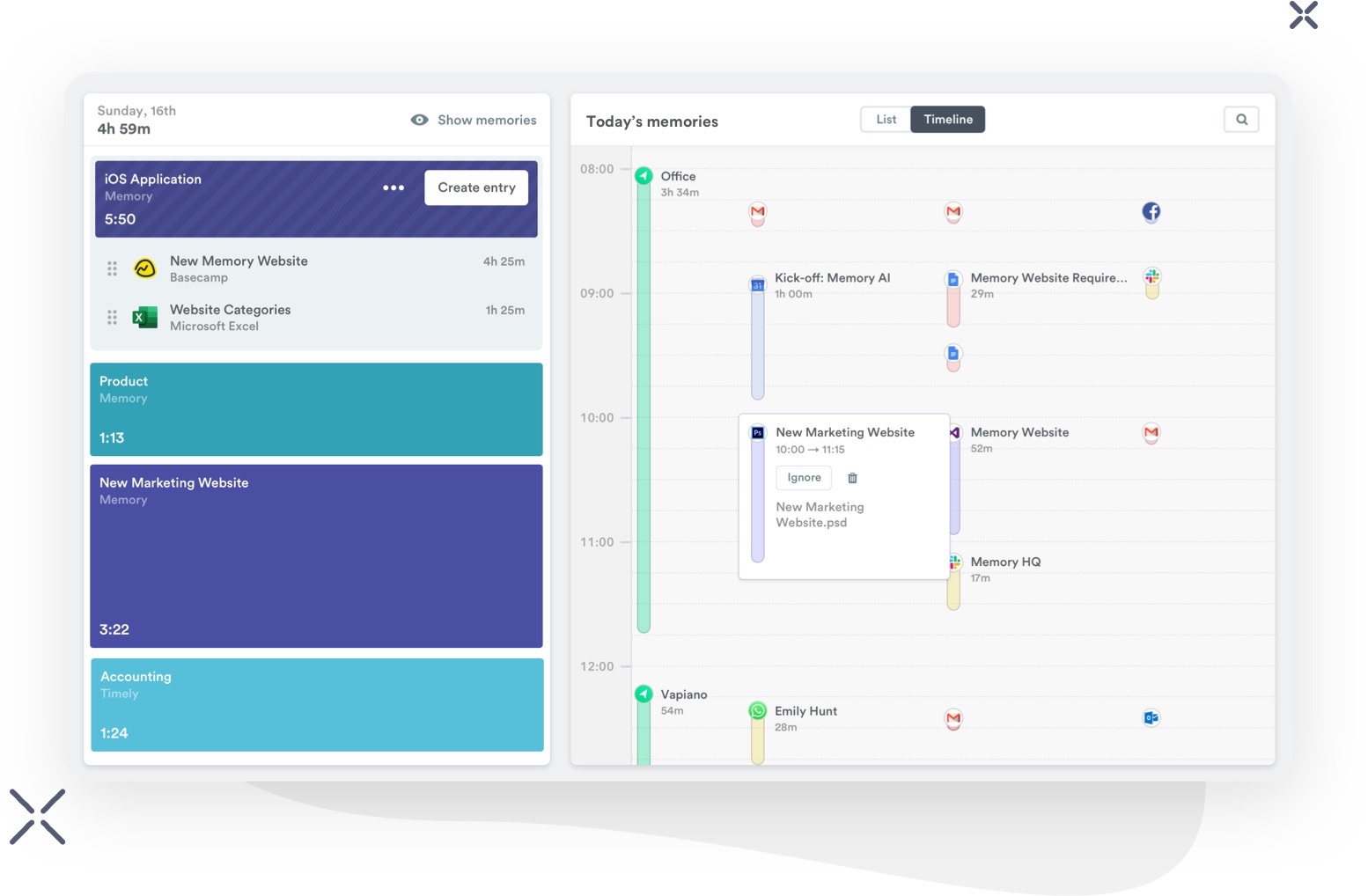
Summary: Timely monitors projects, teams, and individual hours, reducing the need for manual entry. This makes it ideal for managers who want detailed insights while keeping employee hours compliant.
Key Features:
- Automatic time tracking
- Project and team monitoring
- Scheduling and planning tools
- Reporting and analytics
Pros:
- Minimal manual input needed
- Accurate tracking for teams and projects
Cons:
- Higher cost than simpler trackers
Price: Paid plans start at €8/user/month
10. Toggl
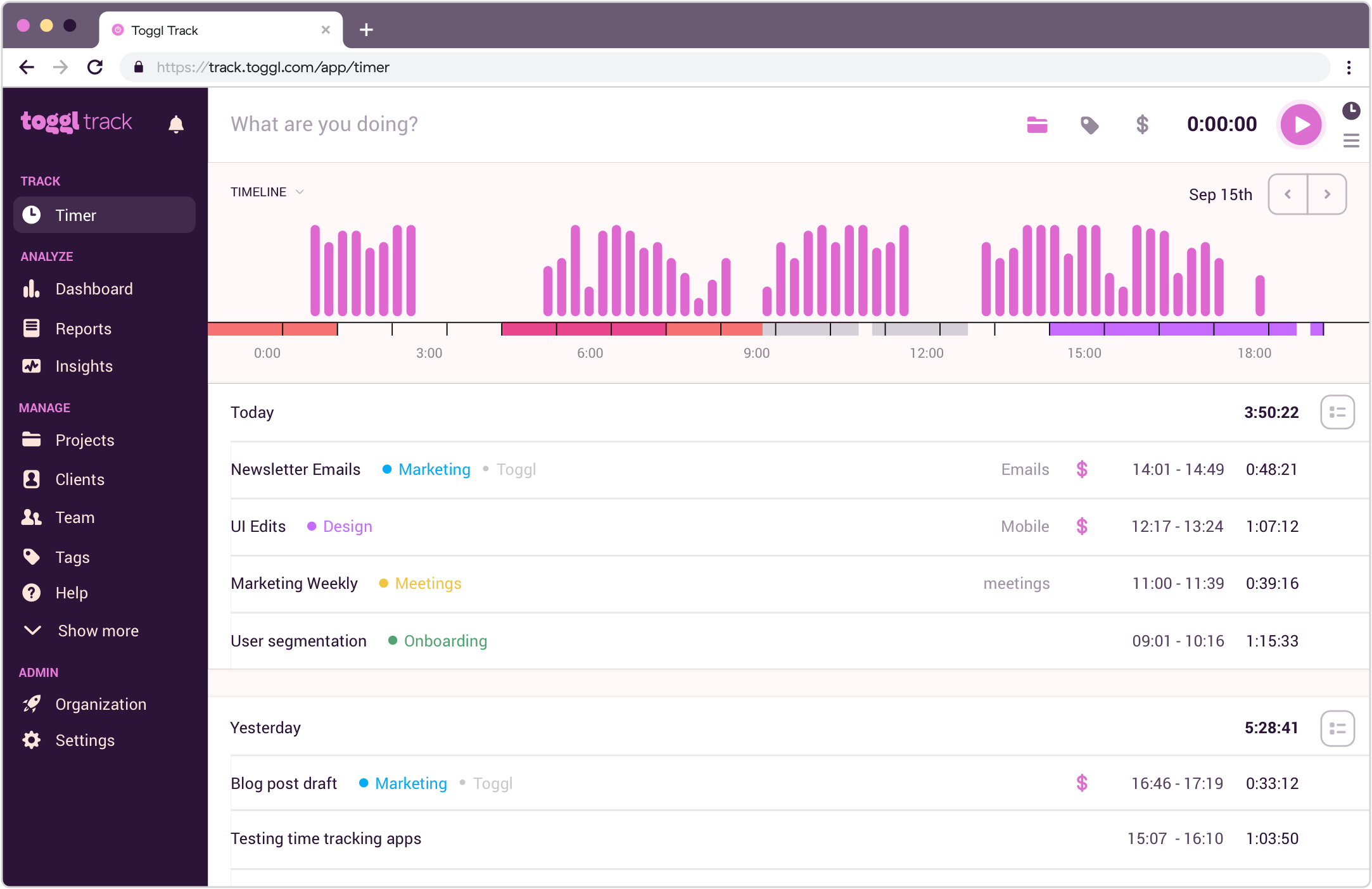
Summary: Toggl offers time tracking, task planning, and workflow management. It is flexible, supports remote teams, and is easy to use. Toggl helps companies maintain accurate time records in line with Portuguese labor regulations while improving team efficiency.
Key Features:
- Automatic time tracking
- Task and project planning
- Workflow management and reporting
- Remote team support
Pros:
- Flexible and modular
- User-friendly for teams of all sizes
Cons:
- Some features only available in paid plans
Price: Free basic plan; paid plans start at €10/user/month
Time Tracking Software in Portugal (Comparison Chart)
Tracking your employees’ hours in Portugal can be tricky. These tools help you stay organized, record hours accurately, and comply with local labor laws. Here’s a quick overview of the top options:
| Software | Summary | Key Features | Price |
|---|---|---|---|
| Factorial | All-in-one HR and time tracking software. Tracks hours, shifts, absences, and keeps you compliant. | Automatic time tracking, shift scheduling, absence management, payroll integration | Free demo; paid plans €5/user/month |
| Clockify | Flexible tracker for teams of any size, records hours in real-time or manually. | Time tracking, calendars, timesheets, task templates, project integrations | Free; paid €9/user/month |
| Desktime | Tracks hours automatically online/offline, monitors productivity and project costs. | Automatic/manual tracking, cost tracking, project management, reporting | Free; paid €7/user/month |
| Harvest | Time tracking and reporting tool with invoicing features. | Time tracking, project management, reporting, invoicing | Free trial; paid €12/user/month |
| Hubstaff | Designed for remote teams with productivity monitoring. | Time tracking, screenshots, GPS, reporting, timesheets | Free trial; paid €7/user/month |
| Pomodor | Focuses on individual productivity using the Pomodoro technique. | Timer for work sessions/breaks, session stats | Free basic; premium varies |
| Timecamp | Tracks time, attendance, productivity, and budgets. | Automatic tracking, attendance, project planning, reports | Free; paid €6/user/month |
| Timely | AI-powered automatic time tracker for teams and projects. | Automatic tracking, project monitoring, scheduling, reporting | Paid plans €8/user/month |
| Toggl | Flexible time tracker for tasks, projects, and workflow management. | Automatic tracking, task/project planning, remote support | Free; paid €10/user/month |
These tools make it easier to track hours, manage shifts, and generate reports. By choosing the right software, you can keep your team organized and stay compliant with labor laws.
Stay on top of your team's time with Factorial
Keeping track of your team’s hours in Portugal can be tricky, but Factorial lets you manage hours, shifts, absences, and productivity all in one place.
For companies operating in Portugal, time tracking software like Factorial can be a real game-changer. helps international teams by centralizing employee hours and all other important information in one platform, making it easy to manage staff across different countries. It also ensures compliance with local labor laws, so teams can work efficiently without worrying about legal issues.
Factorial also offers the platform and support in Portuguese, making it easy for local teams to use. Book a demo with Factorial today for a chance to see the software in action and ask any questions you may have!
*Disclaimer: The information presented on this page is based on publicly available sources. The comparisons between Factorial and other providers are intended solely for the illustration of the respective software features, pricing and functionalities. All information regarding features, prices, and integrations may be subject to change without prior notice. Factorial assumes no liability for the accuracy, completeness, or timeliness of the information presented. We recommend contacting the respective providers directly to obtain the most accurate and up-to-date information. All legal regulations regarding Spanish fair advertising and competition law are fully observed by us; if you have any concerns, please reach out to us. The comparisons presented do not constitute a final evaluation or recommendation for any provider, but serve solely as an informational source.