Are you tired of chasing your team to submit their timesheets? Sending reminders over and over again just to get completed timesheets is time-consuming for managers and HR professionals. It can seem like a never-ending monthly battle to get your team to comply with timesheet deadlines. Rather than sending the same old timecard reminders every week, send your team something that will catch their attention. In this article, we’ll outline the best timesheet reminder strategies, so you never have to chase your team again.
Table of Contents
- Key Facts
- What Are Timesheet Reminders?
- How to Set Timesheet Reminders
- Why are Timesheet Reminders Important?
- Challenges with Timesheet Submission
- Time Tracking Management Software
- FAQ
Key Facts
- Effective timesheet reminders work best when they state the deadline, submission channel, and payroll impact clearly.
- The U.S. Department of Labor recovered more than $259 million in back wages for 176,957 workers in FY 2025.
- Ernst & Young (EY) found missing or incorrect time punches cost about $78,700 per 1,000 employees per year.
- An IEEE study found automated nudges increased submission rates by 5.7 percentage points.

What Are Timesheet Reminders?
Timesheet reminders or timecard reminders are notifications sent by email, text, chat, or workplace posting that tell employees when to record and submit their hours. These reminders can be essential for ensuring employees submit their recorded hours on time. Typically, this process is done manually. However, with time tracking software, it has been automated depending on the company’s resources and preferences.
How to Set Timesheet Reminders
Choosing the right channel and format for timesheet reminders determines whether employees take immediate action or ignore the notification. Combining accessible channels, clear communication, and smart incentives helps turn late submissions into a streamlined, predictable routine.
1. Select the Right Reminder Channel
Different channels yield varying response rates. Here are some examples of timesheet reminders, so you can match your delivery method to your workplace culture and technical setup:
Email Reminders:
Best for formal, company-wide announcements. Tip: Always put the deadline directly in the subject line.
Here is a ready-to-use email template:
Subject: Action Required: Submit Your Timesheet by [Date/Time]
Hi [Team/Name],
This is a friendly reminder to complete and submit your timesheet for the current pay period by [Insert Deadline, e.g., Friday at 5 PM].
Submitting your recorded hours on time ensures our payroll team can process your payslip accurately and without delay. If you noticed any discrepancies or need help adjusting logged hours, please reach out to [HR/Manager Name].
Thank you,
[Your Name/HR Team]
Direct Messaging (Slack / MS Teams):
Ideal for quick, casual pings. Example: “Hey team! Please submit your timesheets by 5 PM today to ensure payroll runs on time. 🤑”
Calendar Placeholders:
Blocks out dedicated time on employee calendars, helping busy team members set aside 5 minutes specifically for timecard entry.
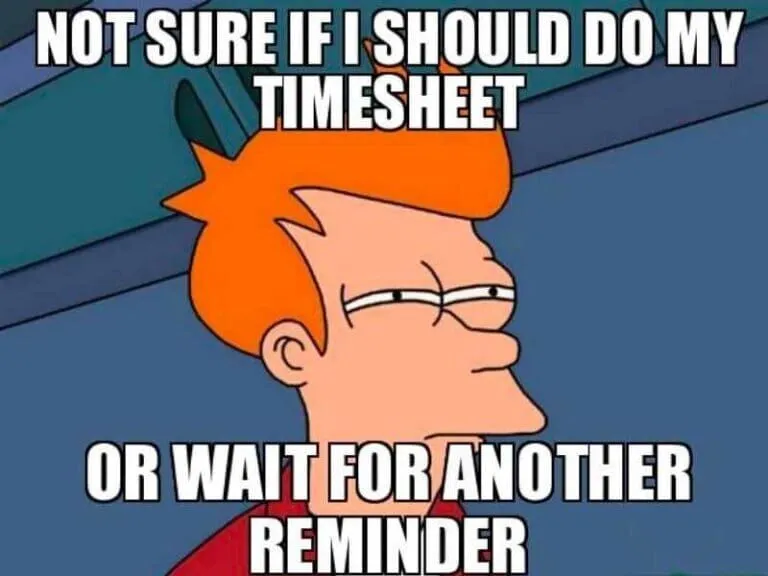
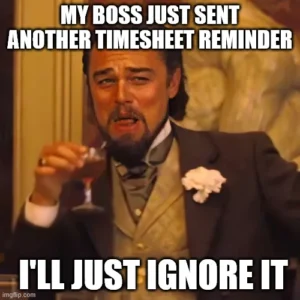
Timesheet Reminder Memes:
Adding relevant workplace memes to team channels makes reminders lighthearted, keeping engagement high without feeling overly disciplinary.
When should you use timecard reminder memes? Use humor only before or on the deadline. Once a timesheet is overdue, switch to a direct, private message that names the missing action, the cutoff, and the next step.
Here are a few timesheet reminder memes you can take credit for:



Automated HR Software Notifications (Recommended):
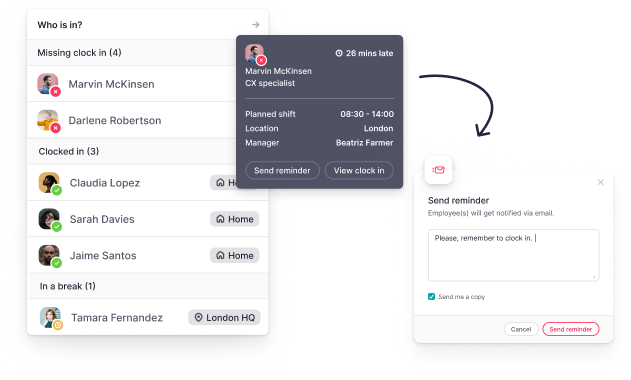
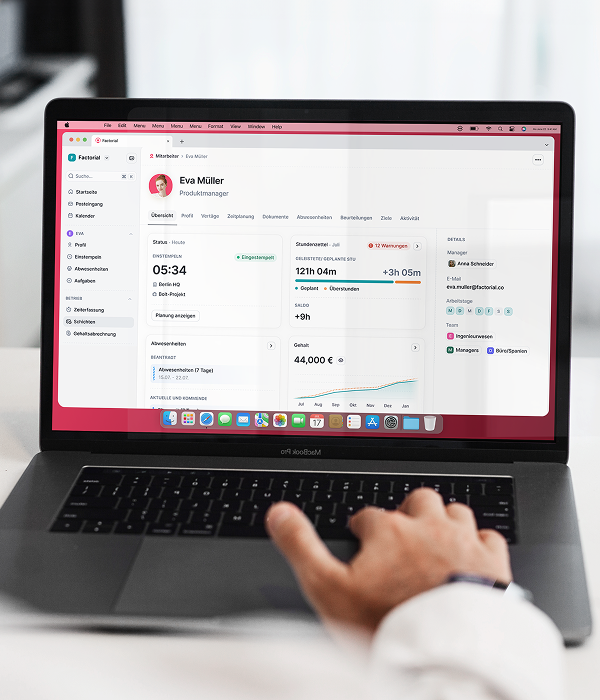
The most effective method. Platforms like Factorial trigger smart notifications specifically to employees with pending clock-ins or unsubmitted timecards, preventing inbox fatigue for everyone else.
A reminder sent via time tracking software will vary depending on the platform. Factorial’s time and attendance software allows managers to customize who they send timecard reminders to. This ensures your team isn’t getting overwhelmed with messages and accidentally missing important alerts because their inbox is too full.
With Factorial, managers can send reminders only to employees with missing time entries, rather than sending the same message to the whole team.
2. Apply High-Compliance Best Practices
Beyond picking a channel, execution dictates compliance rates across your organization:
-
Provide mobile accessibility: Ensure employees can log hours and submit timesheets directly from a mobile app. This removes friction for field staff, travel teams, and remote workers.
-
Communicate the “Why”: Educate employees during onboarding about how on-time submissions directly prevent payslip errors and payroll delays. Clear expectations build accountability.
-
Incentivize consistency: Recognize top-compliant departments or team members who achieve a 100% on-time submission record with public kudos or small perks.
-
Automate manual tracking: Replace manual follow-ups with automated software that detects missing hours and alerts managers and employees instantly.
3. Think About When to Set Timesheet Reminders
Timing your timesheet reminders correctly is just as critical as the message itself. Sending a notification too early means it gets forgotten, while sending it too late causes payroll delays and inaccurate records.
To maximize compliance and keep project tracking on schedule, trigger your reminders during these key moments:
-
Fridays before the weekend log-off: Send a reminder a few hours before the end of the working day on Friday. Wrapping up the week ensures work hours are fresh in everyone’s memory, allowing your team to start Monday with a clean slate instead of a backlogged to-do list.
-
24 to 48 hours before the payroll deadline: Give your team a clear, final deadline window before payroll processing begins. This creates urgency while leaving enough buffer time for managers to review entries, approve overtime, and fix discrepancies.
-
Immediately after a missed clock-in or submission: The most effective time to remind an employee is right when an anomaly occurs. Prompting an employee immediately after a missed shift or unsubmitted timesheet makes it easy to rectify the entry before late submissions turn into a habit.
-
On a consistent, recurring schedule: Establish a routine by delivering reminders at the exact same time every week or pay period. Over time, consistent timing builds an automatic habit loop across your organization.
Pro Tip: Manually tracking these timing triggers across a growing team is exhausting. With an automated system like Factorial, you can configure custom reminder schedules and automated push notifications that trigger only when needed— saving managers hours of manual follow-up every single week.
Why are Timesheet Reminders Important?
Managers frequently waste valuable time sending consistent timesheet reminders to their teams. More critically, when employees fail to complete their timesheets or submit inaccurate records, the company is exposed to significant risk of wage and hour non-compliance. According to Forbes, a staggering 69% of employees admit they don’t accurately track their hours worked.
The U.S. Department of Labor says covered employers must keep accurate records of hours worked each day and total hours worked each workweek. Implementing effective timecard reminders is essential. This ensures that all vital time data is accurately captured and maintained, which directly leads to a reliable and accurate payroll process, eliminating delays or the potential withholding of employee compensation due to unrecorded hours. The U.S. Department of Labor states that wages required by the FLSA are due on the regular payday for the pay period covered. To summarize, timesheet reminders:
- Reduce payslip delays or timesheet errors, ensuring timely and accurate payslips are distributed.
- Ensure managers are tracking working hours accurately and they are complying with recordkeeping regulations.
- Prevent pay period discrepancies from occurring.
Challenges with Timesheet Submission
There are many factors to consider when it comes to timecard submissions. Whether that’s a complex workflow, employees out on PTO, or employee forgetfulness– understanding all factors that contribute to late timecard submission is essential. Taking into consideration these factors can explain why submissions are late or compliance is falling short.
Common challenges employers face with timesheet submissions are:
- Employees forget to record their clock-in/out and breaks.
- Recording hours worked is manual, prone to errors, and time-consuming.
- Teams tend to procrastinate on manual tasks like filling out timecards. They may view timesheets as a tedious, mundane task that is not prioritized.
- Employees don’t understand the importance of filing employee records and submitting timesheets on time. They aren’t aware that mistakes or late submission can result in payslip delays or underpaid wages.
The administrative burden is measurable. Dropbox and YouGov found in 2025 that 22% of U.S. workers spent 6 to 10 hours per week on administrative work such as email, scheduling, and document processing.
Time Tracking Management Software
Managing timesheets can be overwhelming, but with time tracking software you’ll finally be able to centralize your team’s working hours. Maintaining a clear time management process is crucial for accurate payroll processing, timely payslips, and compliance with recordkeeping regulations.
Rather than spending time completing repetitive manual work, such as approving employee timesheets or sending timecard reminders, managers can focus on growing their team. Time management software automates the process and reduces human-prone errors. Additionally, time tracking software can offer advanced features, including time tracking reports and analytics and sync with time off.
For U.S. employers, this matters because Ernst & Young (EY) found missing or incorrect time punches occurred about 404 times per 1,000 employees in the surveyed fiscal year.
This also supports best practices for effective timesheet reminders: keep the reminder short, route it through the channel employees already check, and remove people from the reminder list once their time is submitted.
Automate Timesheet Reminders with Factorial
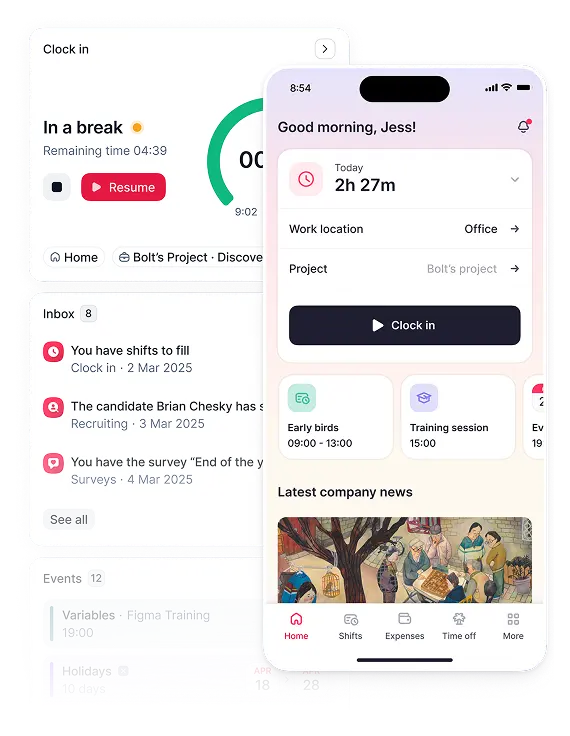
With Factorial, team members no longer have to manually input their worked hours and submit timecards to HR. Employee hours will be centralized for both employees and managers to access. This means less time spent on repetitive work and more time focusing on more strategic tasks. Time tracking tools like Factorial come with a big advantage– they eliminate unnecessary paperwork and steps. Particularly Factorial’s time management solution, you can automate timecard notifications and sync worked hours with payroll for accurate payslips. Save your team time, money, and effort by investing in Factorial.
FAQ
What are some effective timesheet reminder ideas?
Effective ideas include sending automated notifications before deadlines, using company messaging apps for quick notes, and incorporating humor with memes to increase engagement. You can also offer small rewards or recognition for employees who consistently submit their timesheets on time.
How do I remind employees to submit timesheets on time?
You can send reminders via email or a company messaging app. For greater efficiency, use a centralized system to send automated notifications, which ensures employees receive timely alerts without requiring manual follow-up from managers.
What is the best way to keep track of employee hours?
The best way is to use a system that automates time tracking to reduce manual errors and save time. Factorial, an all-in-one business management software, centralizes employee hours and syncs with payroll, ensuring accuracy and compliance.
What happens if I submit a timesheet late?
Submitting a timesheet late can lead to delays in your paycheck or inaccuracies in your wages for that pay period. It also creates extra administrative work for your manager and HR to ensure payroll is processed correctly.
What are common timesheet mistakes?
Common mistakes include forgetting to clock in or out, inaccurately recording hours worked, and waiting until the last minute to fill out entries from memory. These errors can lead to incorrect payroll and compliance issues.