Owned by Mitsogo, Hexnode has spent years building a reputation as one of the most accessible UEM solutions on the market. The platform covers Windows, macOS, Linux, iOS, iPadOS, Android, ChromeOS, tvOS, FireOS, visionOS, and even Android TV. Its per-device entry price and free trial have made it a common choice for SMBs taking their first steps in fleet management.
The limitations show up when operations start to scale. The tiered pricing structure leaves a lot of common features outside the mid-range plans, the learning curve catches small teams off guard, and the integration with HR processes stays limited. If your fleet has grown more complex or your IT team needs to tie device management to the employee lifecycle, it’s probably time to see what else is out there.
Why are IT teams looking for Hexnode alternatives?
The reasons rarely come up in a first demo. Hexnode is a functional tool with an attractive entry price, but as the fleet grows or operations get more demanding, limitations surface that an IT team didn’t account for at signing. Here are the most common ones:
- Key features locked behind higher-tier plans: advanced remote control, geofencing, per-app VPN, and granular certificate management are only available on the top plans, which pushes the real cost well above the entry price.
- Steep learning curve: the console has many options and submenus that aren’t always intuitive for generalist admins, especially on teams without a dedicated endpoint profile.
- No connection to the employee lifecycle: procurement, shipping, onboarding, offboarding, and device reassignment all fall outside the scope. Coordination with the HRIS and with vendors has to be done manually.
- Support tied to plan tier: response times reportedly stretch on mid-range plans, which becomes a real problem when you’re trying to troubleshoot a fleet-wide issue.
- No visibility into the company’s SaaS stack: Hexnode manages the device, but not the apps the employee uses on it. Knowing who has access to which tool, how many licenses are actually in use, or whether ex-employees still have active access all falls outside the product.
- Removing the MDM isn’t always straightforward: multiple users have reported devices that remained permanently tied to Hexnode even after attempting to unenroll, making them impossible to reuse.
- Limited integrations with the broader IT ecosystem: connections to SIEMs, ITSMs, EDRs, and identity tools exist, but they aren’t always native or as deep as on platforms more oriented to established enterprise environments.
What are the best Hexnode alternatives?
1. Factorial IT
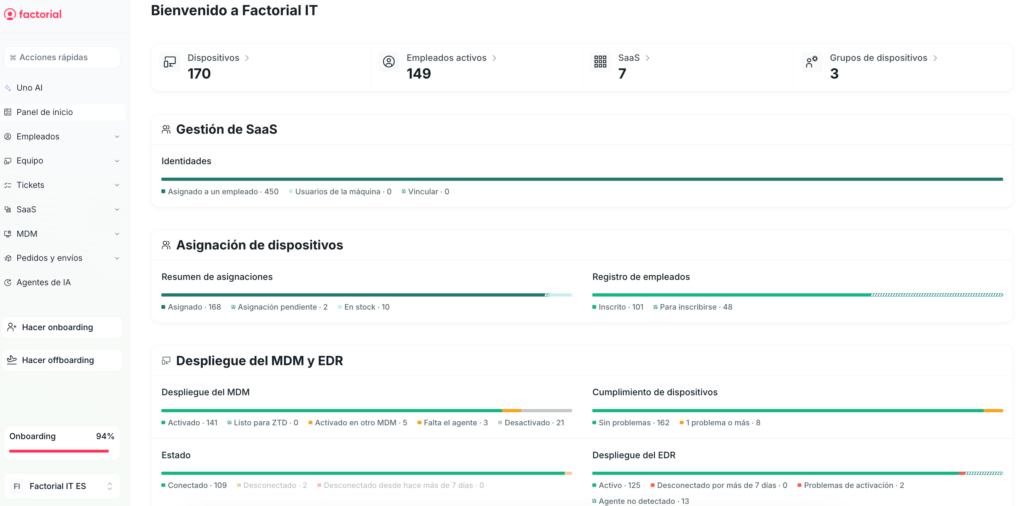
Best for: SMBs and mid-market companies managing mixed fleets that want device management tied to HR, without depending on multiple vendors or highly specialized admin profiles.
Factorial IT is an all-in-one platform that brings hardware procurement and logistics, MDM, security, and SaaS license management together in one place. Unlike traditional UEM tools, it doesn’t treat the device as an isolated entity — it treats it as another attribute of the employee profile. When HR logs a new hire, a departure, or a department change, the device’s policies, apps, and access update automatically.
Key features
- Multi-OS management from a single console: Windows, macOS, Linux, iOS, and Android, with real-time inventory, device health status, and unified remote actions.
- Zero-touch enrollment (via Apple Business Manager and Windows Autopilot): devices arrive at the employee pre-configured at first boot, with no manual IT setup.
- Dynamic policies by role, team, or operating system: applied automatically and adjusted the moment an employee changes role or leaves the company.
- Disk encryption with centralized key escrow: FileVault on macOS and BitLocker on Windows activated automatically, with secure storage of recovery keys.
- Automated compliance: support for SOC 2, ISO 27001, HIPAA, and state-level privacy laws, with centralized, auditable logs and evidence.
- Native HRIS connectivity: integration with Factorial and 40+ HR systems, so hires, departures, and department changes automatically trigger the right device configuration.
- Integrated device lifecycle management: procurement, shipping, assignment, retrieval, and reassignment from the same platform, with coverage for employees distributed across the US, Europe, and beyond.
- SaaS license management: visibility into who’s using which tool, how many licenses are active, and automatic access revocation when someone leaves.
- Optional EDR: integration with SentinelOne for fleets with advanced security requirements.
- Multilingual support: assistance available in English, Spanish, French, Italian, Portuguese, and German.
Main drawbacks
- No tvOS support: companies managing Apple TVs in production environments will need a complementary tool.
- Growing connector catalog: integrations with SIEMs and third-party ITSM tools keep expanding, but they don’t yet match the breadth of more established platforms in that space.
- Best results when paired with the Factorial HRIS: as a standalone MDM, it does its job, but the lifecycle automation tied to HR — the thing that actually sets it apart — only comes through in the combined setup.
💡 Want to see it in action? Schedule a personalized demo.
2. Microsoft Intune
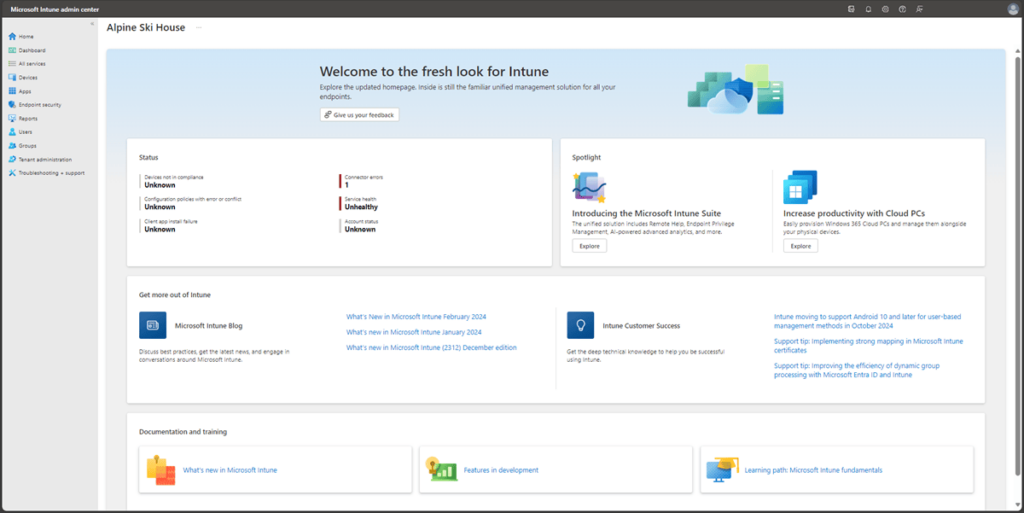
Best for: companies with predominantly Windows fleets, active Microsoft 365 E3, E5, or Business Premium subscriptions, and an IT team with hands-on knowledge of the Microsoft ecosystem.
Intune is Microsoft’s official endpoint management tool, and for a lot of companies it wasn’t a choice — it was an inheritance. It arrived bundled with Microsoft 365 Business Premium or E3/E5 and quietly became the default option. Its strength in Windows environments is undeniable, with unmatched integration into the Microsoft stack: Autopilot for zero-touch enrollment, Conditional Access through Entra ID, deep compliance profiles, and granular policies that leverage Defender, Purview, and the rest of the ecosystem. Things get complicated the moment the fleet stops being 100% Windows or the IT team doesn’t have a certified Microsoft Endpoint Manager profile in-house.
Key features
- Native integration with Microsoft 365 and Entra ID: Conditional Access ties access to corporate resources to the device’s compliance state.
- Windows Autopilot: zero-touch enrollment for Windows devices straight from the manufacturer, with no manual IT involvement.
- Granular compliance and configuration profiles: control over practically every Windows parameter, plus support for macOS, iOS, iPadOS, Android, and Linux.
- Mobile Application Management (MAM): data protection at the application level, even on devices not enrolled in MDM — useful for BYOD scenarios.
- Integration with Microsoft Defender for Endpoint: correlation between security posture and access policies from a single layer.
- Endpoint analytics and Remote Help: in-console remote assistance and performance metrics included in the Intune Suite plan.
- Cloud PKI and Endpoint Privilege Management: available as add-ons on higher-tier plans for certificate management and privilege elevation.
Main drawbacks
- Uneven multi-OS experience: macOS and Linux are covered, but the level of control and configuration depth falls short of what Intune offers on Windows.
- Complex configuration: Autopilot, Conditional Access, and compliance profiles all require hands-on experience with Microsoft Endpoint Manager. Without a specialized admin, rollout usually ends up needing external consulting.
- No lifecycle management: procurement, shipping, and device retrieval aren’t covered, and neither is SaaS license management.
- Complex pricing model: Plan 1, Plan 2, Suite, and a sizable list of add-ons that can push the final cost up quickly once you need advanced features.
➡️ Check out the best alternatives to Microsoft Intune.
3. NinjaOne
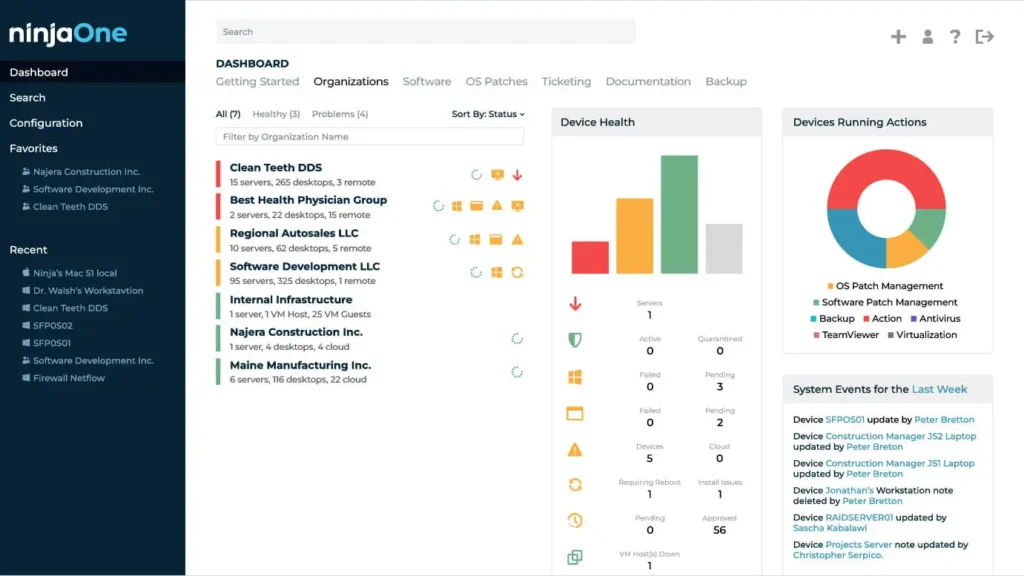
Best for: in-house IT teams and MSPs that prioritize remote monitoring, automated patching, and hands-on endpoint operations — especially across predominantly Windows fleets with macOS and Linux mixed in.
NinjaOne has been in the RMM world for more than a decade, and that technical DNA shows up in every corner of the product. It wasn’t built as an MDM but as a tool for support engineers and MSPs to see in real time what’s happening on every endpoint, push patches automatically, and resolve incidents without jumping between consoles. That logic remains its biggest strength and what sets it apart from pure-play MDM platforms.
Key features
- Automated patch management: coverage for Windows, macOS, Linux, and a broad catalog of third-party applications, with configurable policies by group and maintenance windows.
- Real-time monitoring: alerts on hardware status, storage, OS version, and security posture of every device.
- Advanced scripting: execution of Bash, PowerShell, and Shell scripts across the fleet, with scheduled recurring tasks inherited from its RMM roots.
- NinjaOne Remote: technical assistance directly from the console, no external tools required.
- NinjaOne Backup: backup for endpoints, servers, and SaaS (Microsoft 365 and Google Workspace) from the same console, with AES 256-bit encryption and local, cloud, or hybrid storage options.
- NinjaOne ITAM: real-time asset inventory with warranty tracking, license management, and visibility into unmanaged devices.
- Software deployment: distribution of MSI and PKG packages and custom scripts, with automatic retries on failure.
- MDM for iOS and Android: configuration profiles, restrictions, and remote commands for corporate mobile devices.
- Full automatic inventory: visibility into hardware and software on every device, with change history.
- Native integrations with the IT ecosystem: connections to EDR solutions, PSA platforms, and ticketing tools, plus an open API to plug into the rest of the stack.
Main drawbacks
- Surface-level mobile support: iOS and Android management capabilities don’t match those of pure-play MDM platforms, especially in iPad kiosk scenarios.
- No identity management or SSO: to consolidate directory and devices in a single tool, you’ll need a second platform.
- No connection to HR systems: onboarding and offboarding tied to the employee lifecycle aren’t automated.
- Very technical focus: excellent for teams with an RMM culture, less natural for companies looking for a people-centric platform.
4. Scalefusion
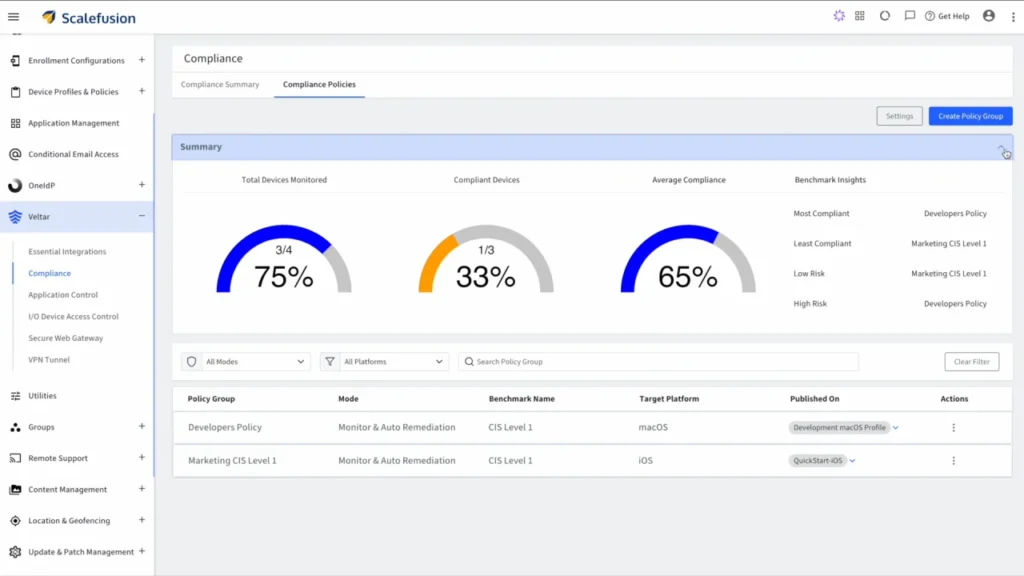
Best for: companies with fleets of dedicated or shared devices (retail, logistics, foodservice, healthcare, transportation) that need advanced kiosk mode, geofencing, and granular control over tablets, POS terminals, and rugged devices.
Scalefusion occupies a clearly defined niche and covers it well: any scenario where the device isn’t the employee’s personal laptop but an operational tool that lives in a store, a warehouse, an operating room, or a vehicle. Its kiosk mode and lockdown capabilities are among the most complete on the market.
Key features
- Advanced kiosk mode: single-app and multi-app lockdown, with a filtered browser and control over hardware functions (camera, Bluetooth, audio, AirDrop, physical buttons).
- Broad multi-OS support: coverage for Windows, macOS, Linux, iOS, iPadOS, Android, ChromeOS, and tvOS.
- Zero-touch enrollment: integration with Apple Business Manager, Android Enterprise, and Windows Autopilot.
- Geofencing and location-based policies: automatic application of configurations based on device location, useful for field fleets.
- Speed-based app lock: blocking applications based on the device’s speed, designed for drivers and logistics operations.
- Integrated digital signage: content management on corporate screens from the same console.
- Add-on modules: Scalefusion OneIdP for identity management and Veltar for endpoint security.
- ITSM integration: connections to platforms like Freshservice for ticket creation and management.
Main drawbacks
- Optimized for dedicated devices: when it comes to managing the standard laptops employees use day-to-day, its capabilities feel less natural than on platforms purpose-built for that use case.
- Basic corporate user management: below the level offered by other tools more oriented to employee fleets.
- No device lifecycle management: procurement, shipping, and retrieval aren’t covered, and neither is SaaS license management.
- Limited native HRIS connectivity: complicates automation of onboarding and offboarding tied to HR processes.
5. Iru (formerly Kandji)
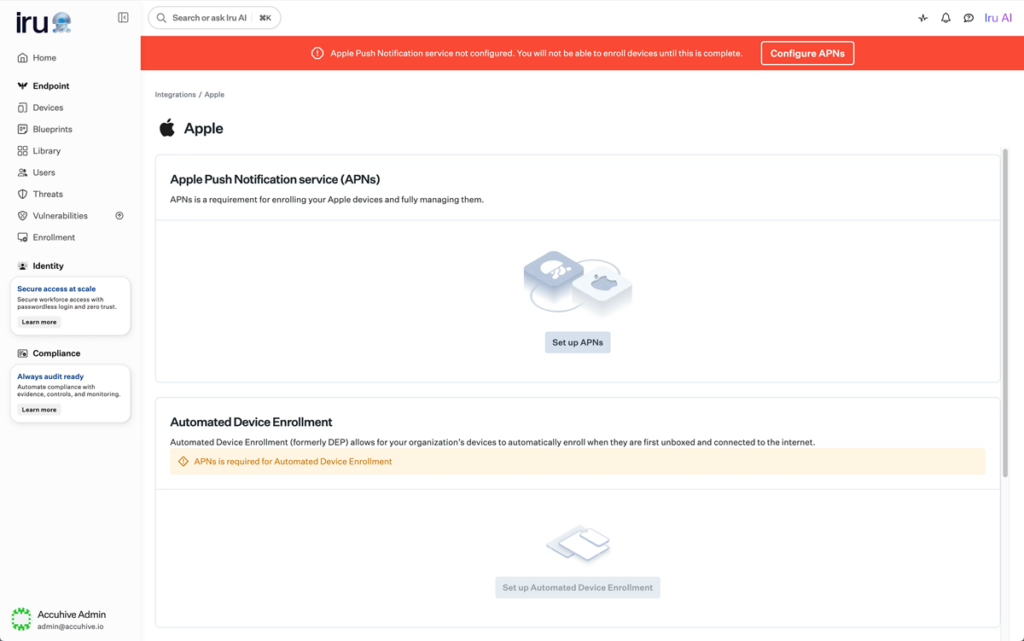
Best for: Apple-first organizations looking for advanced automation with an accessible interface, and that are starting to bring Windows and Android into their fleet.
Kandji was born in 2019 as an Apple-only MDM and quickly built a reputation as one of the most polished platforms in the segment. In October 2025, the company rebranded to Iru, expanded coverage to Windows and Android, and repositioned itself as a unified IT and security platform with six modular products: Workforce Identity, Endpoint Management, EDR, Vulnerability Management, Compliance Automation, and Trust Center.
Key features
- Zero-touch provisioning with Apple Business Manager: Apple devices configure themselves out of the box with apps, security settings, and policies applied with no IT involvement.
- Blueprints with visual configuration mapping: proprietary system that organizes policies and settings in a visual flow and surfaces conflicts before deployment.
- Auto Apps library: more than 300 business applications for macOS and Windows with automatic install and patching.
- 120+ security controls activatable in one click: compliance settings for macOS and iOS without scripts or manual profiles.
- Full support for Declarative Device Management (DDM): native adoption of Apple’s protocol on iOS 16+ and macOS.
- Built-in EDR: threat detection and response with autonomous containment, no additional security vendor required.
- Workforce Identity with passwordless SSO: authentication via hardware-backed passkeys.
- Iru Context Model: a continuous map of users, apps, devices, posture, and events that Iru AI uses to automate decisions and generate compliance evidence.
Main drawbacks
- Pricing by quote only: no public pricing list, which means going through the sales team to get a real number — especially once you start layering on modules beyond the base package.
- Recent multi-platform capabilities: Windows and Android management works, but it hasn’t reached the maturity of the Apple side, which has years of development behind it.
- Module costs add up quickly: the base plan looks attractive, but adding EDR, Vulnerability Management, and Compliance Automation as separate modules can push the total cost above what teams initially budgeted for.
- No physical lifecycle management: procurement, shipping, and device retrieval aren’t covered.
6. ManageEngine
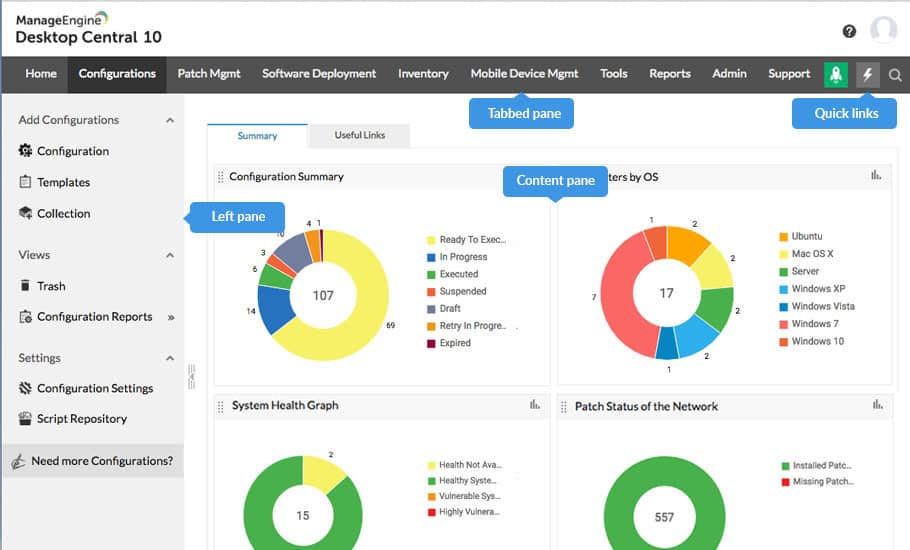
Best for: mid-sized and large companies looking for a complete UEM suite with an on-premise option — and especially organizations already using other products from the ManageEngine ecosystem (ServiceDesk Plus, ADManager Plus, OpManager).
ManageEngine Endpoint Central (formerly Desktop Central) is Zoho’s UEM offering. It’s been on the market for more than a decade and combines endpoint management, patching, asset inventory, remote control, MDM, and security in a single console. Its roots are in Windows environments, but multi-OS support has grown significantly in recent years.
Key features
- Robust patch management: coverage for Windows, macOS, Linux, and a broad catalog of third-party applications (more than 850 according to the vendor).
- Flexible deployment: cloud or on-premise option, relevant for companies with strict data sovereignty requirements.
- Mobile Device Manager Plus built in: support for iOS, Android, ChromeOS, and tvOS from the same console.
- Software deployment: distribution of MSI, EXE, PKG packages and custom scripts.
- Integrated remote control: session recording, file transfer, and real-time collaboration.
- Hardware and software inventory: change history and license management included.
- ManageEngine ecosystem: native integrations with ServiceDesk Plus (ITSM), ADManager Plus (Active Directory), and other products in the stack.
- Free plan for up to 25 endpoints: 30-day trial without a device limit for evaluating the platform.
Main drawbacks
- Confusing pricing model: billing by technician, by endpoints, and by add-on (security, DEX, CMDB), with a real cost that can easily exceed the advertised base price.
- Dense interface: a less fluid experience than more modern cloud-native platforms, especially for admins used to lighter tools.
- Variable support response times: depending on case complexity, according to several user reports.
- No lifecycle or SaaS management: procurement, shipping, onboarding, and offboarding aren’t covered, and neither is SaaS license management. It remains a classic UEM, not an IT operations platform.
7. Miradore
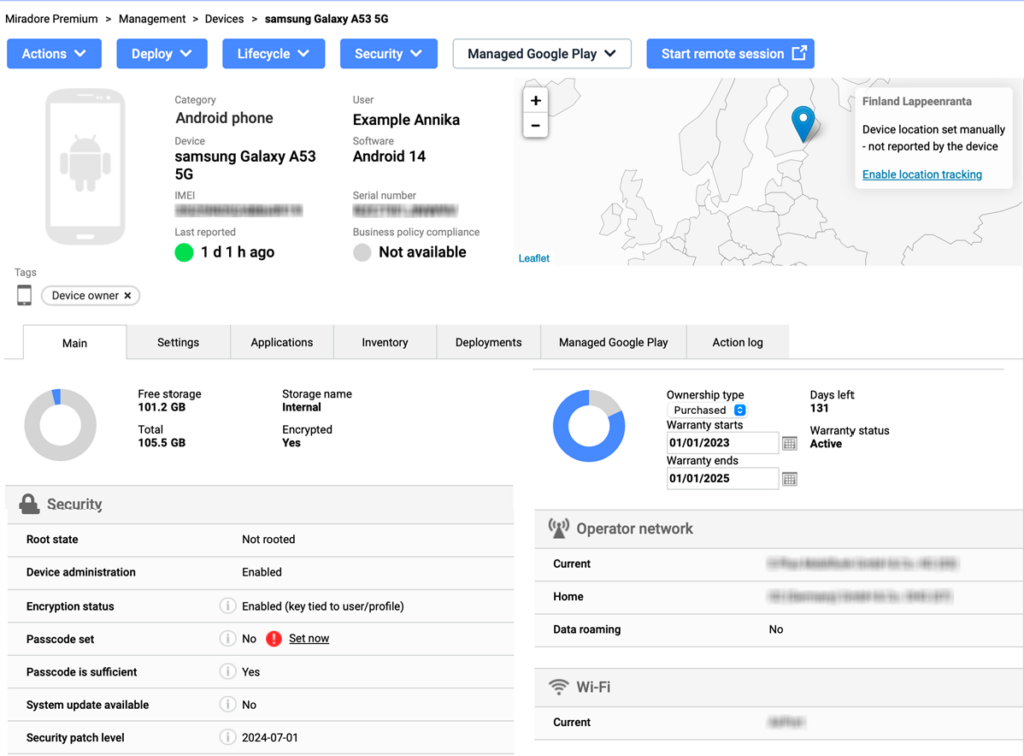
Best for: SMBs with mixed fleets (Windows, macOS, iOS, and Android) looking for a transparent, easy-to-deploy MDM with a free tier that lets you start without commitment — especially when operational simplicity matters more than coverage of less common operating systems.
Founded in Finland in 2003 and acquired by GoTo in 2022, Miradore has positioned itself as one of the most accessible alternatives on the MDM market. Its proposition is deliberately simple: a cloud-native console, plans with public pricing, and a free tier that covers the essentials. That philosophy has made it a frequent choice for SMBs looking to move beyond spreadsheets or scattered tools without taking on the cost and complexity of a full UEM suite.
Key features
- Free plan with no device limit: coverage of essential MDM capabilities (enrollment, inventory, remote commands) at no cost, which lets you evaluate the platform in production before moving to a paid plan.
- Multi-OS support: management of Android, iOS, iPadOS, macOS, and Windows from a single console, with unified policies for the main business scenarios.
- Automated enrollment: integration with Apple Business Manager, Android Enterprise, and Windows Autopilot for device configuration without manual intervention.
- Essential security policies: encryption, remote lock, data wipe, password enforcement, and configuration restrictions applicable by group.
- App distribution: silent deployment via Apple VPP, Managed Google Play, and custom catalogs for Windows and macOS.
- Patch management: visibility into OS and installed app update status, with reporting on unpatched devices.
- Geolocation and device tracking: real-time device location, useful for field fleets and loss or theft scenarios.
- Dedicated MSP portal: multi-tenant management for IT service providers handling fleets across multiple clients from the same platform.
- Built-in remote support: native integration with GoTo Resolve and TeamViewer to launch support sessions directly from the console.
- Transparent pricing model: public pay-per-device pricing, with no per-technician billing or hidden add-ons.
Main drawbacks
- More limited OS coverage: no Linux, ChromeOS, or tvOS, which rules out Miradore for companies with those devices in their fleet.
- No employee lifecycle management: procurement, shipping, onboarding, and offboarding aren’t automated, and there’s no native connection to HR systems.
- No SaaS visibility: the platform focuses on the device, not on the applications and licenses tied to the employee.
- Limited reporting and analytics: dashboards cover the essentials but lack the depth found in enterprise-grade UEMs.
- Non-customizable admin roles: only three predefined profiles, with no way to create permissions tailored to different team levels.
- Complex Windows configuration: several users report that configuration profiles for Windows environments are less intuitive than on platforms more focused on that ecosystem.
Hexnode alternatives comparison table
| Solution | Best for | OS supported | Lifecycle | SaaS management |
|---|---|---|---|---|
| Factorial IT | Mixed fleets with native HR connectivity | Windows, macOS, Linux, iOS, Android | Full | Yes |
| Microsoft Intune | Windows fleets with Microsoft 365 already in place | Windows, macOS, Linux, iOS, Android | No | No |
| NinjaOne | Technical IT teams and MSPs | Windows, macOS, Linux, iOS, Android | No | No |
| Scalefusion | Dedicated devices, kiosks, and field fleets | Windows, macOS, Linux, iOS, Android, ChromeOS, tvOS | No | No |
| Iru (formerly Kandji) | Apple-first with extension to Windows and Android | macOS, iOS, iPadOS, tvOS, Windows, Android | No | Partial |
| ManageEngine | Companies with a ManageEngine stack and on-premise needs | Windows, macOS, Linux, iOS, Android, ChromeOS, tvOS | No | No |
| Miradore | SMBs with mixed fleets that prioritize simplicity and a free tier | Windows, macOS, iOS, Android | No | No |
💡 Still have questions? Tell us what your environment looks like and we’ll set up a demo tailored to your needs. Request a demo →
Disclaimer: The information presented on this page is based on publicly available sources. Comparisons between Factorial and other vendors are intended solely to illustrate the features, pricing, and characteristics of each software. All information related to features, pricing, and integrations is subject to change without notice. Factorial assumes no responsibility for the accuracy, completeness, or timeliness of the information presented. We recommend contacting the relevant vendors directly to obtain the most accurate and up-to-date information. All applicable fair advertising and competition law standards are observed; for any questions, please feel free to contact us. The comparisons presented do not constitute a definitive evaluation or a recommendation of any vendor; they are intended solely as a source of information.