HR and payroll are closely linked. When your tools do not work together, HR teams end up copying data, fixing mistakes, and chasing approvals every month. The best HR software with payroll features brings everything into one place. Employee records, time tracking, benefits, and pay are all accessible from a single source of truth.
In this guide, you will see what to look for in HR and payroll software and how the best software can help you manage people and payroll work in a simpler way.
What is HR software with payroll features?
HR software with payroll features helps you manage your people and their pay in one connected system. Instead of using one tool for HR and another for payroll, you keep employee data, time tracking, benefits, and pay details in one place so information is shared from HR to payroll without having to copy it manually.
This kind of software reduces the amount of manual data entry you need to do. This lowers the chance of payroll errors, and gives HR and finance a shared view of headcount and labor or employee costs. Many newer platforms, including Factorial, also add AI to handle admin tasks like filling in data, managing documents, and building reports so HR teams can spend more time on people and planning.
Payroll features to look for in HR software
When you compare HR and payroll tools, focus on the problems you want to fix instead of marketing gimmicks that sound fancy. These simple core features usually make the biggest difference in your day-to-day work.
Employee database and records
You need a central place to store personal details, contracts, job roles, pay information, and documents. This becomes your single source of truth for HR and the starting point for payroll and reporting. According to EEOC guidelines, employee records must be retained for one year after termination.
Time tracking and attendance
Your system should calculate the hours worked and keep track of employee overtime as well as the other information like paid time off so payroll numbers are correct. This is really important for legal compliance and for accurate pay if you pay by the hour or run shift-based teams.
Payroll preparation and integrations
Good tools help you calculate key inputs like hours, overtime, bonuses, and deductions, then either run payroll inside the same system or send clean data straight to your payroll provider.
Benefits and compensation management
The software should support salaries, allowances, deductions, and benefits such as health plans or retirement contributions. This helps you stay compliant and keeps pay stubs clear for employees.
Self-service for employees
Employee portals let people view pay stubs, request time off, update personal details, and see their benefits. This reduces questions to HR and gives employees better visibility.
Compliance and tax support
The tool should support federal, state, and local rules around pay, overtime, and recordkeeping. Strong integrations with payroll services help automate tax filings and forms.
AI and automation
AI can support workflows, generate documents, and surface insights so you spend less time on routine admin and more on strategic HR work.
Before you dive into vendor sites, write down your requirements that are absolutely necessary for you to have and the extra features that would be nice to have. Making a list like this makes it much easier to build a short list and finally choose the best HR software with payroll features.
List of best HR software with payroll features
Below are ten options that are widely used in the US. The focus is on HR software with payroll features or strong payroll integrations. For each one, you will see an overview, key pros and cons and any more info that should help you create a shortlist.
1. Factorial: HR management and payroll preparation
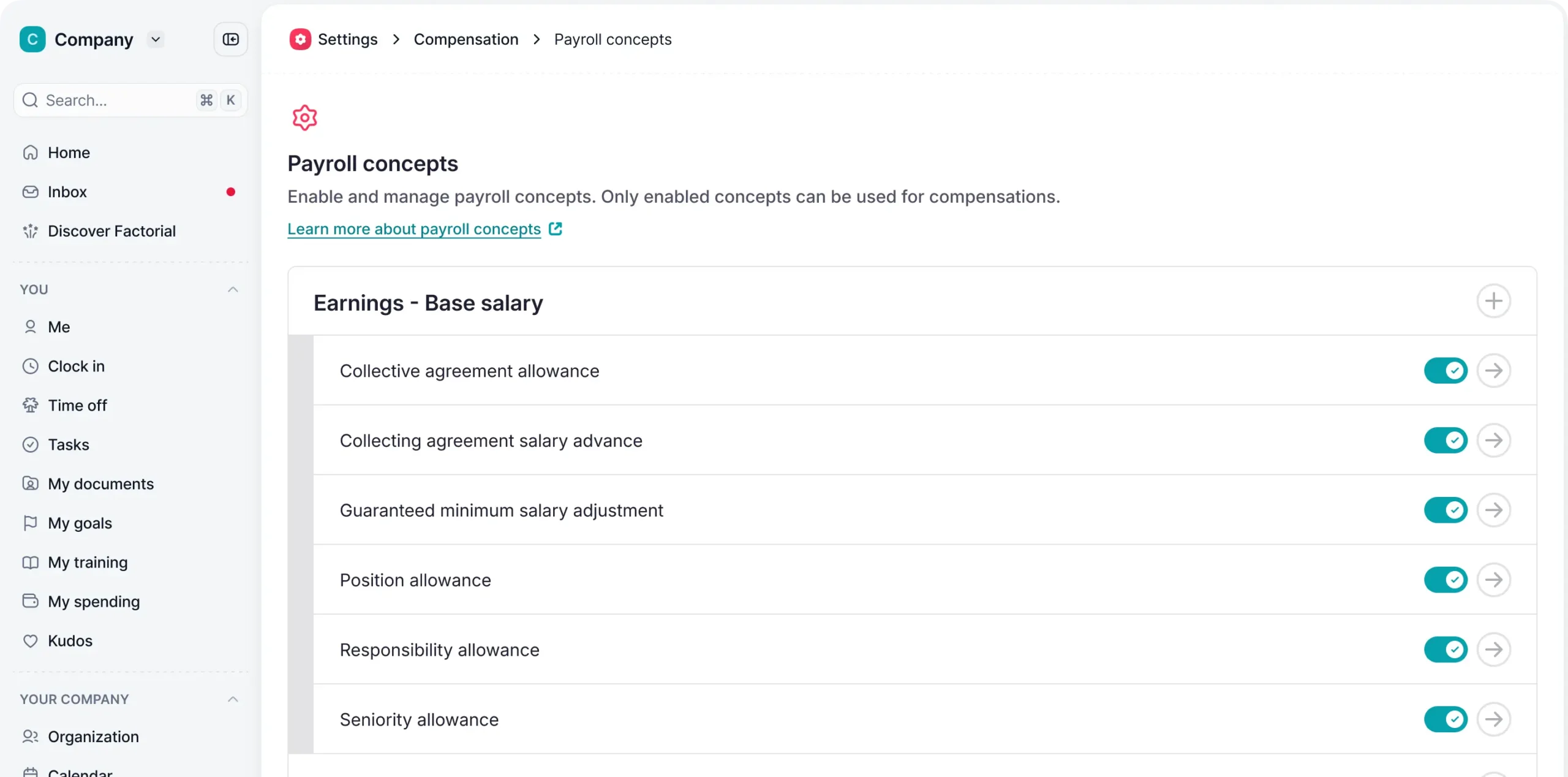
Overview: Factorial is an all-in-one HR platform that keeps employee data, time tracking, absences, documents, and payroll preparation in a single cloud system. It helps HR teams move core processes like onboarding, performance, time off, and compensation out of spreadsheets and into structured workflows, then sends clean, payroll-ready data to external payroll providers.
Factorial focuses on HR and payroll workflows rather than running payroll itself. It keeps time, absence, and compensation data in sync and connects with popular payroll tools so handling tax filings and payments is made much easier.
AI and automation: Factorial uses AI across HR, finance, and operations to help automate workflows and do the work that doesn’t require a human touch. An AI assistant can draft HR documents, summarize policies, build reports, and answer questions based on your HR data, while analytics turn attendance and pay data into reports.
Pros
- Centralizes HR, time tracking, and payroll preparation in one platform
- Has document management, e-signatures, and pay stub distribution so paperwork stays organized
- Uses AI-powered workflows and analytics to cut repetitive admin work and support better decisions
- Integrates with payroll software and connectors so HR data stays aligned with external payroll systems
- Runs in the cloud, is simple to roll out, and is built for small and mid-sized businesses that want to grow
Cons
- Does not yet run US payroll end to end, so you still need a dedicated payroll provider for taxes and payments
- As an all-in-one platform, it can feel like more than what very small teams need
Pricing
Factorial starts at $8 per user per month for the core plan. Request a free quote tailored to your business for more accurate pricing.

2. Gusto
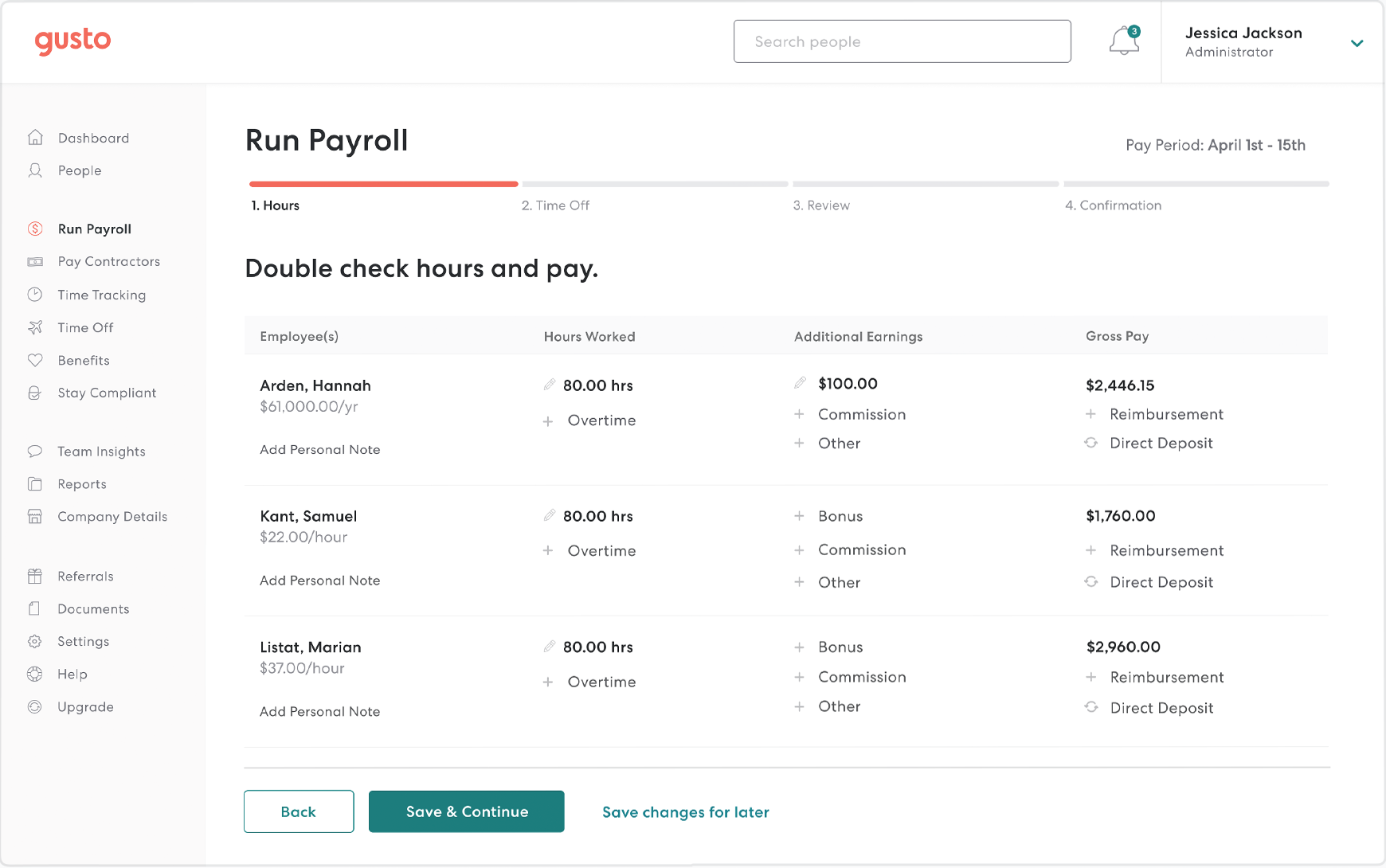
Overview: Gusto is a payroll and HR platform built for US businesses that want one place to run payroll, handle taxes, and manage basic HR tasks. It is especially common among smaller teams that want to start payroll quickly without building a complex HR stack.
Pros
- Runs US payroll and files payroll taxes
- Includes HR tools for onboarding, time off, and benefits enrollment
- Gives employees a portal for pay stubs and personal details
- Connects with accounting tools like QuickBooks and Xero
Cons
- HR tools cover fewer areas than full HR suites
- Costs increase as you add workers, states, and extra features
Pricing
Gusto’s Simple plan starts at $49 per month plus $6 per month per person.
3. ADP
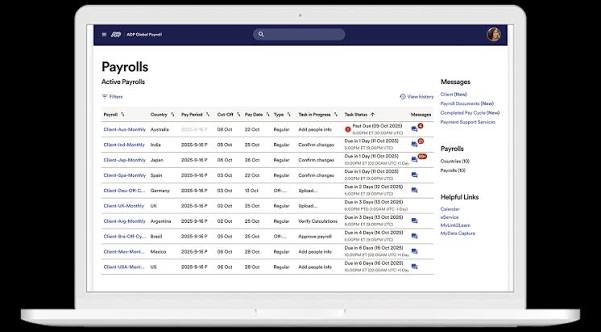
Overview: ADP is a large payroll and HR provider that supports companies from small businesses to large organizations. It is often used by teams that want payroll handled with strong compliance support and the option to add HR, time, and benefits in one ecosystem.
Pros
- Handles multi-state payroll and tax filing for many types of companies
- Offers add-ons for HR, time tracking, recruiting, and benefits administration
- Can provide more hands-on support for payroll and HR tasks if you choose managed services
Cons
- Pricing and packaging are harder to compare because they require a sales call
- Setup and configuration can feel complex for very small businesses with simple needs
Pricing
ADP only shares pricing info via a custom quote.
4. Paychex
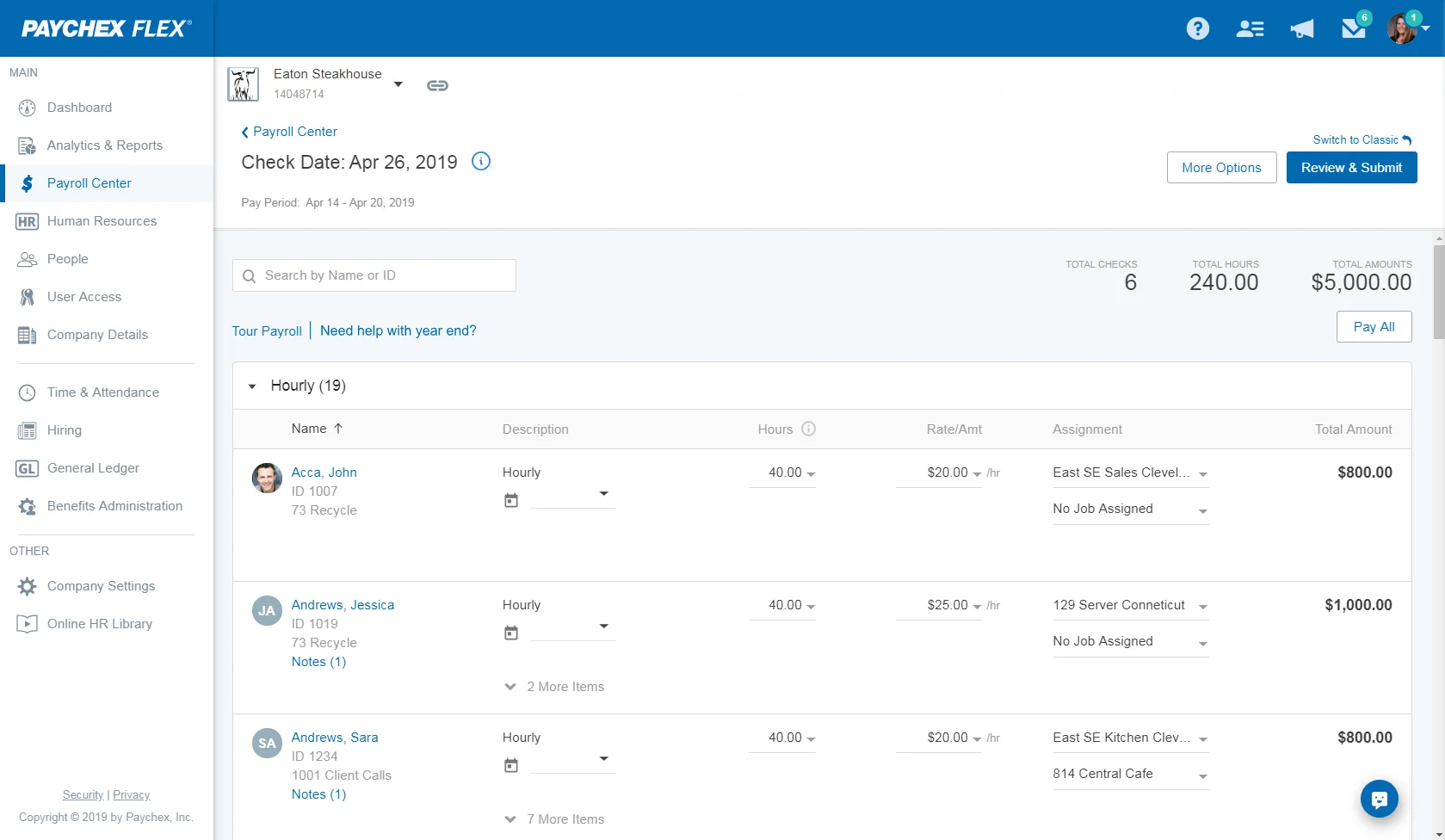
Overview: Paychex combines payroll, HR, and benefits services for US businesses and is often chosen by companies that want one vendor to handle payroll plus optional HR and retirement services. Its Paychex Flex platform can support both smaller employers and those with more complex needs.
Pros
- Runs payroll and tax filing with options for direct deposit and checks
- Offers HR support, benefits administration, and retirement plan services from the same vendor
- Includes tools for time tracking and scheduling that feed into payroll
Cons
- Can cost more than simpler, software-only payroll tools
- The platform has more options and settings, which can take time to learn
Pricing
Paychex pricing only available with a custom quote.
5. Rippling
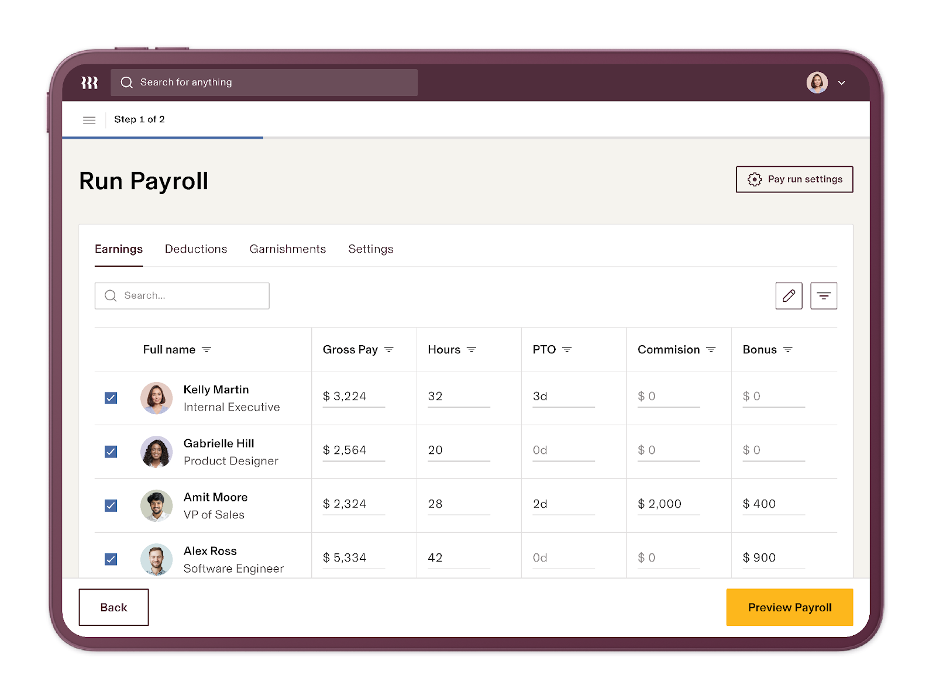
Overview: Rippling is a platform that links HR, payroll, finance, and IT, so employee data drives changes across many systems at once. It is often used by companies that want payroll plus automated user provisioning, device management, and app access in one place.
Pros
- Runs payroll based on a central employee record that also drives HR and IT settings
- Automates onboarding and offboarding across payroll, apps, and devices
- Supports US payroll and can connect to solutions for hiring and paying people in other countries
Cons
- Total cost rises as you turn on more HR, IT, and finance modules
- International payroll often depends on extra services or partners rather than one built-in module
Pricing
Rippling does not share pricing info publicly.
6. BambooHR
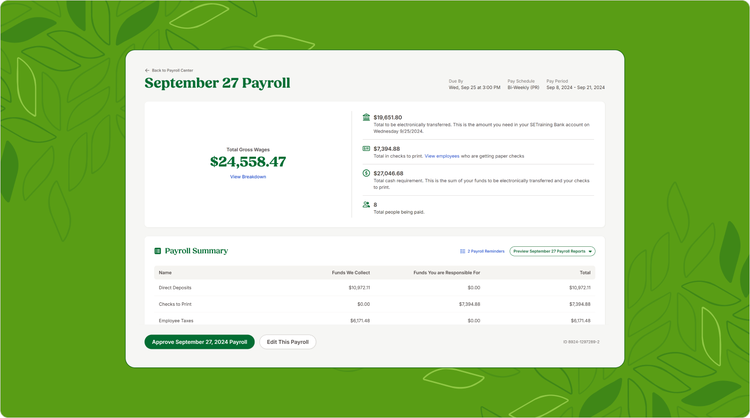
Overview: BambooHR is an HR system used mainly by small and mid-sized businesses to manage employee records, time off, and performance. It can act as the central HR database and then connect to payroll tools or, in some cases, run payroll through its own add-on.
Pros
- Keeps employee records, job data, and time-off balances in one HR system
- Integrates with payroll providers, so HR data flows into payroll without double entry
- Offers reports on headcount, turnover, and other HR metrics that finance can use
Cons
- Payroll is not built-in everywhere and may rely on third-party providers
- Overall cost increases when you add payroll, performance, and other modules on top of core HR
Pricing
BambooHR starts at $10 per month per employee for the core plan with payroll and other modules available as add-ons.
7. Paylocity
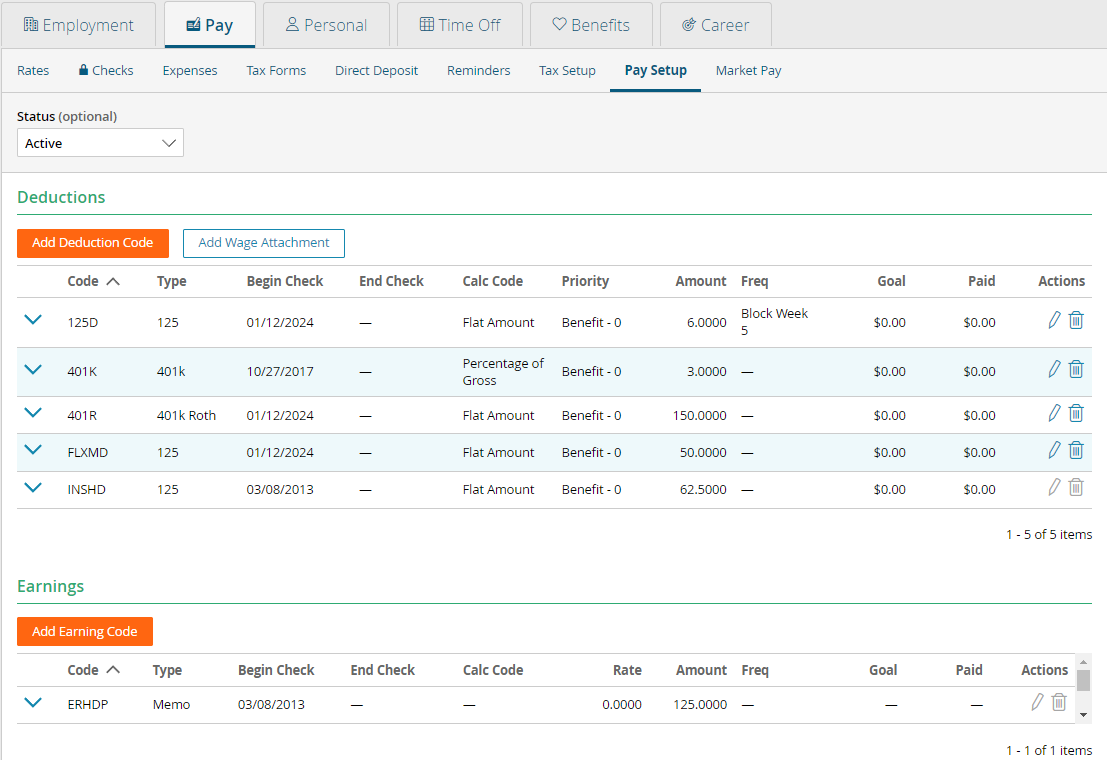
Overview: Paylocity is an HR and payroll system that brings payroll, time, benefits, and talent tools into one cloud platform. It is often used by mid-sized organizations that want a single system for pay, HR workflows, and workforce data.
Pros
- Connects payroll with time, benefits, and HR so data changes in one place show across the system
- Includes tools for performance reviews, learning content, and feedback
- Supports distributed and multi-location teams with web and mobile access
Cons
- Can feel like more complexity than very small companies need
- Implementation usually involves a project with setup, training, and data migration
Pricing
Paylocity only shares pricing info via a custom quotes based on your size and the modules you select.
8. Namely
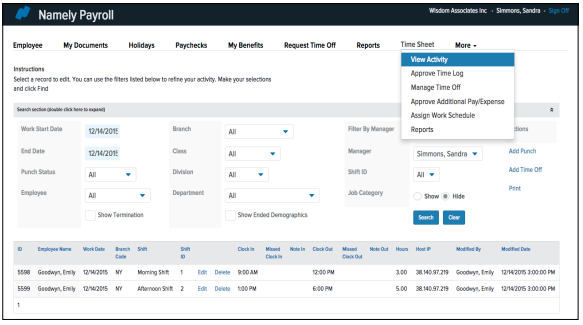
Overview: Namely is an HR platform for mid-sized US companies that want HR, payroll, and benefits in one system. It is often used by teams that need a central HR database plus built-in payroll and benefits administration, rather than stitching together several separate tools.
Pros
- Combines HR records, payroll, and benefits in one platform
- Gives employees a self-service portal for pay, time off, and personal data
- Integrates with other tools for time tracking, finance, and reporting
Cons
- Some features and support options are only available on higher-priced plans
- May be more than very small, single-location businesses need
Pricing
Namely does not share pricing info. Exact pricing depends on headcount and modules and is available via quote from Namely.
9. HiBob
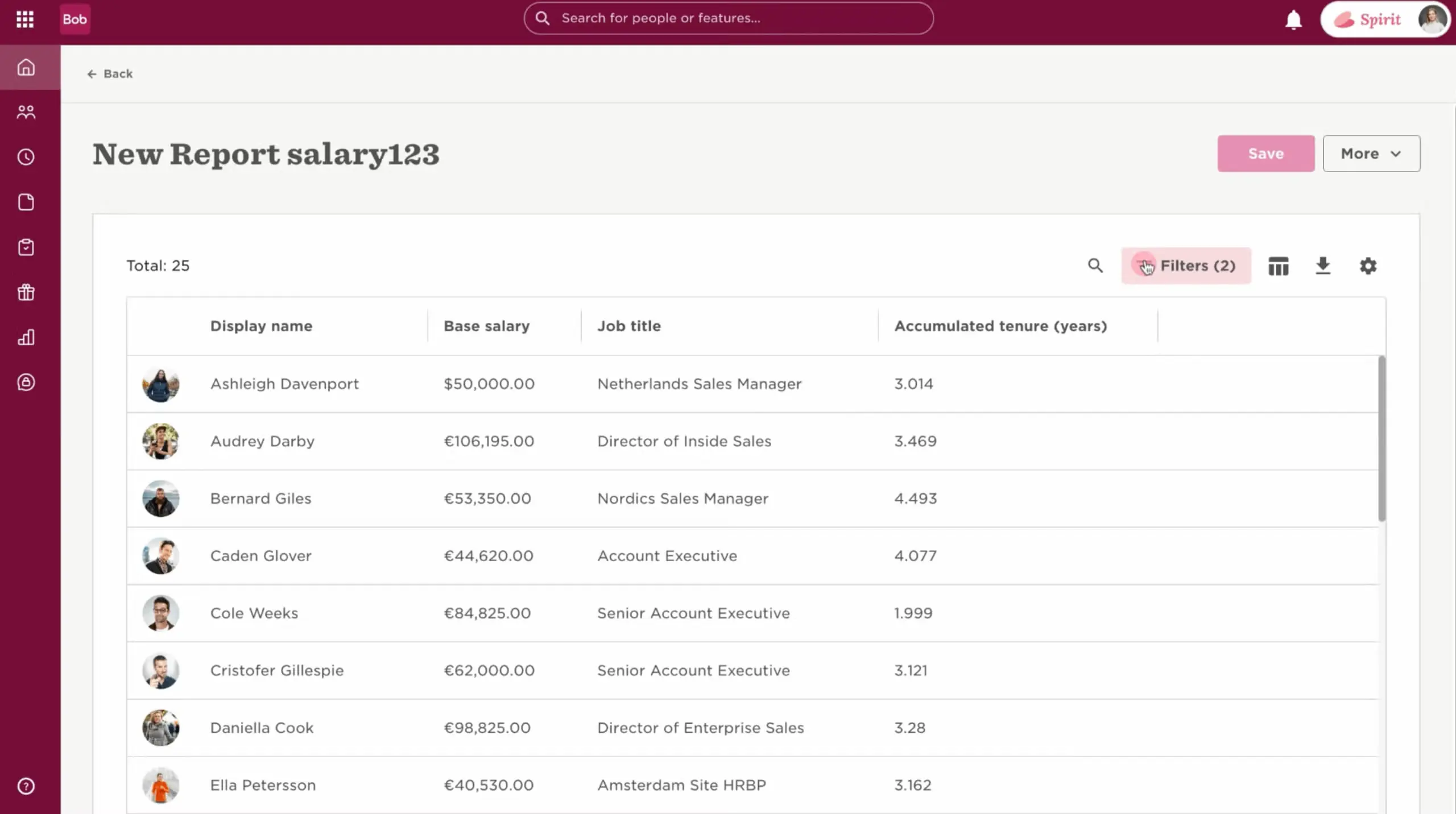
Overview: HiBob is an HR system used by mid-sized and international companies that want a modern HR database with engagement and performance tools. It connects to payroll providers in different countries rather than running payroll directly.
Pros
- Acts as a core HR system where you keep employee data, org structure, and policies
- Integrates with multiple payroll providers so HR data flows into local payroll systems
- Supports workflows and communications that help HR run reviews, surveys, and changes for teams in several locations
Cons
- Requires separate payroll tools or partners for actual pay runs and tax filing
- Pricing and features can be more than very small US-only businesses need
Pricing
HiBob does not publicly share pricing info.
10. Remote
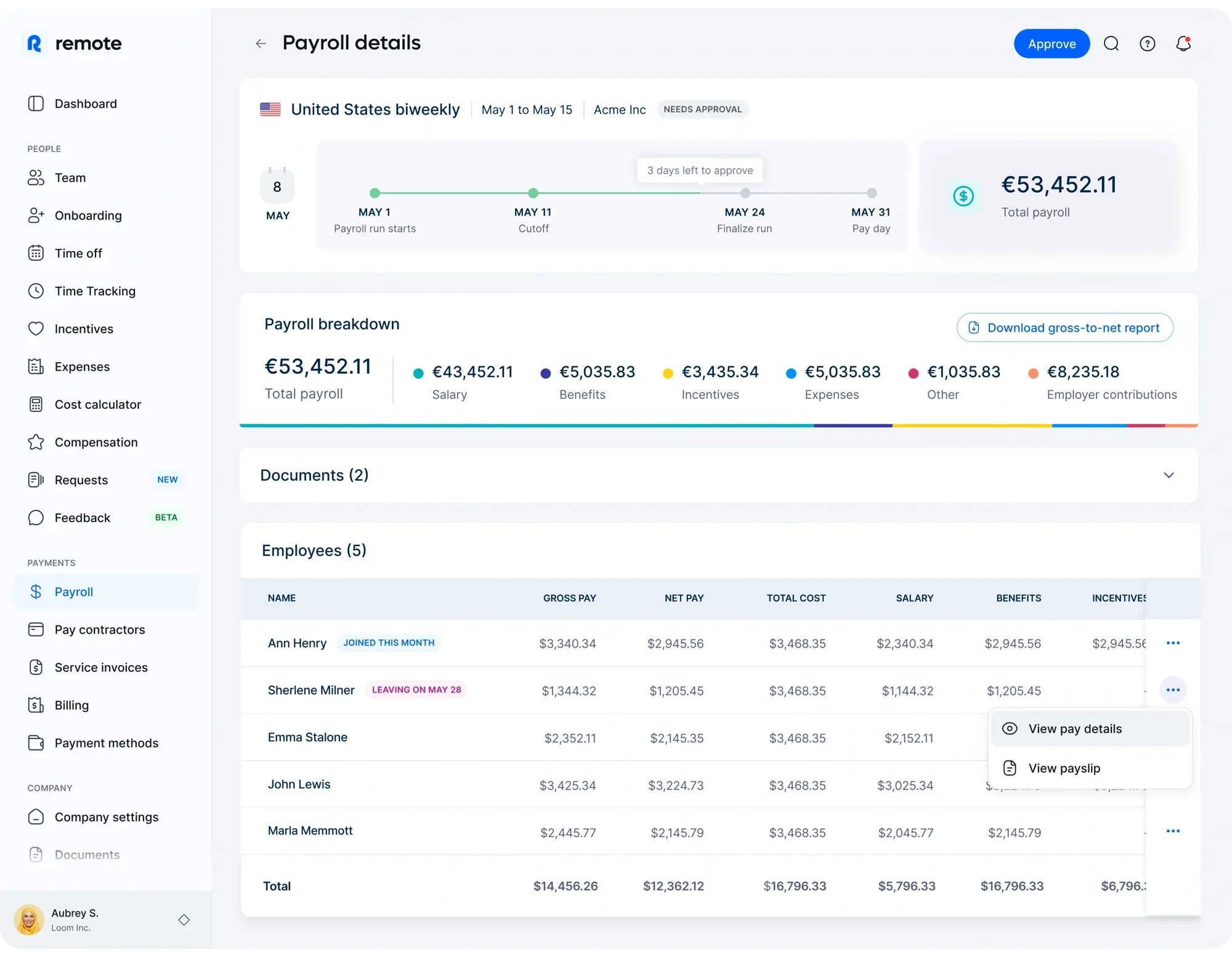
Overview: Remote is a global HR and payroll platform that lets companies hire and pay workers in many countries through one dashboard. It can act as an employer of record or run global payroll so you can manage salaries, benefits, time off, taxes, and compliance for international teams from a single system.
Pros
- Runs international payroll and manages taxes, benefits, and compliance in many countries
- Lets you pay employees and contractors in local currencies from one dashboard
- Integrates with HR systems and provides self‑service access for workers to view pay and time off
Cons
- Focuses on cross‑border hiring, so it can be more than you need if you only hire in one country
- Pricing depends on worker type and country, which can make total cost harder to predict at a glance
Pricing
Remotes Payroll plan starts at $29 per employee per month. Other modules cost extra.
How to choose HR software with payroll features
Start by writing down how you run HR and payroll today and where things go wrong or take too long. Then look at a few key points:
Separate vs. integrated systems
Decide if you want one tool for both HR and payroll or two tools that sync data. An HR system like Factorial can hold employee data and payroll inputs, then send them to a payroll service that runs pay and taxes.
Company size and industry
Smaller US businesses often need simple, click-and-go HR and payroll. Companies with shifts or overtime rules, like manufacturing or hospitality, need scheduling and pay rules tied closely to payroll.
Global vs. domestic
If you hire in more than one country, you need HR that connects well to global payroll services. Check how easily your HR system can send data to local payroll providers.
AI and automation
Decide which tasks you want to automate, such as reports, approvals, and routine updates. Make sure you still have clear processes and human checks.
Budget and growth
Look at total cost, including licenses, add‑ons, and setup. Pick software that can handle more people and more rules as you grow.
Test your top choice with a demo, then ask HR, finance, and managers for feedback before you roll it out to everyone.
Prepare everything with Factorial to simplify payroll
The right HR and payroll software should make your day-to-day work feel lighter, not harder. Once you know how you run HR and payroll today, and what you want to improve, you can look for tools that match your size, your industry, and where your team works. For many companies, that means using one system to hold all employee and payroll data, and then connecting it to a payroll service that handles pay runs and taxes.
Factorial fits into that picture as the place where you keep people data, time, and approvals in sync, then send clean information to payroll with a few clicks. This helps cut errors, reduce manual work, and give HR and finance the same view of your workforce. When HR and payroll work from the same data, your team can spend less time fixing issues at month end and more time on hiring, development, and the projects that move the business forward.
Disclaimer: The information presented on this page is based on publicly available sources. Comparisons between Factorial and other vendors are intended solely to illustrate the features, pricing, and characteristics of each software. All information related to features, pricing, and integrations is subject to change without notice. Factorial assumes no responsibility for the accuracy, completeness, or timeliness of the information presented. We recommend contacting the relevant vendors directly to obtain the most accurate and up-to-date information. All applicable fair advertising and competition law standards are observed; for any questions, please feel free to contact us. The comparisons presented do not constitute a definitive evaluation or a recommendation of any vendor; they are intended solely as a source of information.
HR Software with Payroll Features FAQs
The best HR and payroll software depends on the size of your company, your industry, and whether you work with a domestic or international team, as well as other factors, so there is no single best option for every company. Instead, many companies prefer to use a HR system like Factorial that handles HR and payroll preparation, connected to a payroll service for tax and payments.
In the US, popular payroll software and services include Gusto, ADP, Paychex, and QuickBooks Payroll.
Some HR systems include built-in payroll, but many focus on HR and collecting the data needed in order to run payroll. They then export data to dedicated payroll tools. Factorial is one such HR platform that does payroll prep while letting payroll providers handle tax filing and payments.
The easiest system for your team will depend on how well it matches your existing company workflows and how tightly it integrates with your HR software and other tools you use.
HR is not being replaced by AI. Instead, AI is reducing the manual admin work HR teams have done by hand in the past. Platforms like Factorial use AI to automate HR and payroll processes so your people team can spend more time on strategic work.