Shift swaps are a normal part of running a business with hourly or scheduled employees. People may need to change shifts because of all sorts of reasons including unexpected appointments they need to keep, family emergencies, illness, or other unexpected events. Without a clear process for shift swapping, changes can lead to last-minute requests which usually take endless texts and phone calls and end in unsatisfactory compromises. Shift swapping software makes it easy for employees to request swaps while helping managers keep schedules covered and control labor costs. It also helps communicate changes in the schedule clearly, avoiding misunderstandings.
This guide reviews the best shift swapping software tools for businesses, including their key features, and what to consider before choosing one.
What is shift swapping software?
Shift swapping software lets employees trade scheduled shifts with coworkers through an app or a web-based platform. Instead of asking around in group chats or relying on a manager to find coverage, employees can submit a request directly in the scheduling system.
The software can then help make sure the right person takes the shift. Depending on the tool, it may automatically check whether the employee is available and qualified for the role, scheduled elsewhere leading to scheduling issues, and whether the employee will likely go into overtime if scheduled.
The process for swapping shifts with software usually follows these steps:
- An employee chooses the shift they want to trade.
- They ask a coworker to take it or post it as an open shift.
- The coworker accepts or declines the request.
- A manager reviews the change.
- The system updates the schedule once it is approved.
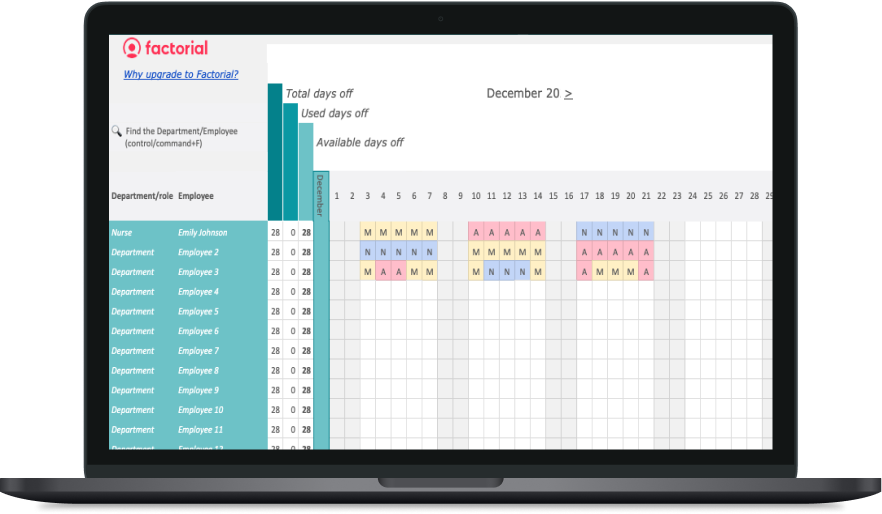
This gives employees more flexibility while helping managers stay in control so they always have an overview of the schedule. Many shift swap platforms also keep a record of requests, approvals, and changes, which makes it easier to check schedules and timesheets later and export them for payroll without having to update info across the system manually. Shift management software not only makes it easier to create employee work schedules for managers, it simplifies the entire shift management process from scheduling to making sure every single hour worked is counted and reflected in timesheets and payroll.
Why use shift swapping software?
Shift swapping software can save time for managers and give employees a better experience. It also helps stop unofficial and unapproved changes that leave managers unsure who is meant to work the shift in question, which can lead to payroll errors.
Reduce scheduling admin
Without a central tool, for example when you use Google Calendar for shift scheduling, managers need to deal with several messages every time someone wants a shift changed. They need to check who is free to substitute the worker, confirm whether they are a right fit, update the schedule, and tell all of the people involved.
A shift swap tool puts these steps in one workflow. Employees can make requests themselves, and managers can approve or deny them from one place.
Give employees more control
Employees cannot always work the shifts they were first given. When you allow shift swapping, it gives them a fair way to deal with conflicts in their schedule.
They do not need to call every coworker individually or push the responsibility completely on a manager. Instead, they can ask for a swap through the app and wait for their colleague and manager to approve or decline.
Keep shifts covered
An unfilled shift can lead to many issues. Being understaffed can hurt customer service, put extra work on the rest of the team, and drive up costs. Shift swapping software helps employees find qualified coverage before the shift starts.
This comes up a lot in workplaces and industries such as restaurants, retail, healthcare, logistics, manufacturing, field services, and customer support.
Avoid overtime and compliance issues
A swap may look simple at first. However, it can lead to overtime, overlapping shifts, missed rest periods, or a lack of qualified staff.
The best tools flag these problems before a manager approves the request. This helps managers make better choices and avoid costly errors.
Keep time and payroll records accurate
When an approved swap updates the schedule automatically, records that employers need to keep according to the FLSA are more likely to match the person who actually worked. This can cut down on payroll corrections and back-and-forth between managers, HR, and payroll teams.
The best shift swapping software
The right platform depends on several different factors including the size of your team, your industry, budget, and your scheduling needs. Some of the tools below focus on simple scheduling for small teams, while others offer workforce planning tools and labor cost tracking for more complex scheduling.
1. Factorial: Best all-in-one shift swapping software
Best for: Growing businesses that want scheduling, time tracking, employee records, and HR tools in one place.
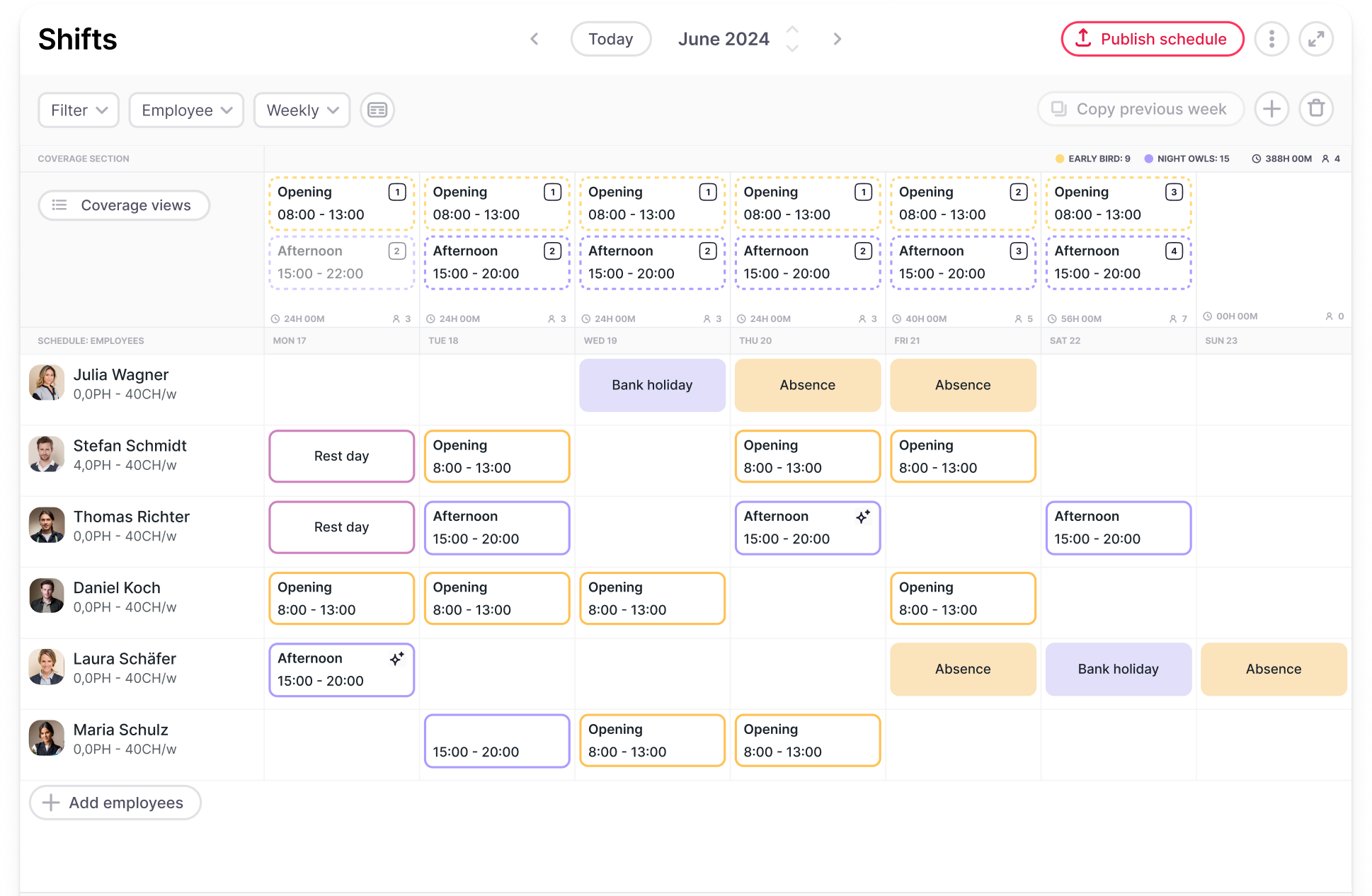
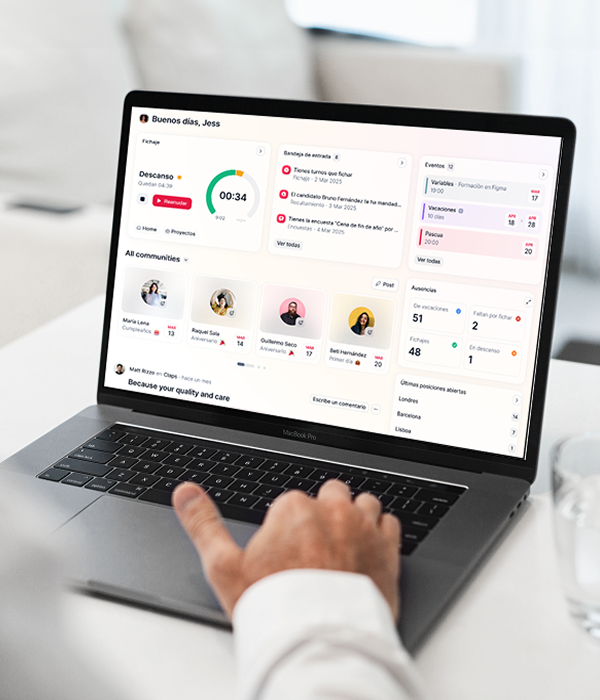
Factorial is an AI platform for business management that gives managers shift management tools as a way to move away from paper schedules, spreadsheets, and disconnected HR tools. It helps managers build schedules, spot conflicts, and share updates with employees.
Employees can view their shifts through the Factorial mobile app and request shift swaps in a few clicks. They choose the shift, select a coworker, and submit the request. If the coworker accepts, the manager can then review and approve or reject it. Once approved, the schedule updates automatically for both employees.
This gives employees flexibility without leaving managers out of the loop. Factorial also helps managers spot scheduling conflicts, which can make it easier to keep plans realistic before publishing a schedule.
Key features
- Employee shift swap requests in the mobile app
- Manager approval workflow
- Schedule views for employees and team leads
- Shift planning and drag-and-drop scheduling
- Time tracking and clock-in tools
- Compliant geo-fencing features
- Time-off management
- Shift conflict alerts
- Employee records, documents, and HR reporting in one platform
Why choose Factorial?
Factorial is more than shift swapping software. It is an AI platform that lets you focus on work by delegating admin tasks to AI agents. It brings together people management, finance, and IT, so teams do not need to switch between systems, they can manage everything from one place. It is especially useful for growing businesses that want to give employees more flexibility while keeping schedules, hours, and people data connected.
Price
Factorial’s core plan starts at $8 per month, per user. Book a free demo for a personalized quote tailored to your company’s needs.
2. Deputy: Best for hourly workforce management
Best for: Retail, hospitality, healthcare, and service businesses with hourly workers.
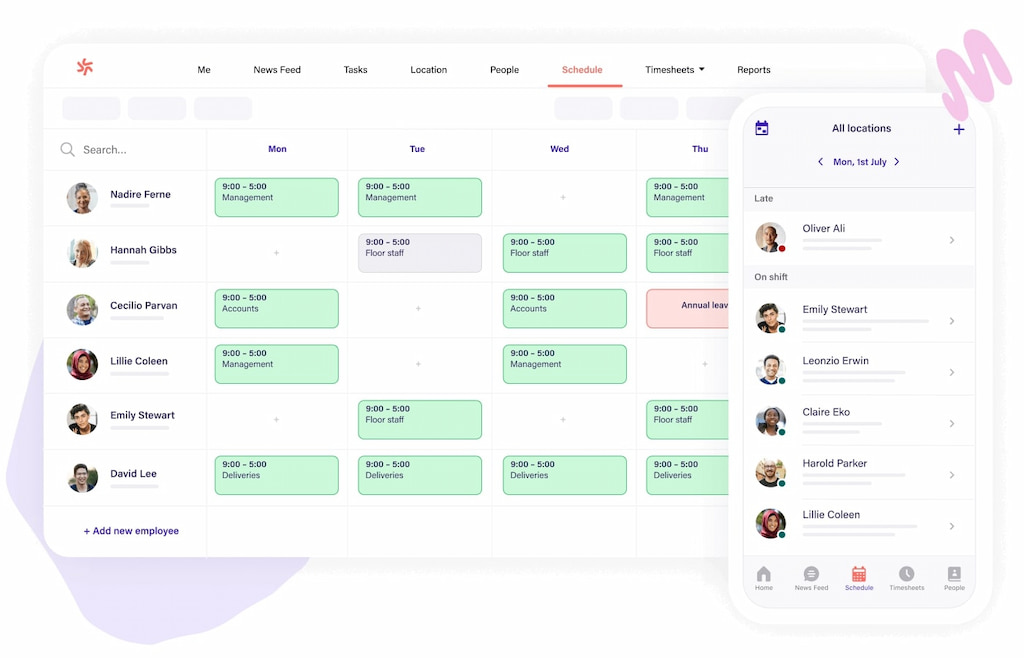
Deputy is a workforce management platform built around employee scheduling, time tracking, and labor management. It is a popular choice for businesses that need to manage work shifts across one or more locations.
Employees can use the app to view schedules, share availability, request time off, and manage shift changes. Managers can review requests before making changes to the schedule.
Deputy also gives teams labor cost tools and controls for scheduling. This can help managers balance staffing needs with planned labor spend, especially during busy periods.
Key features
- Shift swaps and open shifts
- Mobile scheduling app
- Employee availability tracking
- Time clock and timesheets
- Labor cost tracking
- Overtime alerts
- Task management
- Scheduling templates
Why choose Deputy?
Deputy is a good fit for businesses with many hourly workers and changing schedules. Its focus on time, attendance, labor costs, and scheduling makes it useful for managers who need to keep a close eye on day-to-day operations.
Price
Deputy’s Lite plan starts at $5.50 per user per month.
3. When I Work: Best for simple scheduling
Best for: Small businesses that need an easy way to create schedules and manage employee availability.
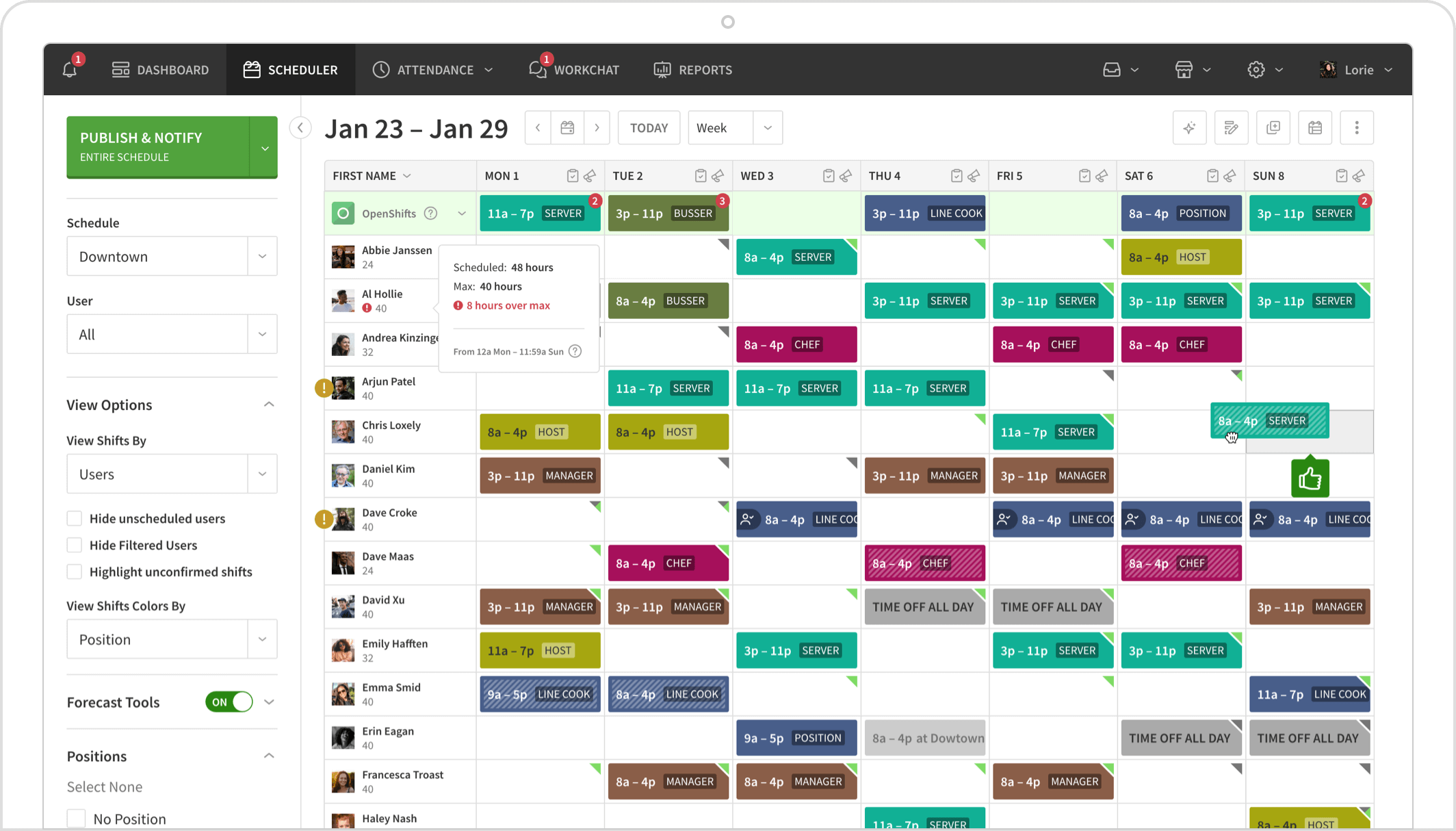
When I Work is designed to make employee scheduling simple. Managers can build schedules, share them with the team, and let employees view shifts through a mobile app.
The platform also supports shift swaps and shift drops. Employees can request changes without needing managers to handle every early conversation. Managers can still control approval rules and make sure the schedule stays covered.
Its straightforward set-up can work well for small teams that want to replace a paper schedule or group chat without taking on a complex platform.
Key features
- Employee shift swap requests
- Open shift management
- Employee availability
- Mobile schedule access
- Team messaging
- Time clock tools
- Scheduling templates
- Manager approvals
Why choose When I Work?
When I Work is a good shift swapping software choice if you need a simple scheduling tool that employees can learn quickly. It is useful for small businesses that want fewer scheduling headaches without a heavy workforce management system.
Price
When I Work’s single-location, single-schedule plan starts at $2.50 per user per month.
4. Homebase: Best for small local businesses
Best for: Restaurants, retail stores, salons, cafes, and other small businesses with hourly teams.
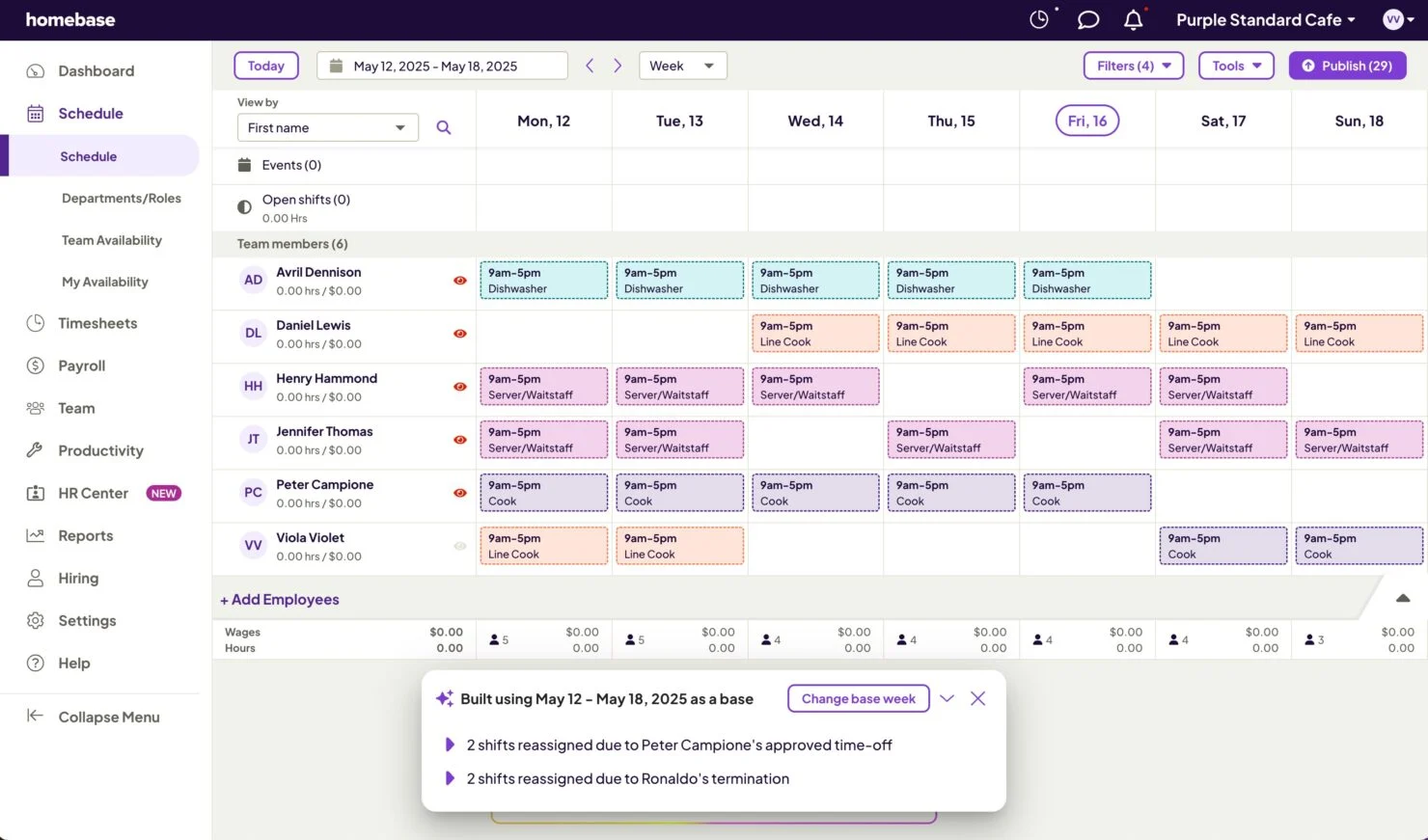
Homebase is a scheduling and time clock platform for small businesses. It helps managers create schedules, share them with employees, track time, and handle day-to-day communication.
For shift swaps, employees can use the app to find coverage, trade shifts, or pick up available work. Managers can keep track of changes and make sure shifts are covered before the final schedule is updated.
Homebase can be a practical choice for local businesses that need scheduling and time tracking but do not need a large enterprise platform.
Key features
- Shift swaps and shift coverage tools
- Employee scheduling
- Time clock and timesheets
- Employee messaging
- Hiring and onboarding features
- Labor cost tracking
- Mobile app
- Team availability management
Why choose Homebase?
Homebase is built with small, hourly teams in mind. It can help managers bring schedules, communication, and time tracking into one easy-to-use platform.
Price
Homebase has a free plan for a single location up to 10 employees for basic scheduling features. For advanced features like shift swapping, Homebase starts at a fixed price of $30 per location per month for unlimited employees.
5. 7shifts: Best for restaurants
Best for: Restaurants, bars, coffee shops, and hospitality businesses.
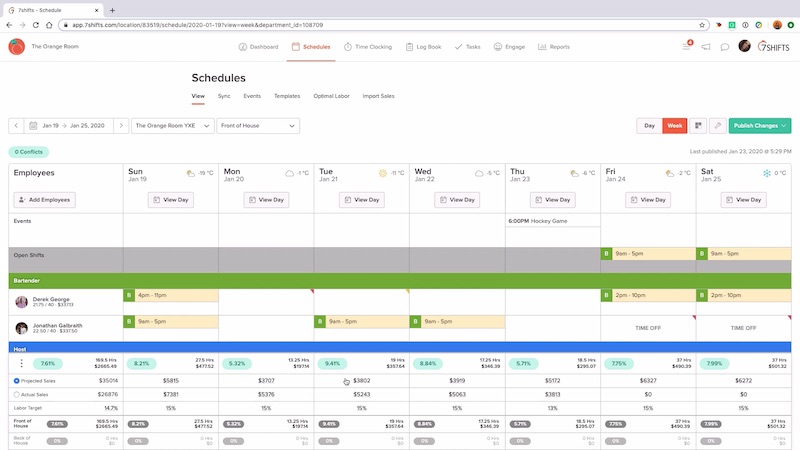
7shifts is a scheduling platform built for restaurant work. Restaurant schedules can change quickly, and managers often need to balance front-of-house, kitchen, bar, and management coverage.
The platform helps teams build schedules, manage employee availability, handle time-off requests, and support shift changes. Employees can use the mobile app to check schedules, request swaps, and communicate with coworkers.
Because 7shifts is focused on restaurants, it also includes tools that can help managers keep track of labor costs and staffing needs.
Key features
- Shift swaps and shift trades
- Restaurant scheduling templates
- Employee availability
- Time clock and timesheets
- Team messaging
- Labor cost reporting
- Tip management tools
- Mobile employee app
Why choose 7shifts?
7shifts is a good shift swapping software option for restaurant teams that need industry-specific scheduling. It can help managers keep the right people on each shift while giving staff a simpler way to deal with schedule changes.
Price
7shifts also has a free plan for a single location. It is free up to 15 employees for basic scheduling features. Paid plans start at $44.99 CAD per month per location up to 30 employees.
6. Connecteam: Best for deskless teams
Best for: Field services, construction, security, cleaning, logistics, and mobile workforces.
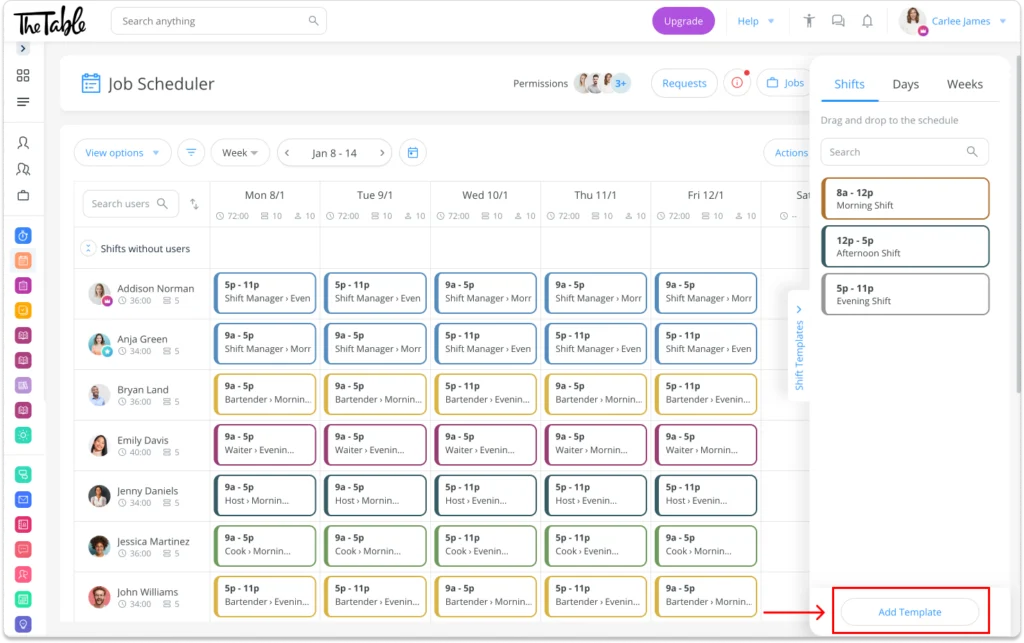
Connecteam is built for businesses with employees who do not work from a desk. It gives managers tools for scheduling, communication, time tracking, tasks, forms, and employee updates.
Employees can use the mobile app to view their schedules, manage availability, and request changes. Managers can then review changes and communicate with the team in the same app.
This can be especially useful when employees work in different places and may not regularly meet in person.
Key features
- Mobile shift scheduling
- Shift swap and open shift support
- Employee chat and updates
- GPS-enabled time clock
- Task management
- Digital forms and checklists
- Employee availability
- Team document sharing
Why choose Connecteam?
Connecteam is a good option for businesses that need to reach deskless employees through their phones. It brings scheduling and daily work tools together, which can help teams stay connected across job sites.
Price
Connecteam also has a free plan when managing less than 10 people. The basic plan starts at $29 per month for the first 30 users and $0.8 per month for each additional user.
7. Sling: Best for labor cost control
Best for: Businesses that want to manage schedules while keeping a close eye on labor costs.
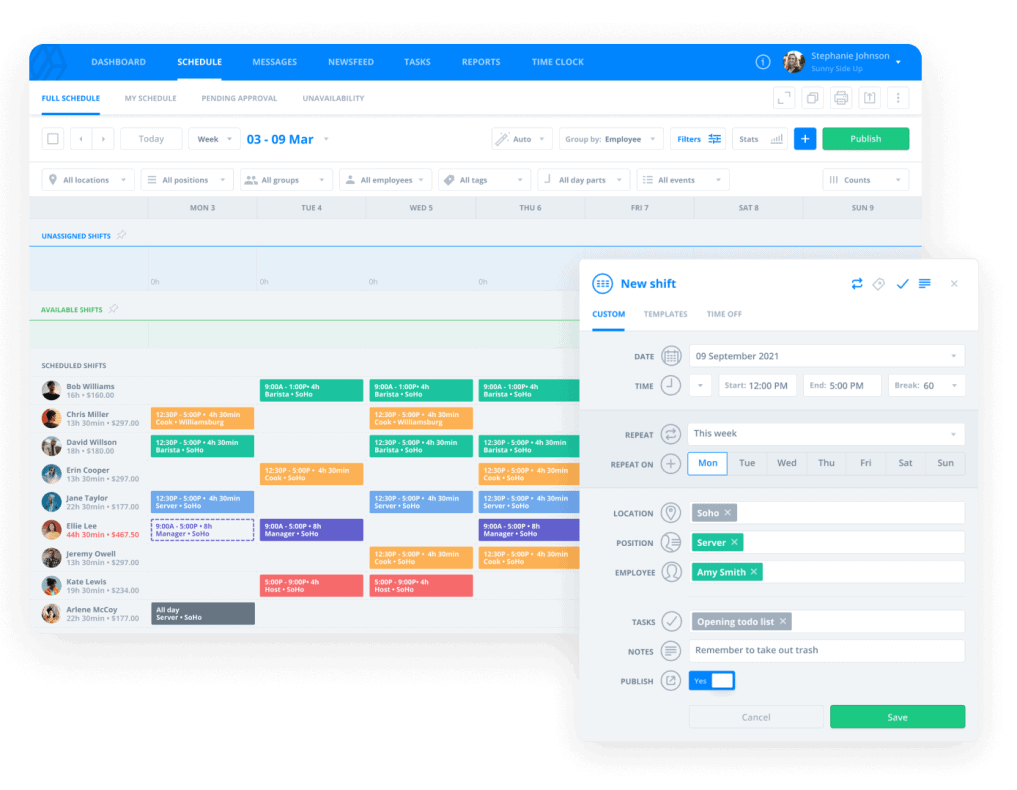
Sling is an employee scheduling platform with tools for shift planning, employee availability, shift changes, and team communication. It also focuses on helping managers understand the cost of the schedule they are building.
Employees can use the software for shift swapping and time off requests, while managers can review requests before approving them. Sling can also help managers watch for overtime and schedule conflicts.
This makes it useful for teams that need to stay flexible but cannot afford to lose track of labor spending.
Key features
- Shift swaps and shift requests
- Employee availability
- Labor cost tracking
- Overtime alerts
- Time clock
- Team messaging
- Shift templates
- Reporting tools
Why choose Sling?
Sling is a good fit for businesses where labor cost control is a top concern. It helps managers look at scheduling decisions through both a staffing and budget lens.
Price
Sling has a free basic plan for up to 30 users. Paid plans start at $2.00 per user per month.
8. Workforce.com: Best shift swapping software for complex compliance needs
Best for: Larger hourly teams in retail, healthcare, hospitality, and other highly regulated industries.
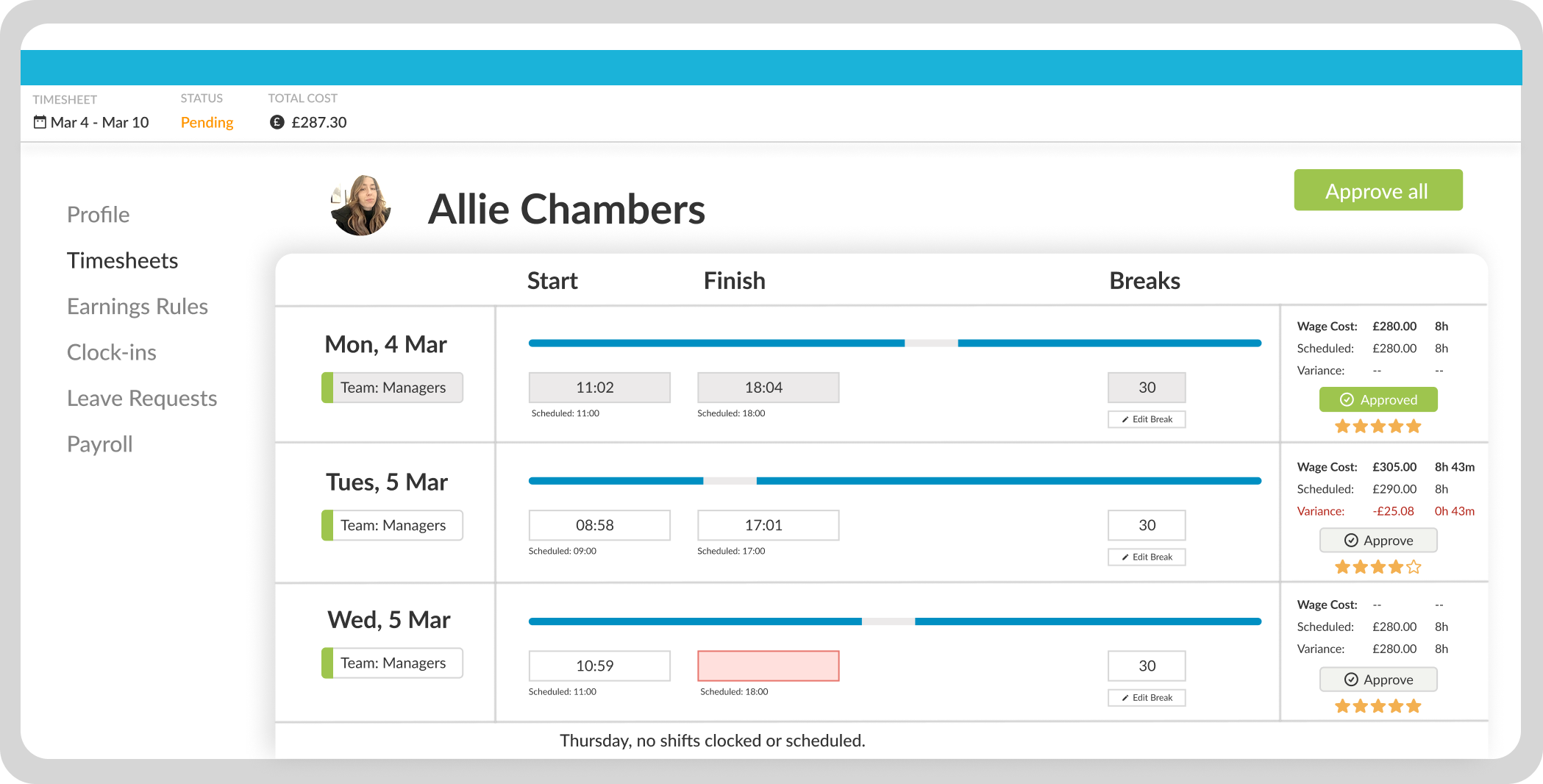
Workforce.com offers workforce management tools for larger businesses with more detailed scheduling needs. It can help teams build schedules, manage shift changes, track time, and handle labor rules.
The platform supports shift swaps and can help managers find coverage quickly. It also focuses on checks that can help businesses manage overtime, labor costs, and compliance requirements.
This is useful when a simple scheduling tool is not enough. For example, a larger business may need to make sure people have the right skills, get enough rest between shifts, and stay within working-hour rules.
Key features
- Employee shift swaps
- Open shift coverage
- Workforce scheduling
- Time and attendance
- Labor cost controls
- Overtime and compliance alerts
- Labor forecasting
- Workforce reporting
Why choose Workforce.com?
Workforce.com is a strong choice for larger teams that need more control over scheduling and labor compliance. It can help businesses handle a high number of shifts while still giving employees a way to request changes.
Price
No public pricing information available.
9. Humanity by TCP: Best shift swapping software for complex workforce scheduling
Best for: Healthcare organizations, call centers, public services, and larger teams with specialized roles.
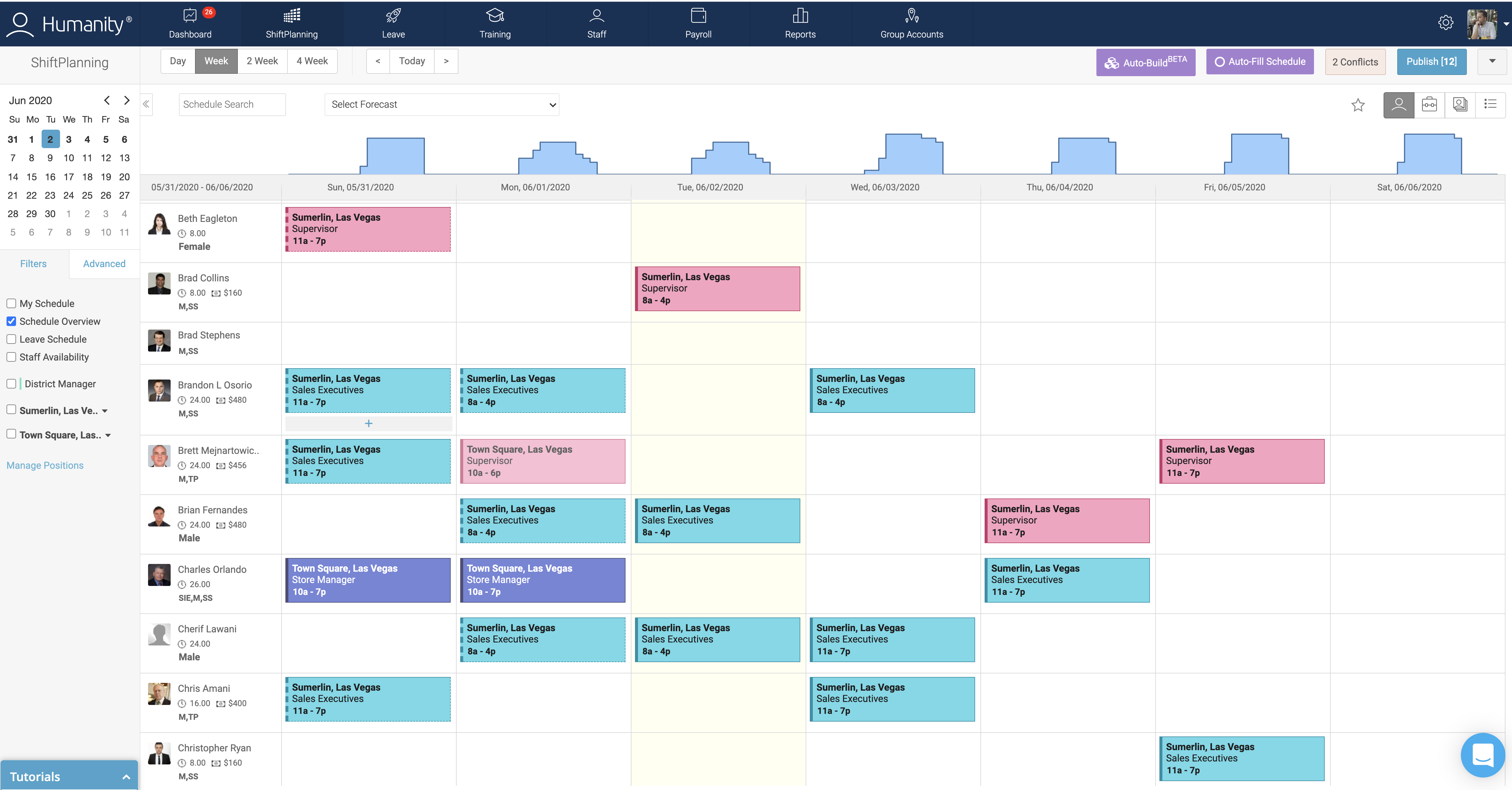
Humanity by TCP is a workforce scheduling platform for businesses that need to manage more complex shifts. It can support employee scheduling, availability, time-off requests, shift trades, and workforce planning.
The platform can be useful when managers need to schedule people based on skills, roles, locations, and staffing levels. This is often important in healthcare and other industries where not every employee can cover every shift.
Employees can see schedules and request changes, while managers keep control over approvals and staffing needs.
Key features
- Shift swaps and open shifts
- Skills-based scheduling
- Employee availability
- Time-off requests
- Compliance support
- Workforce forecasting
- Multi-location scheduling
- Reporting and analytics
Why choose Humanity?
Humanity is a good fit for organizations with complex staffing needs. It can help managers make sure each shift has the right people, not just the right number of people.
Price
$2.75 per employee per month. Billed annually.
10. ZoomShift: Best budget-friendly option
Best for: Small businesses that want a straightforward scheduling and shift swap tool.
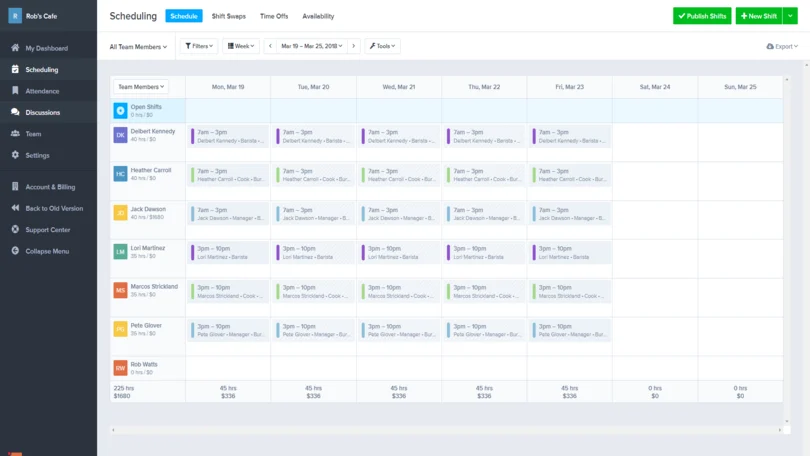
ZoomShift is an employee scheduling platform designed for small teams. It helps managers create schedules, track employee availability, manage time-off requests, and share schedules through a mobile app.
Employees can request shift changes and view updated schedules without needing to rely on paper notices or group messages. Managers can review requests and make sure changes do not create gaps.
ZoomShift can be a useful entry-level option for teams that want to move away from manual scheduling.
Key features
- Shift swap requests
- Employee scheduling
- Availability tracking
- Time-off requests
- Mobile access
- Time clock tools
- Schedule templates
- Basic reporting
Why choose ZoomShift?
ZoomShift is a practical choice for smaller teams that want the basics of digital scheduling and shift swapping software at a lower cost.
Price
Basic free plan. Starter plan starts at $2 per user per month.
How to choose shift swapping software
The best shift swapping software makes it easy for employees to request changes while giving managers control over schedules. When comparing tools, focus on these key features:
- Mobile access: Employees should be able to view schedules, request swaps, track approvals, and receive updates from their phones.
- Simple approval process: Managers should be able to quickly review requests, see who is involved, and spot any scheduling conflicts before approving the swap.
- Overtime and qualification checks: The software should warn managers if a swap would create overtime or assign someone who isn’t qualified for the shift.
- Time tracking integration: Connecting schedules with time tracking helps managers confirm worked shifts and makes payroll easier.
- Room to grow: Choose software that meets your needs today but can also support reporting, labor tracking, HR features, and more advanced workflows as your business grows.
Why choose Factorial for shift swapping?
Factorial makes shift swapping simple by including it as part of its scheduling tools. Employees can request a swap in the mobile app, coworkers can accept it, and managers approve the final change. Once approved, the schedule updates automatically and everyone involved is notified, helping prevent confusion and missed shifts.
Factorial is an AI platform that combines HR, finance, and IT management in one place. It also includes time tracking, leave management, employee records, and reporting, making it a good option for businesses that want to manage HR and scheduling in one place.
Disclaimer: The information presented on this page is based on publicly available sources. The comparisons between Factorial and other providers are intended solely for the illustration of the respective software features, pricing and functionalities. All information regarding features, prices, and integrations may be subject to change without prior notice. Factorial assumes no liability for the accuracy, completeness, or timeliness of the information presented. We recommend contacting the respective providers directly to obtain the most accurate and up-to-date information. All legal regulations regarding Spanish fair advertising and competition law are fully observed by us; if you have any concerns, please reach out to us. The comparisons presented do not constitute a final evaluation or recommendation for any provider, but serve solely as an informational source.