Tracking employee work hours is vital for businesses. While the Fair Labor Standards Act (FLSA) doesn’t mandate a specific tool, it requires accurate timekeeping for non-exempt employees. An effective employee clock-in system is crucial for maintaining precise records, ensuring compliance, and improving payroll accuracy. This article explores the benefits of modern time tracking systems and provides a detailed comparison to help you select the best solution for your business needs in 2026.
Key Facts
- An employee clock-in system is a tool—hardware or software—used to accurately record employee work hours for attendance, payroll, and compliance purposes.
- The U.S. time and attendance software market is projected to reach $4.31 billion in 2026, driven by the need for better workforce management.
- Time theft costs U.S. employers over $400 billion annually in lost productivity, highlighting the need for accurate tracking systems.
- Automated time tracking can reduce payroll errors, which is critical as a report shows that 74% of employers experience losses from issues like buddy punching.
What Is an Employee Clock-In System?
Tracking employee absences, annual leave, working hours, and remote work can be a challenge. You need to monitor the exact time your employees start and finish work, when they take their breaks, and how much time and a half and overtime your exempt employees are owed. You also need to ensure compliance with wage and hour laws and DCAA timekeeping requirements. And all this is likely to take up a lot of time and resources that you could otherwise allocate to more strategic tasks.
This is where an employee clock-in system can help.
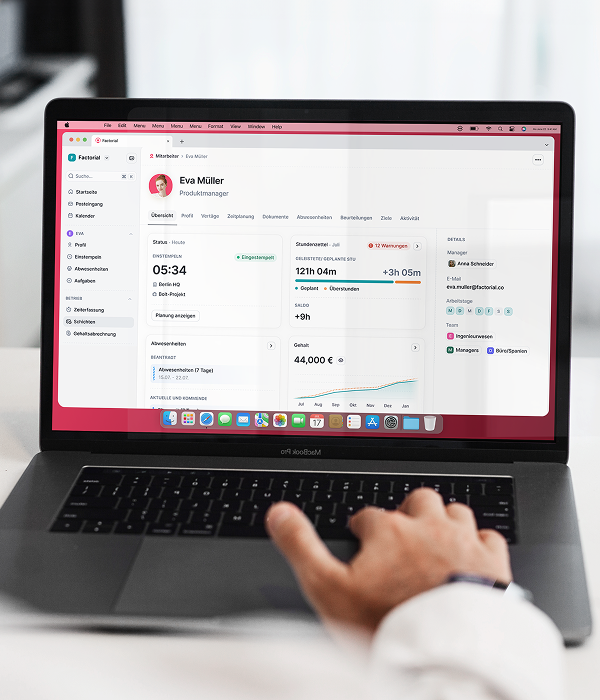
An employee clock-in and out system, also known as an employee time clock system, is a form of employee time tracking hardware or software used to calculate employee hours worked. It consists of a device, usually contained within your physical premises, where employees can swipe and record their entry and exit. Data is then fed into your time and attendance software so that you can process accurate payslips, enable more efficient record-keeping, and ensure compliance with US time and attendance laws. You can also use timekeeping data to generate reports on employee activity trends, for time and expense tracking, and to manage absences and holidays.
There are a variety of employee time clock systems currently on the market, based on a range of technologies:
- Biometric terminals
- Proximity clocks
- PIN time clocks
- Desktop clocking
- Mobile phone clocking
Some solutions, such as Factorial’s time tracking software, even offer geofencing features so that employees can clock in and out remotely. This is very handy for companies that offer flexible work models. Check out the top ten time trackers here.
What Are the Benefits of Using a Clock-In System?
Before we look at what features you should be looking for in an employee clock-in system, let’s take a look at some of the benefits of implementing this technology in your business.
An employee time clock can provide you with:
- Accurate time recording. You get a full log of employee start and finish times, as well as all breaks. This makes it much easier to accurately process payroll compared to traditional recordkeeping methods, such as using an Excel timesheet. A clock-in system also helps you spend less time on administrative tasks as you can automate your payroll and overtime processes. It also means that you don’t burden your employees with the responsibility of remembering to log their own manual timesheets.
According to a 2025 Indeed analysis, automated timekeeping is a key driver in reducing administrative work for HR teams, allowing them to focus on more strategic initiatives.
- Reduced costs associated with employee “time theft” and “wage theft.” For example, an employee might forget to include short breaks when they complete their manual timesheet, or they might slip away early. However, when they are managed by an employee time clock, any time spent out of the office, no matter how short, is tracked so that you can then calculate the correct level of compensation. It also protects you from issues such as “buddy punching,” where employees clock in on behalf of their absent colleagues.
- Fairness and transparency. Automatically tracking employee time and attendance gives you an unbiased record of employee working patterns so that you can objectively assess how long each employee and/or department is working. This allows you to reward high performers and address underperformers or habitual tardiness.
- Security. You get a real-time headcount of who is physically on your premises, important for health and safety reasons.
- Control over remote workers. An online employee clock-in system enables remote workers to clock in from any location, helping you keep track of all your workers.
How Do You Choose the Right Employee Clock-In System?
There are a variety of different clock-in systems for employees, including:
- Basic employee time clocks, such as manual punch card clocks
- Self-calculating employee clock-in systems that are also able to process the total time recorded for each period
- Biometrics that rely on facial recognition, fingerprints, or retinal scanners.
- Software attendance systems that use time tracking software to automate the process and integrate with HR and payroll
- Time clock apps that can be installed directly on employee devices.
The right solution for you will depend on a number of factors, including the size and nature of your business and whether your employees work remotely or at your premises.
Generally speaking, though, a good employee clock-in system needs to be intuitive, productive, and it needs to be designed with both managers and employees in mind. It should be sleek and user-friendly, rich in features, and make life easier for everyone involved.
Key Features in a Time Clock
| Feature | Why It Matters |
|---|---|
| Mobile Access & Geofencing | Allows employees to clock in from anywhere using their own devices, with GPS verification to ensure they are at the correct work location. |
| Automated Overtime Calculations | Automatically applies federal and state overtime rules, reducing compliance risks and ensuring accurate pay without manual calculations. |
| Leave Management Integration | Integrates time-off requests and approvals directly into the system, providing a clear view of who is available and simplifying scheduling. |
| Reporting & Analytics | Generates detailed reports on labor costs, attendance patterns, and overtime, enabling data-driven decisions for better workforce management. |
| Payroll Software Integration | Seamlessly syncs approved timesheets with your payroll system, eliminating manual data entry and reducing costly errors. |
8 of the Best Employee Clock-In Systems
Keeping track of employee attendance can be a time-consuming job. Traditional manual systems that rely on paper timesheets are messy and subject to error. This can result in you paying too much or too little for hours worked. A digital employee time clock, in contrast, helps to streamline your time and attendance process and avoid scheduling mistakes so that everything runs more efficiently.
If you’ve decided you’d like to implement an employee clock in system to manage employee time and attendance then you may be a little overwhelmed at the range of products on the market, all offering different features and relying on different technology.
With that in mind, we have put together a summary of some of the most popular employee clock in systems on the market to help you find the right solution for your business. Let’s take a look at the best employee time clock systems on the market!

1. Factorial: Employee Clock-In System
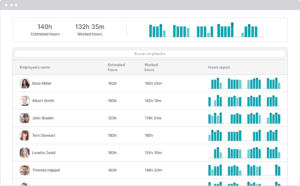
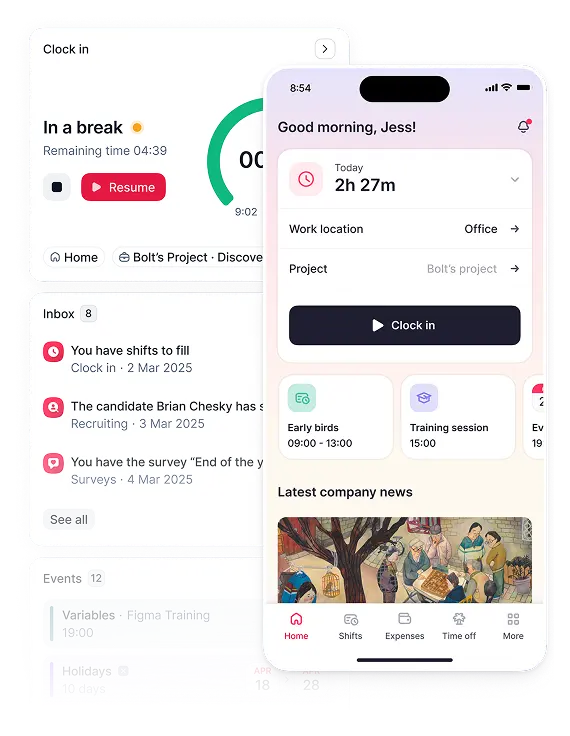
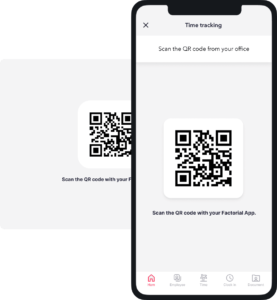
Factorial’s cloud-based software allows you to automate and digitize your company’s time & attendance. Our simple and intuitive time tracking app allows employees to clock in/out from their mobile app or using a QR code through the entrance app. You can review overtime hours for each employee at the click of a button. You can also extract reports so you can keep better track of employee hours and control labor costs. Plus, the app uses geofencing features to monitor if your employees clock in/out from outside the workplace. And at the end of the month, managers can review and approve timesheets before you process payroll.
Factorial Pros & Cons
Pros
✅ Ease of use
✅ Customizability
✅ Perfect for SMBs
Cons
❌ No desktop version available
Clock-in app
With Factorial’s mobile app, you have the option to clock in using the Factorial app. Scan a QR code in the office to log your working hours or log in from anywhere if you work remotely to track your hours worked.
Additional features of Factorial’s time-tracking software include:
- Set a work schedule for employees and calculate hours worked.
- Review electronic timesheets and individual shifts daily.
- Monitor and pay extra working hours easily.
- View employees taking time off or working remotely for better shift management.
- Know when and where employees are working and approve or reject their timesheet logs, helping you track team attendance and cut down on absenteeism.
- Offer employees the option to use the employee time-tracking app to view their work schedule and track their own hours worked.
- Generate personal charts for tracking hours worked and total time off used and available.
- Create a role for team managers to review and approve employees’ electronic timesheets.
- Calculate average working hours per week or working hours in a year for each employee.
- See which employees are not fulfilling their working hours.
- Create an hour bank to manage overtime.
- Manage work shifts better by synchronizing them with hourly absences.
- Gain insight into absenteeism in your business.
- Synchronize data from the employee clock in system with your existing HR processes and systems, such as payroll or any existing time and attendance templates that you might use.
2. Homebase
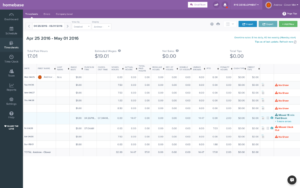
Homebase is an employee clock-in system designed for small businesses with one physical business location. It provides free time clock software and employee time clock apps that work on computers, tablets, and smartphones.
The free plan includes online time clock apps, attendance monitoring, and employee scheduling. If you upgrade to a paid subscription, you can access premium features like geofencing, overtime and late employee alerts, early clock-in prevention, and auto-scheduling.
Homebase has a user-friendly interface, and the software can handle unlimited employees. However, the free plan is limited to one location, and the software is prone to lagging and glitches from time to time. Also, despite tracking working hours, paid time off, and breaks efficiently, Homebase doesn’t have the physical time clock that many other solutions offer. Instead of physical time clocks, Homebase offers time clock apps that work on computers, smartphones, tablets, and POS systems.
This software is best if you have multiple employees with a staggered schedule.
Homebase Pros & Cons
Pros
✅ Limited free plan
✅ Easy to use
Cons
❌ Notifications not punctual
❌ Overtime not separate on payroll integration
❌ Can’t schedule separate departments within the company
3. Buddy Punch
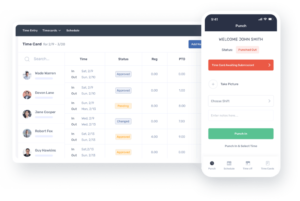
Buddy Punch is a cloud-based time-tracking and scheduling application that allows employees to clock in and out using their mobile devices or a web-based interface. This solution tracks employee work hours, including regular hours and overtime, and generates reports that can be used for payroll and billing purposes. Additionally, Buddy Punch offers features such as scheduling, time off requests, and integrations with payroll and accounting software.
Buddy Punch Pros & Cons
Pros
✅ Simple, intuitive interface
✅ Clock in app
Cons
❌ Requires internet connection
❌ Not as many features as other software
4. GoCo
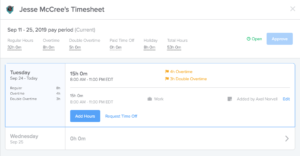
GoCo is a cloud-based human resources (HR) platform that helps small and medium-sized businesses streamline and automate their HR processes. The platform provides a range of tools and features to manage HR tasks, including employee onboarding, benefits enrollment, time tracking, payroll, compliance, and performance management. Its wide range of features complement its employee clock-in system and help HR teams automate their daily tasks.
GoCo Pros & Cons
Pros
✅ Centralized hub
✅ Real-time tracking
Cons
❌ Limited time tracking features
❌ UI not optimized
5. uAttend JR2000
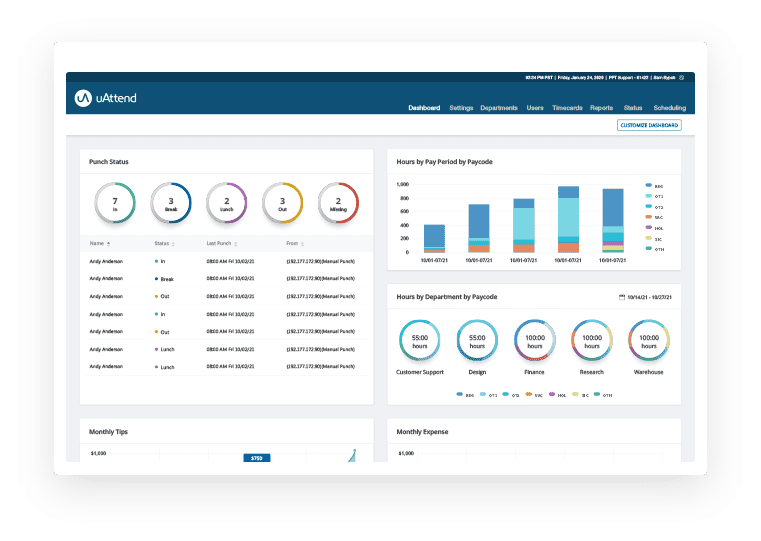
uAttend is a wall-mounted employee time clock that supports multiple clock-in/out options. You can capture employee attendance via PIN code entries, biometric fingerprint scans, and RFID card taps. It has built-in Wi-Fi that allows seamless transfers of employee time data from the time clock into uAttend’s cloud-based software. This device also has a wide touch-screen display, allowing you and your employees to easily see time clock details and set up system controls.
The device has an intuitive self-guided setup wizard, and employees can track jobs directly from the time clock. Furthermore, the monthly plan covers 2 time clocks and includes unlimited data storage and comma-separated values (CSV) file data exports. It also scores well in terms of time and attendance functionalities.
However, the device has limited report customizability, and monthly software fees can be pricey. Other drawbacks are that the biometric scanner is slow to recognize fingerprints at times, and the time clock and mobile app occasionally glitch. You might find that the solution is also quite limited in terms of integrations, as you can only connect it with QuickBooks Desktop. This could pose a problem, as you ideally want a solution that you can seamlessly integrate with your existing HR processes, namely payroll. As an employee clock-in system, uAttend covers the basics so you can provide a clock-in system for your employees and keep accurate records.
uAttend JR2000 Pros & Cons
Pros
✅ Large screen
✅ Intuitive setup
Cons
❌ Slow
❌ Few integration opportunities
6. Allied Time CB4000
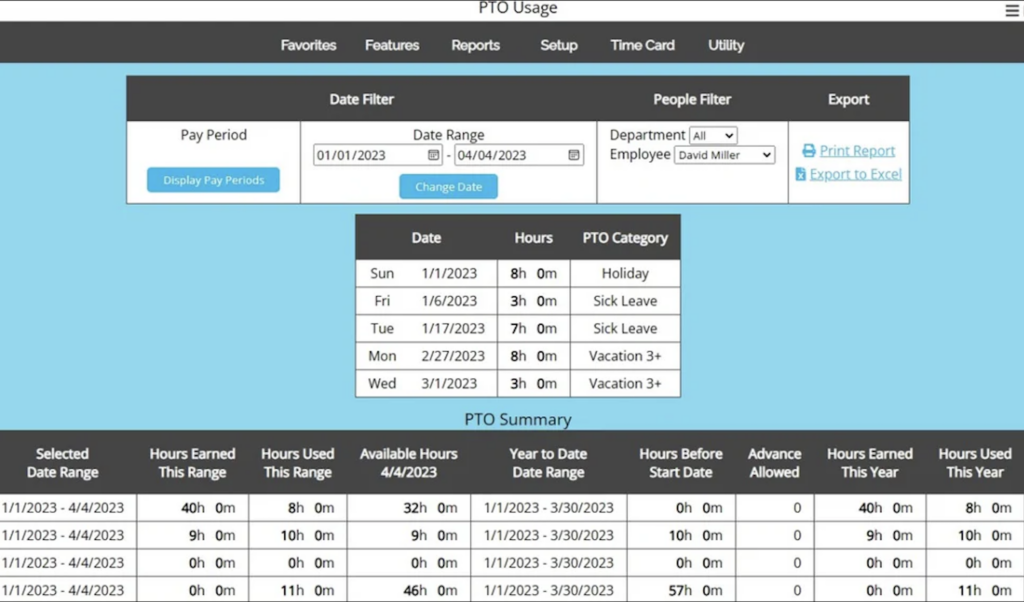
The Allied Time CB4000 biometric time clock is a web-based time-tracking solution for verifying and identifying employee palm scans. It also accepts clock-in/out entries via fingerprint, facial recognition, PIN code, and RFID badge card taps. If you work in a high-security company, then this could be a good solution for managing general access to your premises as well as employee time and attendance.
As the Allied Time CB4000 is web-based, you don’t need to install any additional software on your computers. However, you do need to pay a monthly fee to access its cloud-based timekeeping solution, although there is an initial free 30-day period for new clients.
Aside from tracking regular working hours, Allied Time CB4000’s cloud-based software can monitor overtime based on daily and weekly overtime rules, helping you ensure legal compliance. It can also handle multiple pay hour categories and has an optional automatic lunch deduction feature. It is versatile and easy to set up.
Drawbacks of the solution include the lack of customizable reports. The fingerprint scan can also be prone to occasional glitches. It also doesn’t have very powerful scheduling capabilities, and it is limited in terms of integrations, as Allied Time doesn’t integrate directly with third-party software.
Allied Time CB4000 Pros & Cons
Pros
✅ Ideal for high security companies
✅ Automatic lunch deduction feature
Cons
❌ Lack of reports
❌ No direct integration
7. Icon Time TotalPass P600
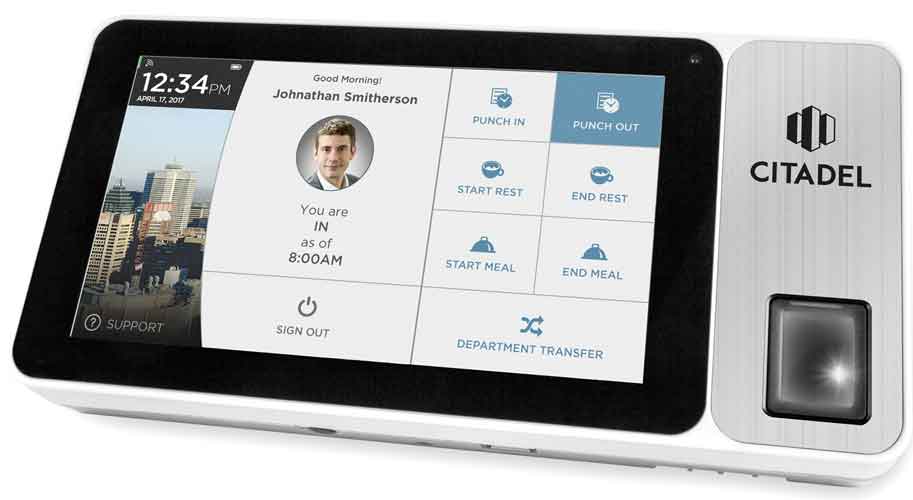
Icon Time TotalPass P600 is an employee clock-in system that can be used for up to 500 employees. This makes it a good solution if you are a small business that will soon be scaling up.
The solution includes on-site time tracking. It also has a web punch functionality that lets your employees clock in/out from connected devices. And because Icon Time TotalPass P600 has a basic time-tracking software built right into the unit, you don’t need to download and install a timekeeping system to record data. There is also an option to purchase add-ons for proximity cards, web punch licenses, and customer support. Plus, you can access the system from any device through a web browser.
Icon Time TotalPass P600 also scores well in terms of notifications. For example, aside from clock-in/out alerts, it notifies you of employees approaching daily, weekly, and consecutive overtime. You can also create alerts for low and high work hours, including notifications for software updates and data backup reminders.
Drawbacks are that there is no feature for tracking employee breaks or preventing early clock-in. This can make it difficult to get accurate data relating to actual hours worked. Customization tools are also fairly limited. Plus, troubleshooting is limited to online brochures and tutorials.
Icon Time TotalPass P600 Pros & Cons
Pros
✅ Up to 500 employees
✅ Web punch feature
Cons
❌ No break tracking
❌ No way to prevent early clock-in
8. uPunch Time Clock
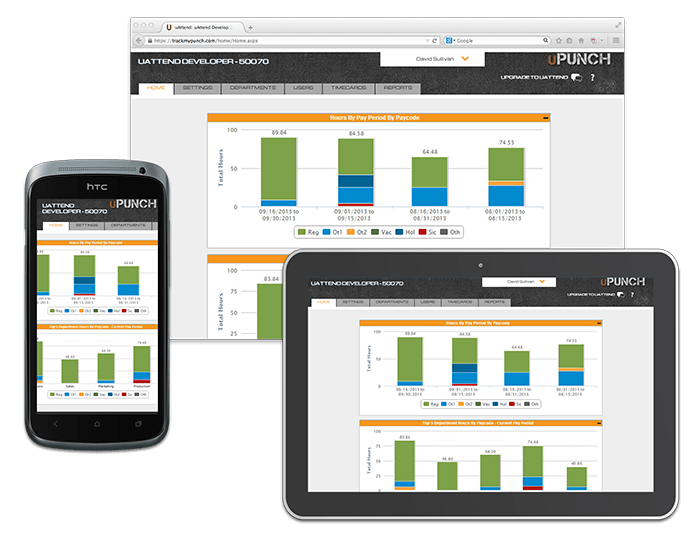
The final employee clock-in system we are going to look at today is the uPunch Time Clock.
The uPunch Time Clock is a manual punch time clock, merged with the convenience of cloud technology. This is a good starter time clock if you have a small businesses. It comes with the uPunch HN3000 AutoAlign timeclock, 100 timecards, two keys, one timecard rack and one ink ribbon. If you are looking for a basic time clock system only, this is a good option.
You can use this budget-friendly option to track any number of employees. Workers can punch in six times a day for start times, break times, lunch times, and finish times. You can also manually enter timecard data in advance through the free cloud-based software. The software also includes time-tracking features, pay reports, overtime tracking, and export options to a payroll system.
The compact time clock is easy to mount on walls or tables. It also has an auto-aligning card slot that makes it easy for employees to punch cards precisely. An integrated print mechanism marks cards clearly and highlights late or early punches in red. This is ideal for keeping track of attendance and hours worked.
Drawbacks of this solution include that the device itself does not connect to the internet. Entering time cards can also be fiddly and time-consuming. Plus, installation can be frustrating as instructions aren’t clear and customer support is limited. Finally, there are no advanced reporting capabilities with this employee clock in system. This means it will probably only work for you if you are a smaller company that wants to focus exclusively on tracking working hours.
uPunch Time Clock Pros & Cons
Pros
✅ Compact
✅ Auto-aligning card slot
Cons
❌ No internet connection
❌ Time-consuming
What Is the Best Time Clock for a Small Business?
For any small business, a reliable timekeeping solution is crucial for tracking employee hours and ensuring accurate payroll. The FLSA requires employers to keep precise records of hours worked for non-exempt employees for at least three years. Failure to do so can result in significant penalties.
So, what is the best time clock for small businesses? Which features should you be looking out for?
What to look for in a time clock for a small business
Maintaining accurate records of employee work hours is challenging, but technology offers digital time clocks for small businesses to automate and streamline the process. A digital time clock is HR software used to track and record employee hours, essential for managing attendance and payroll, especially for hourly workers.
Key features to look for in an HRIS time-tracking solution include:
- Mobile access for employees to clock in and out using their devices.
- Scheduling to manage employee shifts and avoid conflicts.
- Automated overtime calculations to save time and effort.
- Online leave management system for requesting time off and vacations.
- Reporting with detailed attendance and overtime data for informed decision-making.
- Integration with payroll and other HR software to streamline processes and reduce errors
Benefits of using time clocks for small businesses
By using a digital time clock, small business owners can ensure accurate and timely payment of wages, and also keep track of employee attendance and work schedules. This can help with planning and scheduling, and can also help prevent time theft or other forms of employee misconduct. The best time clock for small business solutions also includes features for time and expense tracking so that you can keep tabs on how much time and money you are spending on your projects.
Here are a few other benefits of using time clocks for small businesses:
- Accuracy: Time clocks provide accurate records of when employees clock in and out, reducing the risk of errors in payroll.
- Efficiency: A time clock automates the process of tracking employee attendance, saving time and effort for managers.
- Reduced costs: By accurately tracking employee hours, businesses can reduce labor costs and avoid overpaying employees.
- Compliance: Time clocks can help businesses comply with labor laws and regulations, such as overtime rules and break requirements.
- Accountability: Time clocks create a sense of accountability among employees, as they know their attendance is being tracked.
- Transparency: Time clocks provide a transparent record of employee attendance, which can help managers address attendance issues or disputes.
- Productivity: By monitoring employee attendance, businesses can identify patterns of absenteeism or tardiness and take action to improve productivity.
Overall, time clocks provide a reliable, efficient, and cost-effective way for small businesses to manage their employee attendance and payroll, which can help improve the bottom line of your business and reduce compliance risks.
Employee Clock-In System ROI
In the past, employers relied on paper timesheets or manual punch clocks to track employee hours, resulting in time-consuming and unreliable data. According to the American Payroll Association, manual methods had an average error rate of 7%.
Modern automated systems significantly reduce these errors. A report from AI Business highlights that the shift to cloud-based solutions, which now account for about 68% of the market, enhances accuracy and accessibility for remote and hybrid teams.
Should you invest in an electronic time clock?
Investing in an electronic time clock, also known as a digital employee time clock, yields significant benefits for your business. By accurately tracking employee hours, this technology streamlines payroll and attendance processes while ensuring compliance with labor laws. Compared to manual systems, electronic time clocks offer enhanced accuracy and efficiency, making them a highly rewarding choice for businesses seeking a valuable investment. With features like easy clock-in methods and comprehensive data recording, the time clock empowers both employers and employees, resulting in increased productivity and overall satisfaction. Choosing an electronic time clock is a wise investment that brings long-term advantages to your organization.
Types of Electronic Time Clocks
Here you have a more detailed breakdown of 3 of the most popular types of electronic time clocks for employees: biometric, digital, and mobile time clocks.
Biometric time clocks
A biometric time clock is a type of electronic time clock that uses biometric technology to identify employees and record their attendance. It relies on unique biological characteristics, such as fingerprints, facial features, or iris patterns, to identify employees.
A biometric time clock can be a standalone device, or it can be integrated into a larger time and attendance system. They are widely used in businesses of all sizes to track employee attendance, calculate payroll, and manage the workforce efficiently.
Biometric time clocks are more secure than traditional time clock methods that use cards or PINs since, due to their reliance on biometric data, they cannot be easily faked or duplicated. This makes them a good choice for businesses that need to ensure the accuracy and security of their attendance tracking.
Digital time clocks
A digital time clock, also known as an employee digital clock system, is a type of electronic time clock system that you can use to track employee attendance. The system can be either hardware-based or software-based and offers a range of features, including the ability to generate employee timesheets, calculate payroll, and monitor attendance.
As with biometric time clocks, employees can clock in and out, and the digital time clock records their attendance automatically. The only difference is the method used for identification. Instead of relying on biometric data, with a digital time clock system, employees must either use a swipe card in the case of a physical device or a PIN in the case of computer software applications. Employee digital clock systems can also be integrated with other HR management software, such as payroll systems and employee scheduling software, to provide a comprehensive HR management solution.
Mobile time clocks
A mobile electronic time clock, often referred to as a time card app or timesheet software, is a mobile software application used for employee time-tracking. As with all other types of electronic time clocks, a mobile time clock keeps track of employee hours worked. This helps organizations monitor time and attendance, calculate payroll, and manage their workforce efficiently. However, instead of using hardware or computer software, employees clock in and out using a smartphone or tablet.
Mobile time clocks are typically accessed through an app that employees download to their mobile devices. The app then uses GPS technology to verify the location of the employee when they clock in or out. Some mobile time clocks also use facial recognition or biometric technology to verify the identity of the employee.
Mobile time clocks offer several advantages over traditional time clock systems, including convenience, flexibility, and cost-effectiveness. They allow employees to clock in and out from anywhere, which is especially beneficial for remote employee time tracking or if you have employees working from different locations. Mobile time clocks also eliminate the need for physical time clock devices, eliminating equipment costs and maintenance expenses.
The Final Verdict on Electronic Time Clocks
There are some potential disadvantages to using an electronic time clock. However, these are heavily outweighed by the benefits this form of time-tracking can bring to your business. The key is using the right technology to overcome any potential issues that might arise.
For example, Factorial’s HRIS includes an affordable and easily accessible time clock app. Your employees can use this app to clock in and out straight from their mobile devices, whether they are at the office or working remotely. Not only that, but managers can use the app’s shift scheduling features to plan and allocate resources efficiently. You also get access to a range of leave management tools so you can process time-off requests smoothly and efficiently. Plus, our overtime tracking tools help you stay compliant with labor laws and regulations.
Factorial also offers a comprehensive suite of training materials and expert technical support to help with implementation and training. That way, all your employees can get up to speed with the app quickly. Plus, our solution includes a range of data protection features. This includes encryption, a single sign-on system (SSO), and regular vulnerability diagnostics. That way, you and your employees can rest assured that all data is safe and secure. What’s more, because Factorial is a cloud-based platform, you don’t need to purchase or maintain any costly hardware. This makes it an affordable and accessible solution for small businesses. Plus, it eliminates any risk of technical malfunction.
Ultimately, by choosing an electronic time clock solution like Factorial, you get all the benefits of digital time-tracking while minimizing potential drawbacks. That way, you will have access to all the time and attendance data you need to optimize your workforce, ensure accurate and timely payments, and stay compliant with federal and state labor laws.

FAQ
What is the best employee time clock software?
The best employee time clock software integrates seamlessly with other HR functions like payroll and leave management. A solution like Factorial provides a comprehensive system with mobile clock-in, geofencing, and automated timesheets, which is ideal for businesses seeking to streamline operations and ensure accuracy.
What is the 7-minute rule for clocking in?
The 7-minute rule is a payroll practice under the FLSA that allows employers to round employee time to the nearest 15-minute interval. Time can be rounded up or down, but the practice must be applied consistently and fairly for both early and late punches so it does not disadvantage employees over time.
How do I track when my employees clock in and out?
You can track employee clock-ins and outs using digital systems like mobile apps, QR code scanners, or desktop software. An all-in-one HR platform like Factorial automates this process, providing accurate, real-time data for both on-site and remote employees, which simplifies payroll and ensures compliance.
Are you supposed to get paid for being clocked in?
Yes, under federal law, non-exempt employees must be paid for all time they are clocked in and considered to be working. This includes all time an employee is required to be on duty or at their prescribed workplace, ensuring fair compensation for all hours worked.